
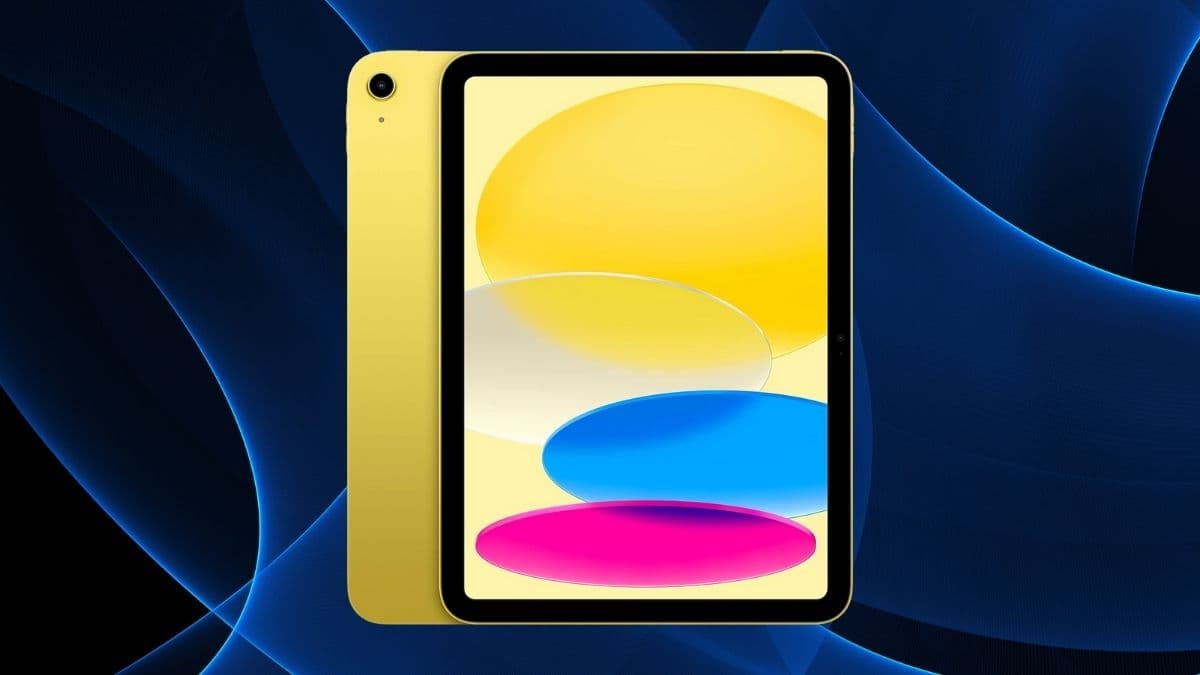
Looking for a tablet that does it all? The yellow iPad 10th Gen packs A14 power, a 10.9” display, and 256GB of space for work and play in 2025.
When Apple released the 10th generation iPad in yellow, it was hard not to notice.
At first, the color made headlines—but after using it consistently for two weeks, it’s clear this iPad isn’t about aesthetics alone. It quietly refines many of the things Apple’s base iPad lineup used to miss: the camera is now where it makes sense, the performance no longer feels like a compromise, and the move to USB-C is a welcome correction.
This isn’t Apple’s most powerful tablet—and it’s not trying to be. Instead, it focuses on usability. It handles everyday tasks comfortably, looks and feels great in your hands, and offers a few subtle improvements that make a real difference over time.
If your goal is a reliable device for daily work, creative exploration, or screen-time that isn’t too limited or overwhelming, this iPad lands in a thoughtful middle ground.
A Design That’s Light, Bright, and Finally More Practical
Apple didn’t just give its entry-level tablet a colorful refresh. The 2025 iPad 10th Gen adopts the flat-edge design seen in its more expensive siblings and makes a key design correction: it moves the front camera to the landscape edge.
This small change makes a big difference—especially for anyone using the iPad for video calls or virtual meetings.
Design highlights:
- Aluminum unibody: Lightweight and sturdy at just 1.05 lbs (477g)
- 0.28 inches thin: Easy to carry or slip into any bag
- Yellow finish: Eye-catching, but not overwhelming
- Landscape front camera: Ideal for horizontal use—finally aligned with how people actually hold tablets
It’s a form factor that balances portability and comfort. Whether you’re reading, watching, or sketching, this iPad feels like it belongs in your hands.
The Display: Not Flashy, Just Reliable and Easy on the Eyes
This isn’t a Pro-level screen, and Apple doesn’t pretend it is. What you get instead is a well-calibrated display that covers most of what daily users need—reading clarity, strong color performance, and outdoor visibility.
Display features:
- 10.9-inch Liquid Retina display
- 2360 x 1640 resolution at 264 ppi
- True Tone adjusts white balance based on ambient lighting
- P3 wide color gamut for rich and accurate colors
- 500 nits brightness for indoor and outdoor use
- Anti-reflective and oleophobic coatings reduce glare and smudges
The screen doesn’t support 120Hz refresh or HDR, but it handles everything else with confidence—from web browsing to light photo editing and Netflix streaming.
A14 Bionic Chip: Still Holding Up in 2025
The A14 Bionic isn’t Apple’s newest chip, but it’s aged well. In everyday use, it rarely feels like a limitation. Whether you’re juggling a few productivity apps or diving into light creative work, it delivers consistent performance without major slowdowns.
Under the hood:
- 6-core CPU (2 high-performance + 4 efficiency cores)
- 4-core GPU for smooth visuals in games and creative apps
- 4GB RAM, sufficient for casual multitasking
- 16-core Neural Engine, helpful for AI-powered features like handwriting recognition
You can run most of today’s demanding apps—including Adobe Fresco, Procreate, and even some 3D games—without issue. It’s not the chip for heavy-duty video editing, but for 95% of users, it performs well.
256GB Storage: Breathing Room Without Cloud Anxiety
There’s something refreshing about not having to think about storage management all the time.
This iPad’s 256GB of space makes it easy to live locally: download full albums, seasons of shows, or creative projects—without always relying on Wi-Fi or juggling iCloud subscriptions.
What you can comfortably store:
- Dozens of apps and games
- Thousands of high-res photos
- Several 4K video projects
- Long-form documents, PDFs, and offline reading material
- Creative app assets like brushes, templates, and project files
For those who work offline or use their iPad for media-heavy tasks, the 256GB model offers peace of mind.
Connectivity: USB-C Finally Arrives, Along with Faster Wi-Fi
Apple’s shift to USB-C across its iPad lineup continues here—and it makes the 10th-gen iPad more versatile out of the box.
Connectivity improvements:
- Wi-Fi 6 (802.11ax): Up to 40% faster than previous models
- Bluetooth 5.2: Better range and reliability with peripherals
- USB-C port: Enables charging, external storage, and monitor support
The change to USB-C feels overdue, but it’s well implemented. File transfers, accessory compatibility, and general convenience all get a boost.
Camera System: Useful, Not Just Decorative
Tablet cameras don’t usually wow—but the improvements here are worth noting. The iPad’s rear and front-facing cameras are both 12MP, and the latter supports Center Stage—a feature that keeps you in frame during video calls.
Rear camera:
- 12MP wide lens
- Smart HDR 3 for tricky lighting
- 4K video recording with stabilization
Front camera:
- 12MP ultra-wide with 122° field of view
- Landscape orientation makes FaceTime calls feel natural
- Center Stage follows your movement automatically
You’re probably not shooting your next film on this iPad, but for video calls, document scanning, and occasional photos, the setup is solid.
Battery Life: Quietly Dependable
Apple claims 10 hours of battery life—and in real use, that figure mostly holds up. For streaming, browsing, and note-taking, it gets through a full workday without needing a top-up.
Battery experience:
- 28.6Wh lithium-polymer battery
- Up to 10 hours of continuous browsing or video playback
- Fast charging via included 20W USB-C adapter
- Optimized power management for extended standby time
Battery life isn’t revolutionary, but it doesn’t need to be—it’s consistent, and that’s often more valuable.
Apple Pencil and Keyboard Support: Expanding Possibilities
For note-takers, artists, or anyone wanting a bit more precision, Apple Pencil support adds a layer of utility. This model works with:
- Apple Pencil (1st gen) with USB-C adapter
- Apple Pencil (USB-C) with direct pairing
Writing and drawing feel smooth, and palm rejection works well. Creative apps respond accurately, though the pairing process with the 1st-gen Pencil is clunky.
Keyboard support is also here. The Magic Keyboard Folio adds real laptop-like functionality:
- Comfortable keys with decent travel
- Built-in trackpad with gesture support
- Adjustable viewing angles
- No charging required—it draws power from the iPad itself
If your workflow involves writing, spreadsheets, or online research, the keyboard folio can make this iPad feel more like a hybrid machine.
Software: iPadOS 18.5 Brings It All Together
The hardware doesn’t exist in isolation—iPadOS 18.5 adds the polish. Apple continues to bring desktop-like functionality to the iPad with:
- Split View and Slide Over multitasking
- Stage Manager (for resizable, overlapping windows)
- Focus modes to reduce distractions
- Built-in accessibility features (like VoiceOver, AssistiveTouch)
- Consistent security updates and ecosystem continuity (Handoff, AirDrop, Universal Clipboard)
For users already in the Apple ecosystem, these features reduce friction across devices. Everything syncs quickly, and moving between iPad, iPhone, and Mac feels seamless.
A Balanced, Capable Device That Gets the Basics Right
The 10th generation iPad (2025) in yellow isn’t trying to dazzle with over-the-top specs. It’s not a Pro model, and it doesn’t pretend to be. What it does is offer a very solid, very usable experience in a smartly designed package.
If you’re a student, a frequent traveler, a casual creative, or just someone looking for a reliable tablet that can stretch into multiple roles, this iPad makes a lot of sense. It’s bright in more ways than one—and it shows that even a “basic” iPad in 2025 can be thoughtfully equipped for real-world use.