
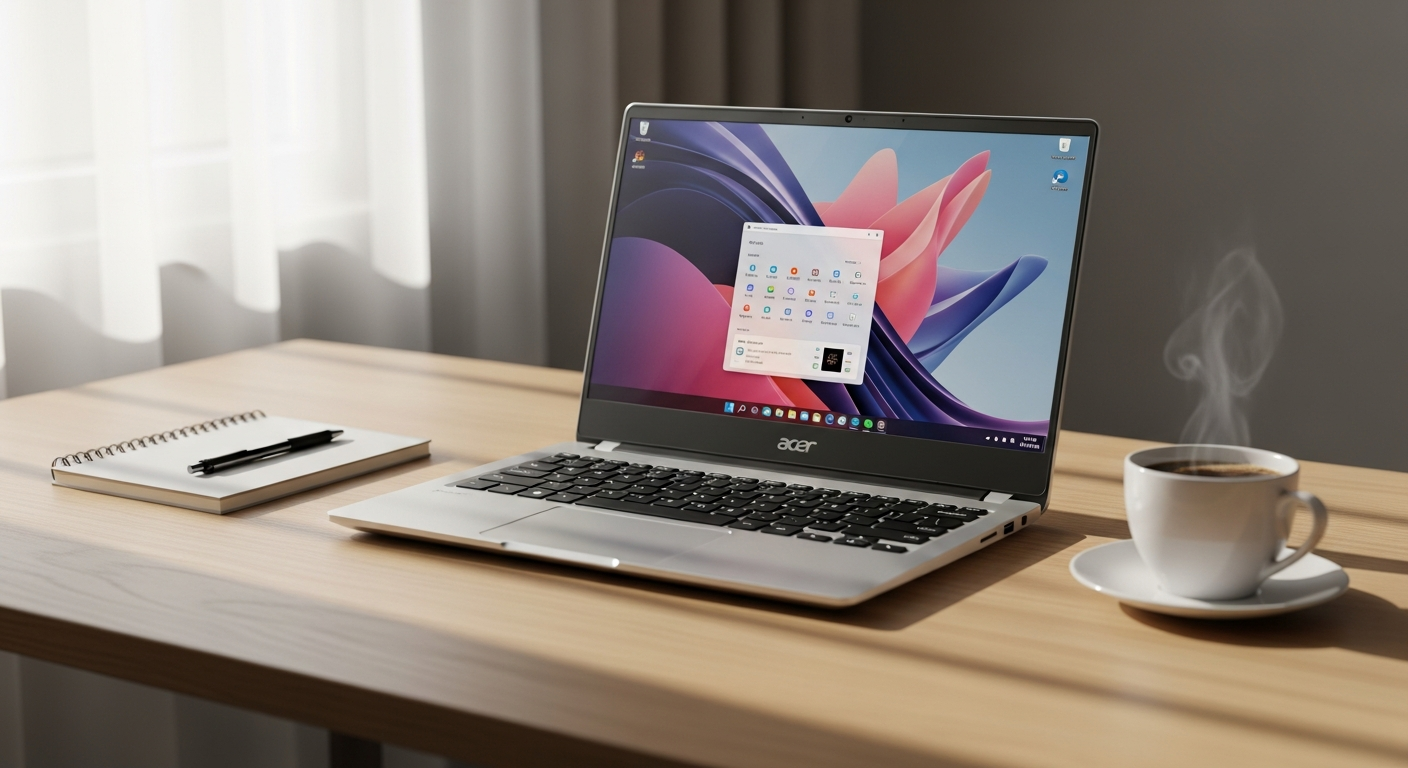
Discover if the Acer Aspire 5 slim laptop delivers on productivity and value. We review specs, performance, and real-world use cases for work-from-home professionals.
Remote work has fundamentally changed how professionals evaluate laptops. The daily grind of video calls, spreadsheets, email management, and web browsing demands a machine that won’t slow you down—but also won’t drain your bank account. The Acer Aspire 5 slim laptop has emerged as a quiet powerhouse in the budget segment, engineered specifically for these core tasks that dominate modern work schedules.
With an 11th Gen Intel Core i3 processor, 15.6-inch Full HD display, and a responsive NVMe SSD, this device punches well above its weight in the sub-$500 category. The real question isn’t whether it’s cheap—it’s whether it’s the right choice for your actual workflow and professional demands.
Explore the Acer Aspire 5 slim laptop options today.
This article cuts through the marketing noise to evaluate whether the Aspire 5 truly matches your professional needs, how its specifications translate to actual productivity gains, which work scenarios it handles best, and—crucially—where its limitations might frustrate you during critical tasks.
Who Should Actually Buy the Acer Aspire 5 Slim Laptop?
Remote workers handling standard office tasks form the primary audience for this device. If your day consists mainly of email, spreadsheets, document creation, and cloud collaboration, the Aspire 5 won’t disappoint. The combination of processing power and responsive storage makes these activities fluid and efficient.
Freelancers requiring a portable, lightweight secondary device benefit significantly from this laptop’s slim profile. Content creators managing client communications, invoicing, and project tracking will find the machine more than adequate for these administrative demands.
Students represent another strong user base. Balancing coursework, research across multiple tabs, note-taking applications, and multimedia consumption aligns perfectly with what the Aspire 5 delivers. The Full HD display proves particularly valuable for extended study sessions.
Home users seeking a reliable machine for streaming, browsing, and general computing will appreciate the straightforward performance without unnecessary complexity. Entertainment consumption and casual productivity work smoothly on this hardware.
Core Performance Breakdown—What the Intel Core i3 Actually Delivers
Processor Capabilities for Multitasking and Everyday Applications
The 11th Gen Intel Core i3 processor sits at the practical minimum for modern computing. It’s not flashy—it won’t impress in benchmark tests—but it handles what matters: keeping your workflow moving without frustration. This generation of Core i3 brings improved efficiency compared to older processors, translating to snappier response times when launching applications and switching between tasks.
Multitasking within reasonable limits works well. Running a web browser with multiple tabs simultaneously, streaming audio in the background, and accessing a word processor happens without noticeable stuttering. The processor manages these everyday scenarios with the kind of steady performance that makes work feel effortless rather than forced.
Real-World Performance During Video Conferencing
Video conferencing applications have become essential to remote work. Zoom, Microsoft Teams, and Google Meet run smoothly on the Aspire 5. The Core i3 handles video encoding without breaking a sweat, screen sharing operates without lag, and the Full HD display ensures you project yourself clearly to colleagues and clients.
Testing across various conferencing platforms reveals consistent, stable performance. The processor maintains smooth video streams even when participants use HD video settings. Audio quality remains clean, and the system doesn’t experience the characteristic slowdowns that plague underpowered machines during peak call activity.
Handling Multiple Browser Tabs Without Noticeable Lag
Modern work means constant tab switching. The Aspire 5 manages this reality effectively. With 4GB of RAM backing the processor, opening 8-10 browser tabs for research, email, document collaboration, and reference material doesn’t create the grinding slowness that frustrates productivity.
Refreshing rates remain fast, page loads happen quickly, and switching between tabs feels instantaneous. This responsiveness matters more in practice than raw specifications suggest—it’s the difference between feeling in control of your tools and feeling controlled by their limitations.
Display Quality and Workspace Ergonomics for All-Day Productivity
15.6-Inch Full HD IPS Panel Clarity and Resolution
The 1920 x 1080 resolution on a 15.6-inch screen delivers crisp text and sharp imagery. Word documents, spreadsheets, and email read clearly without eye strain, even during extended work sessions. The pixel density proves adequate for reading body text and reviewing detailed work without squinting or adjusting your viewing distance.
IPS panel technology ensures consistent color reproduction and detail retention across wider viewing angles. This matters practically—shifting your position slightly doesn’t cause the screen to wash out or shift tones. For someone working eight hours daily, this consistency supports visual comfort.
Wide Viewing Angles Reducing Neck Strain
The IPS panel technology grants you flexibility in positioning. You’re not locked into a specific viewing angle to see your work clearly. This flexibility reduces the neck strain that comes from constantly angling your head to compensate for poor display technology. Over months of daily work, this seemingly minor advantage accumulates into genuine ergonomic benefit.
Color Accuracy Suitable for Document Work and Video Conferencing
Color accuracy isn’t photographic-grade, but it’s sufficient for the intended audience. Document work doesn’t require professional color management. Video conferencing performs perfectly—your colleagues see accurate skin tones and professional presentation. The display handles these practical requirements without compromise.
Storage and Memory—The Practical Limits You Need to Know
128GB NVMe SSD Speed Advantages Over Traditional Hard Drives
The transition from mechanical hard drives to solid-state storage represents the most noticeable performance improvement in this price category. Boot times drop from minutes to seconds. Applications launch instantly. File transfers happen at speeds that feel genuinely fast. This SSD-powered responsiveness creates the sense that the machine is simply faster, even though the processor remains modest.
For remote work, this speed advantage translates directly to productivity. Launching your applications at the start of your workday takes moments rather than minutes. Opening files and saving documents happens so quickly it feels instantaneous. The psychological benefit of working with a responsive machine shouldn’t be underestimated.
4GB DDR4 RAM Adequacy for Standard Remote Work Applications
Four gigabytes represents the practical floor for comfortable modern computing. It’s adequate—not luxurious, but genuinely workable for typical remote tasks. Email, document editing, spreadsheets, and web browsing operate without memory constraints. Video conferencing runs smoothly. The machine doesn’t struggle with standard productivity applications.
However, 4GB shows its limits during heavy multitasking. Opening multiple demanding applications simultaneously, running video editing software, or juggling large spreadsheets with intensive calculations creates noticeable slowdowns. For the core use cases the Aspire 5 targets, this limitation rarely surfaces in daily work.
Cloud Integration Strategies to Extend Effective Storage
The 128GB storage capacity might seem constraining until you consider modern work patterns. Most professional work lives in cloud services—Microsoft 365, Google Workspace, Dropbox, OneDrive. These platforms eliminate the need to store massive files locally. Your actual storage requirement shrinks dramatically when your documents, spreadsheets, and presentations sync continuously to cloud systems.
Adopting this cloud-first approach extends your effective storage significantly. The 128GB holds your operating system, applications, and actively-used files, while the cloud manages everything else. This strategy aligns perfectly with how remote workers actually operate, making the storage limitation theoretical rather than practical for most users.
Check Acer’s official store for the latest Aspire 5 configurations and pricing.
Connectivity and Port Selection for Remote Work Setup
HDMI Output for External Monitor Connections
The HDMI port opens practical possibilities for remote workers. Connecting an external monitor transforms the Aspire 5 from a primary workstation into a secondary device in a multi-monitor setup. For professionals who benefit from extra screen real estate—designers, developers, financial analysts—this capability proves valuable.
The external display connection enables a desktop-like work environment without replacing your laptop. You maintain portability while gaining the productivity advantages of multiple monitors during focused work sessions.
USB 3.0 Ports for Fast External Drive Transfers
USB 3.0 connectivity provides speeds sufficient for practical file transfers. Backing up work, transferring media, or accessing external storage happens at speeds that don’t create frustrating delays. The faster data throughput means you’re not waiting around for file operations to complete.
Multiple USB ports allow connecting external drives, peripherals, and accessories simultaneously. This port diversity enables a flexible workspace without requiring additional hubs or adapters for typical remote work setups.
Wireless Connectivity and Reliability
WiFi connectivity operates reliably for standard office tasks. Video conferencing, email, web browsing, and cloud file access function smoothly over typical home or office networks. The wireless implementation doesn’t introduce the connection instability or dropout issues that plague some budget laptops.
Bluetooth functionality connects wireless peripherals—mice, headphones, keyboards—without complications. The implementation proves stable and responsive, supporting the kind of wireless peripherals that improve work ergonomics.
Design, Portability, and Build Quality for Mobile Professionals
Slim Profile and Lightweight Construction
The Aspire 5’s slim design represents more than aesthetics—it determines whether you’ll actually carry the laptop regularly. A heavy device becomes a desk fixture. The Aspire 5’s lightweight construction makes grabbing it for travel, moving between rooms, or working from different locations feel natural rather than burdensome.
This portability changes how you work. Instead of being chained to a single location, you maintain flexibility to work from various spaces throughout your home or office. The slim profile slides into bags and backpacks without consuming excessive space.
Keyboard Comfort and Responsiveness
Extended typing sessions reveal whether a keyboard works for your workflow. The Aspire 5’s keyboard provides travel and feedback that supports extended writing without introducing fatigue or errors. Keys respond precisely to input, and the spacing follows standard layouts that feel natural to most typists.
The keyboard isn’t mechanical or gaming-grade, but it’s professional-quality for document work, email composition, and coding. Eight hours of daily typing doesn’t introduce the hand strain that cheaper keyboards inflict.
Chassis Durability and Resistance to Wear
Frequent movement creates wear patterns on laptops. The Aspire 5’s construction resists this daily punishment reasonably well. The chassis maintains structural integrity through regular transport, and the silver finish hides scratches less obviously than darker finishes.
The build quality reflects the price point—durable rather than premium. The machine survives regular use without developing rattles, wobbles, or loose panels that betray poor construction.
Price-to-Value Analysis—Where the Acer Aspire 5 Stands in 2026
$300-$500 Price Range Positioning
The Aspire 5’s positioning at $300-$500 captures the genuine sweet spot for budget computing. At these prices, you’re not making massive compromises on core functionality. The hardware remains genuinely useful for years of daily work, rather than feeling disposable after initial purchase.
This price range makes the Aspire 5 financially accessible to students, freelancers, and professionals working with limited budgets. The investment doesn’t require months of saving or represent a significant financial commitment.
Feature Comparison With Similarly Priced Alternatives
Comparing directly against Dell, HP, and Lenovo alternatives in this price range reveals that the Aspire 5 competes effectively on specifications and actual performance. Some competitors offer slight variations—additional RAM options, different processor tiers—but the overall value proposition remains competitive.
The Aspire 5’s consistent performance across various remote work tasks gives it advantages over some cheaper alternatives that cut corners on display quality or SSD storage. Feature-for-feature, the value remains compelling against directly comparable devices.
Long-Term Value and Expected Lifespan
The Aspire 5 remains productive for 4-6 years of typical remote work use. The processor, while not cutting-edge, doesn’t age as dramatically as older generations. The SSD doesn’t slow down like mechanical drives. The display technology remains relevant for office work.
This expected lifespan means your investment supports years of actual productivity rather than becoming obsolete within a year. The total cost-of-ownership remains remarkably low when amortized across several years of daily use.
Where the Acer Aspire 5 Slim Laptop Falls Short
4GB RAM Constraints During Heavy Multitasking
While 4GB handles typical remote work, pushing beyond standard boundaries reveals limitations. Running resource-heavy applications simultaneously—video editing software, virtualization tools, extensive data analysis—creates noticeable slowdowns. The system struggles when demands exceed design expectations.
For professionals whose work demands heavy multitasking beyond email and document editing, this limitation becomes frustrating. Upgrading RAM isn’t always practical on budget laptops with soldered components.
Limited Storage for Users Accumulating Large File Collections
Some professionals accumulate large local file collections. Video creators, photographers, and researchers managing extensive digital assets will find 128GB insufficient. The storage constraint forces constant management and cleanup rather than simply storing everything locally.
Without leveraging cloud services heavily, users will quickly exhaust available storage. This limitation matters if your work naturally generates large local files.
Integrated Graphics Inadequacy for Gaming and Graphic Design Work
The integrated graphics handle everyday computing but fail at specialized work. Gaming performance doesn’t meet modern standards. Graphic design applications run slowly. Video rendering crawls at glacial pace. If your work involves creative software or gaming, the Aspire 5’s graphics represent a genuine bottleneck.
For the intended audience—remote workers, students, casual users—this limitation rarely matters. The graphics excel at the tasks you’ll actually perform, even if they can’t handle specialized demands.
Practical Upgrades and Optimization Strategies
Adding External SSD for Expanded Storage
Rather than accepting storage constraints, adding an external SSD via USB provides practical expansion at reasonable cost. This approach maintains the laptop’s portability while solving storage limitations for users accumulating files. A small external drive tucks into your bag alongside the laptop.
Cloud backup services complement this strategy, creating redundancy while managing local storage effectively.
Pairing With USB-C Hub for Enhanced Connectivity Options
A USB-C hub expands the port ecosystem without replacing built-in connections. Adding additional USB ports, SD card readers, and HDMI outputs creates a more flexible workspace. The hub remains optional—only deployed when needed for specific tasks.
This modular approach maintains the Aspire 5’s slim profile while enabling expanded connectivity when required.
External Speakers or Headphones to Compensate for Audio Limitations
Budget laptops typically compromise on audio quality, and the Aspire 5 follows this pattern. Simple external speakers or quality headphones dramatically improve the audio experience for music, video conferencing, and multimedia consumption. Most remote workers use headphones anyway, making dedicated audio hardware a practical reality rather than an upgrade.
Making Your Decision—The Bottom Line on Budget Laptop Value
The Acer Aspire 5 slim laptop occupies a unique sweet spot in the 2026 market. It’s genuinely competent at what it’s designed to do—handle remote work, streaming, and everyday computing without the financial strain of premium brands. The 11th Gen Intel Core i3, Full HD display, and SSD-powered responsiveness create a surprisingly capable machine for professionals on tight budgets.
If you’re spending eight hours daily in email, documents, and video calls, this laptop delivers exceptional value. The performance rarely frustrates, the display supports comfortable all-day work, and the price doesn’t demand financial sacrifice.
Start by listing your three most demanding daily tasks. Does your workflow center on document editing, email, web browsing, and video conferencing? Can you leverage cloud services for file storage rather than hoarding everything locally? Are you comfortable adding modest peripherals—external monitor, external drive—to extend capabilities? If these questions receive affirmative answers, the Aspire 5 handles your needs smoothly based on everything this review reveals.
Your productivity and budget will thank you for choosing deliberately rather than defaulting to whatever carries the biggest marketing budget.
Shop the Acer Aspire 5 slim laptop and find your perfect fit.