
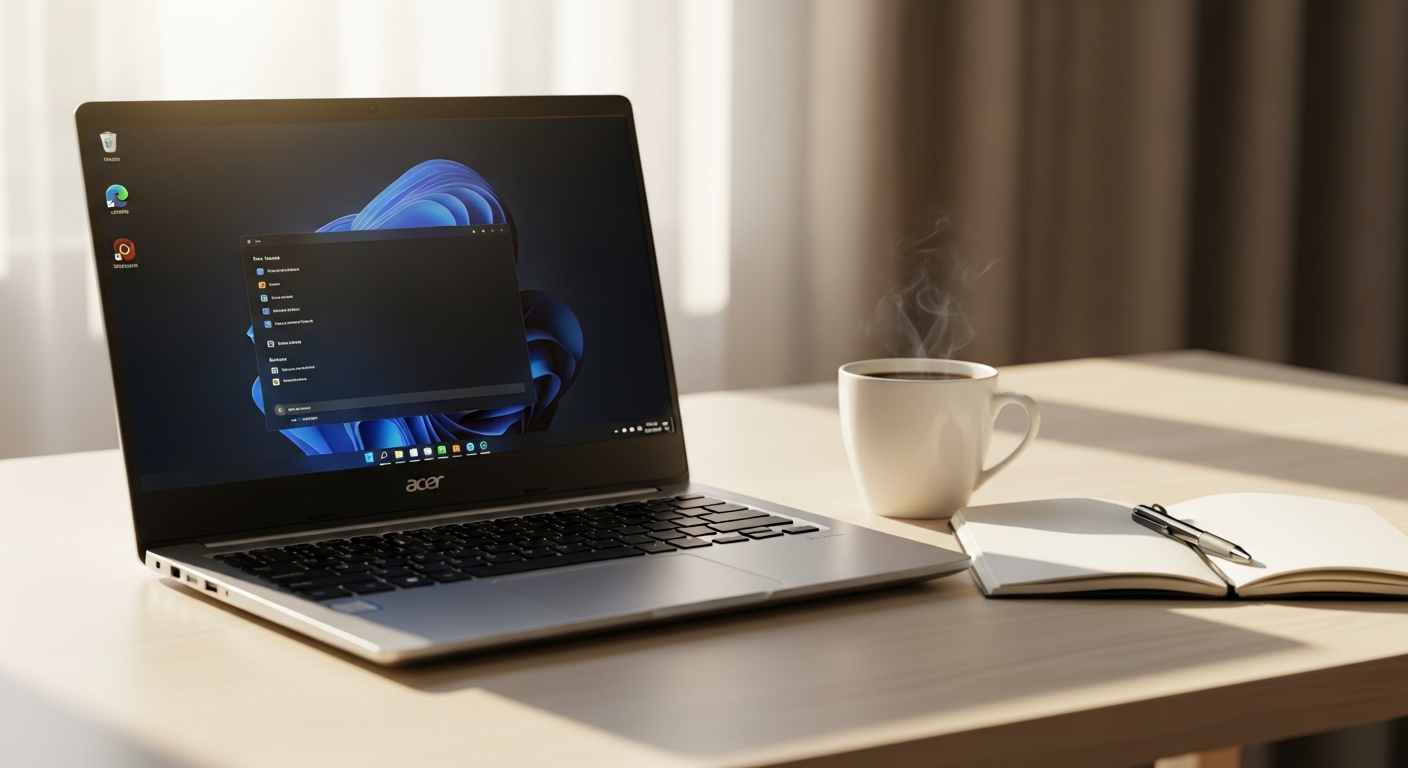
Discover if the Acer Aspire ES 15 budget laptop is right for you. We break down specs, performance, and real-world use cases to help students and budget shoppers make an informed decision.
Over 60% of laptop buyers prioritize affordability over cutting-edge performance—and for good reason. When you're a student juggling tuition payments, a parent stretching the family budget, or someone simply needing a reliable machine for everyday tasks, dropping £200-300 on a laptop feels like a luxury. The Acer Aspire ES 15 has become the go-to choice for millions of people in exactly this situation.
The Acer Aspire ES 15 belongs to Acer's ES series, a lineup specifically engineered for budget-conscious users who refuse to compromise on functionality. Unlike gaming laptops or ultrabooks designed for professionals, this model strips away unnecessary features and focuses on delivering rock-solid Windows computing at a price point that won't drain your savings account. It's been refined through multiple generations and shaped by real-world feedback from everyday users.
Discover the Acer Aspire ES 15 and explore its full specifications today.
Who Should Buy the Acer Aspire ES 15?
The Acer Aspire ES 15 serves a specific demographic exceptionally well. Students and academic users benefit from a laptop that handles research, essay writing, and online coursework without breaking the bank. Remote workers managing email, document editing, and video conferencing on a tight budget find this machine perfectly adequate for their needs. Seniors and first-time computer users appreciate the straightforward, user-friendly Windows experience without overwhelming complexity.
Families looking for an affordable second or third laptop for household members can stretch their budget further with this model. Content consumers who primarily browse the web, stream videos, and use social media get exactly what they need. Small business owners requiring basic accounting software, spreadsheets, and communication tools find reliable performance. Casual users without demanding workloads prioritize affordability over performance and get rewarded accordingly.
Processor and Performance Breakdown
The Acer Aspire ES 15 offers flexibility in processor selection. Intel Celeron options—the N2840, N3150, and N3350—deliver sufficient power for everyday multitasking without excessive heat or power drain. The Intel Core i3-6100U variant provides a meaningful performance boost for users handling slightly heavier workloads. Web browsing, email, and office applications run smoothly across all configurations.
Speed limitations become apparent when running multiple demanding programs simultaneously. The processors handle HD video playback and standard software applications reliably. Thermal management keeps the cooling system quiet during sustained use, though performance can throttle under extreme stress. Realistic expectations matter: you're getting adequate processing capability, not cutting-edge speed. Over extended ownership periods, the laptop may experience some performance degradation as Windows accumulates files and background processes accumulate.
Display Quality and Visual Experience
The 15.6-inch LED screen with 1366 x 768 resolution represents the standard configuration. Some models offer higher-resolution options at 1600 x 900, delivering noticeably sharper text and images. However, the glossy panel characteristics reduce outdoor visibility in bright sunlight—you'll struggle to see the screen clearly at cafes or outside workspaces.
Narrow viewing angles compared to premium IPS displays mean colors shift when viewing from the sides or above. Color accuracy works fine for general computing but falls short for professional photo or video work. Screen brightness levels suit typical indoor and office environments without issue. Refresh rate performance keeps scrolling and general computing tasks smooth. The bottom line: acceptable for everyday use, disappointing if you spend significant time editing images or working with color-sensitive materials.
Memory and Storage Configurations
RAM options range from 4GB DDR3 to 8GB DDR3L depending on your chosen model variant. The standard 4GB configuration handles basic multitasking adequately, while the upgraded 8GB variant provides noticeably smoother performance when juggling multiple applications. Storage solutions include 500GB, 1TB, and rare 2TB HDD options—the larger capacities offering breathing room for document files, photos, and moderate media collections.
Hard drive speed impacts overall system responsiveness. Upgrade potential exists for users wanting to expand RAM or swap storage drives, though this requires technical comfort. Storage sufficiency depends on your usage patterns: basic computing needs fit easily within 500GB, while photo libraries and video collections demand the larger options. Write and read speeds affect application launch times and file transfers—faster drives make the entire system feel more responsive.
Connectivity and Port Selection
The Acer Aspire ES 15 shines in connectivity options, a rare strength for budget laptops. USB 2.0 and USB 3.0 ports accommodate peripheral connections and data transfer at decent speeds. HDMI output enables connection to external monitors and projectors for presentations or extended screen real estate. The Ethernet LAN port provides stable wired internet connections when Wi-Fi proves unreliable.
An SD card reader supports photo transfers from cameras and memory cards without additional adapters. The audio combo jack handles both headphones and external microphones. Most impressively, many models include a DVD-RW drive—a genuinely rare feature in today's budget laptops, useful for accessing legacy optical media or burning discs. Port placement proves convenient for device connections without awkward cable routing. Wireless connectivity options round out the offering with functional Wi-Fi and Bluetooth support.
Check out the complete port lineup and connectivity features at the official Acer store.
Keyboard, Touchpad, and Input Experience
The chiclet keyboard design features well-spaced, responsive keys that deliver a quiet typing experience compared to mechanical or shallow keyboard alternatives. Key travel distance provides comfortable tactile feedback during extended typing sessions without the fatigue that comes from cramped key spacing. This aspect genuinely surprises users accustomed to cheap laptop keyboards—it's legitimately good for the price point.
The multi-gesture touchpad supports pinch-to-zoom and two-finger scrolling with solid accuracy and responsiveness for cursor control and navigation. Accidental touch rejection prevents unintended inputs during active typing, a feature often missing on budget machines. Overall ergonomics support sustained work sessions without hand fatigue, making this laptop suitable for students writing papers or professionals handling documents regularly.
Design, Build Quality, and Portability
The black satin-finish chassis offers a professional, understated appearance that avoids looking cheap or plastic. Construction durability resists scratches and visible wear better than glossy alternatives. Weight considerations matter significantly: the 15.6-inch model tips the scales at approximately 2.4 kg (5.3 pounds), which affects portability trade-offs between screen size and ease of transport. Carrying it daily through campus or commuting requires accepting the heft.
The hinge durability and long-term reliability of the lid mechanism hold up reasonably well across years of repeated opening and closing cycles, though this is where some users report eventual wear. The keyboard deck maintains stability during typing and trackpad use without flex or creaking. Ventilation design and airflow management handle thermal performance adequately, keeping the machine cool during normal operation without excessive fan noise.
Battery Life and Power Management
Battery capacity supports up to 6.5 hours on select models, though real-world usage scenarios typically deliver 5-6 hours depending on activity level. Power-saving features and Windows battery saver mode effectiveness extend runtime when you're conscious about power consumption. Charger specifications support reasonably quick charging from empty to full capacity, though not instantaneous.
Battery degradation occurs gradually over months and years of regular use—expect noticeable capacity loss after 18-24 months of daily charging. Replacement battery availability remains solid, with reasonable costs for future upgrades. Power consumption during idle remains minimal, while intensive computing tasks drain the battery faster. For all-day portability without access to power outlets, this laptop requires realistic planning or regular charging breaks.
Windows 10 Operating System and Software
Windows 10 pre-installation provides immediate usability out of the box without lengthy setup processes. System updates and ongoing Microsoft support deliver security patches and feature improvements throughout the OS lifecycle. Built-in software includes Microsoft Edge, Windows Defender, and productivity tools sufficient for basic work.
Bloatware considerations involve some unnecessary pre-loaded applications that can be uninstalled to free resources. Software compatibility with standard Windows programs runs seamlessly—you're not locked into a limited software ecosystem. Antivirus and security software impact system performance minimally on this hardware. Upgrade pathways to Windows 11 exist on compatible models, extending the lifespan of your investment, though performance gains would be negligible for basic computing tasks.
Practical Use Cases and Real-World Performance
Web browsing across multiple tabs proceeds smoothly with navigation responsive and snappy. Email and office applications handling standard Word, Excel, and PowerPoint documents work reliably without delays. Video streaming on YouTube, Netflix, and similar platforms plays at standard quality without stuttering or buffering issues on stable connections.
Online video conferencing via Zoom, Teams, or Google Meet functions adequately with built-in speakers and camera, though audio quality won't impress anyone. Photo viewing and organization using the built-in Windows Photos application handles moderate-sized libraries efficiently. Light document editing and spreadsheet work for personal or professional use occurs without performance hiccups. PDF reading and annotation for research and study purposes work smoothly with standard PDF readers.
Limitations and What the Acer Aspire ES 15 Cannot Do
Modern gaming requiring dedicated graphics cards and high processing power remains entirely out of reach. Video editing and rendering of 4K or professional-quality content would be painfully slow or impossible. 3D rendering and CAD software demanding intensive computational resources will frustrate you with inadequate performance. Heavy multitasking with numerous resource-hungry applications simultaneously causes noticeable slowdowns and lag.
Virtual machine hosting or running multiple operating systems simultaneously exceeds the hardware's capabilities. Professional photo editing with Adobe Lightroom or Photoshop at full capacity would be sluggish and painful. Audio production and music creation using demanding DAW software struggles with CPU limitations. Streaming content creation with encoding and broadcasting simultaneously would result in dropped frames and poor quality. Understanding these boundaries prevents disappointment after purchase.
Webcam and Audio Quality Considerations
The built-in webcam provides quality suitable for basic video calls but lacks the clarity needed for professional presentations or streaming. Microphone performance during video conferencing and voice recording achieves adequacy for casual communication but picks up background noise readily. Audio output from integrated speakers works fine for video playback at reasonable volumes, though quality remains compressed and thin.
The headphone jack compatibility supports external audio solutions when integrated speakers disappoint. The audio combo jack supports both microphones and headphones for flexible input/output options. Noise cancellation limitations in the built-in microphone mean your colleagues might hear surrounding sounds during calls. Upgrade options using external webcams and USB microphones substantially improve quality if you're dealing with frequent video calls or any recording work.
Long-Term Reliability and Durability Concerns
Component longevity of hard drives, batteries, and charging ports varies by manufacturing batch, but generally holds up reasonably well for three to five years of moderate use. The DVD drive reliability can deteriorate with heavy use, and some users report connection issues after several years. The charger durability occasionally shows stress on the connector after countless plug/unplug cycles.
Keyboard wear on frequently used keys eventually degrades tactile feedback, though this takes years of heavy use to become noticeable. Thermal management and fan noise tend to increase over time as dust accumulates in cooling passages. Hinge stress from repeated opening and closing cycles gradually manifests as creaking or eventual breakage in extreme cases. Performance slowdown as Windows accumulates files and fragmentation is inevitable without active maintenance. Warranty coverage and manufacturer support options exist but typically last only one year on budget models.
Price-to-Value Analysis and Budget Comparison
Entry-level pricing hovers around £200 for earlier or refurbished models, positioning the Acer Aspire ES 15 as genuinely affordable. Cost comparison against other budget laptop brands reveals competitive pricing without obvious sacrifices in key areas. The value proposition for specific user needs tilts favorably toward the Aspire ES 15 for basic computing tasks. Refurbished versus new purchasing decisions involve warranty trade-offs—refurbished units cost less but come with shorter guarantees.
Total cost of ownership including potential repairs and component replacements adds incrementally over years of ownership, though nothing catastrophic for basic maintenance. Resale value and depreciation occur predictably for budget hardware, with older models retaining minimal market value. Alternative budget options in the same price range exist from competitors like HP and Lenovo, but none offer significantly better overall packages for the price point.
Verdict: Is the Acer Aspire ES 15 Right for You?
The Acer Aspire ES 15 excels best when matched to appropriate user types and expectations. Students, budget shoppers, and everyday computing needs find genuine fulfillment with this machine. Excellent strengths include affordability, keyboard comfort, and comprehensive port selection—elements that matter daily in real-world use. Significant weaknesses in display quality, battery life, and performance limits require honest acknowledgment before purchase.
Realistic expectations about what this laptop can and cannot accomplish separate satisfied buyers from disappointed ones. Decision factors to consider include your actual usage patterns, portability requirements, and performance thresholds. Alternatives deserve exploration if specific needs remain unmet by this model's specifications. Your individual circumstances and priorities ultimately determine whether this budget laptop aligns with your needs.
Making Your Decision: Is This Budget Laptop Your Best Match?
The Acer Aspire ES 15 delivers genuine value for anyone operating on a strict budget. It's a solid, no-nonsense machine that excels at everyday computing—browsing, email, office work, and media consumption. The comfortable keyboard, comprehensive port selection including that rare DVD drive, and rock-bottom price point make it genuinely appealing for students, seniors, and families watching their spending.
You must absolutely accept its limitations. The display won't impress you with vibrant colors or wide viewing angles. Battery life tops out around 6 hours, not the all-day endurance some users need. Performance will struggle if you're juggling multiple demanding applications or attempting anything beyond basic computing. Over time, components may wear out, and the laptop could slow down—that's the trade-off of budget hardware.
Your purchase decision hinges on honest self-assessment: What will you actually use this laptop for? If your answer is web browsing, emails, word processing, and video streaming, you've found your match. If you're hoping for gaming, video editing, or professional work, keep looking. The Acer Aspire ES 15 won't let you down for its intended purpose, but it will disappoint you if you expect more than it was designed to deliver.
Visit the Acer store now to find your perfect budget laptop configuration.