
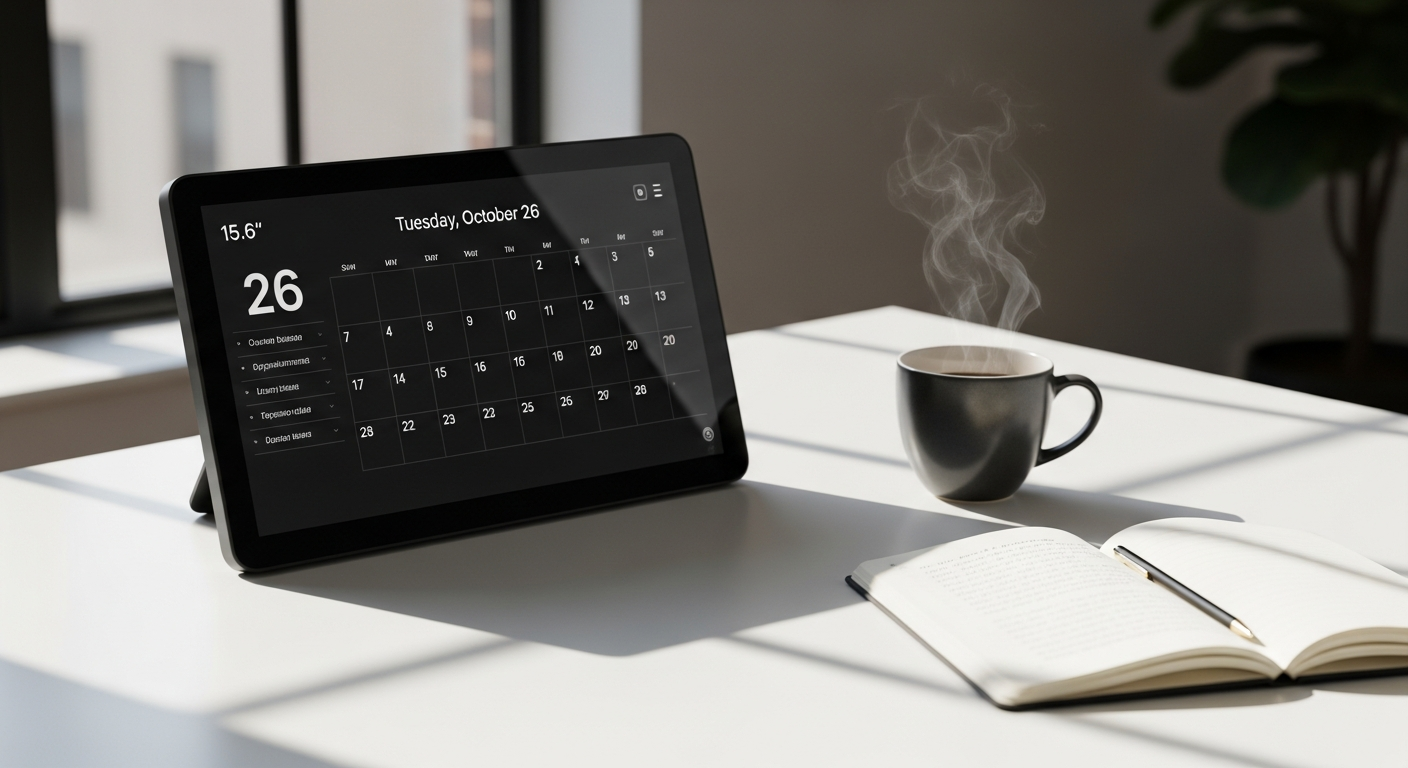
Discover how the Apolosign 15.6-inch Smart Digital Calendar gamifies chores and eliminates family scheduling chaos. Learn why zero-subscription family organization is changing home routines.
Families spend an average of 8+ hours per week coordinating schedules, assigning chores, and managing household tasks—yet most of that effort still falls through the cracks. The constant back-and-forth between apps, wall calendars, and sticky notes creates friction that drains both time and energy. What if one device could consolidate everything into a single, intelligent hub that your entire household actually wants to use?
The Apolosign 15.6-inch Smart Digital Calendar has quietly become the go-to solution for households tired of traditional planning methods. Unlike basic wall calendars or scattered smartphone reminders, this device consolidates everything—schedules, chores, meal planning, and family photos—into one intelligent hub with zero monthly subscriptions, seamless calendar integration, and a built-in reward system that actually gets kids excited about completing tasks.
Throughout this guide, you'll discover how the Apolosign's gamified chore system works, which family scheduling features deliver real time-savings, and whether the upfront investment truly pays off compared to subscription-based alternatives.
The Gamified Chore System That Actually Motivates Kids
How the built-in reward system works and why traditional chore charts fail
Traditional chore charts—those laminated papers with checkboxes and fading magnets—fail because they lack engagement. Kids forget about them, parents nag endlessly, and nothing improves. The Apolosign changes this dynamic entirely through gamification. Instead of a static list, the calendar transforms chores into a point-based system where completing tasks earns rewards children actually care about.
The system assigns point values to different chores based on difficulty and time commitment. A simple task like clearing the dinner table might earn 10 points, while organizing a bedroom could earn 50. These points accumulate toward rewards that families customize themselves—screen time, allowance bonuses, special outings, or privileges that matter to your household.
Customizable point systems and achievement badges that appeal to different age groups
One size doesn't fit all when it comes to children. A seven-year-old responds to immediate, tangible rewards, while a teenager needs something that feels more sophisticated. The Apolosign accommodates these differences through fully customizable reward tiers and achievement badges.
Parents set the point thresholds and rewards. Your six-year-old might unlock a movie night at 150 points, while your teenager works toward concert tickets or cash at 500 points. The visual badge system—with celebratory animations and notifications—taps into that intrinsic desire for recognition and progress. Younger children see colorful achievements pop up on the screen, while older kids appreciate the clean, app-like interface.
Real-world examples of families using the chore feature to reduce parental nagging
Families report a dramatic shift in household dynamics after implementing the gamified chore system. One parent of three noted that nagging dropped by 80% within the first month. Their children began checking the calendar independently, asking what chores were available, and competing to earn points. The mental load shifted from "reminding kids to do tasks" to "managing a system they voluntarily engage with."
Another household with neurodivergent children found that the visual clarity and structured reward system eliminated anxiety around expectations. Instead of vague assignments, children could see exactly what was expected, how long it should take, and what they'd earn. The transparency reduced conflict and increased follow-through.
Multi-Calendar Syncing That Eliminates Schedule Conflicts
How the Apolosign pulls data from Google Calendar, Outlook, iCloud, Cozi, and Yahoo simultaneously
Modern families don't live in a single calendar ecosystem. One parent uses Google Calendar through work, the other relies on Outlook, kids have iCloud events synced from school, and the family meal-planning app sits in Cozi. Managing these fragmented systems creates scheduling nightmares. The Apolosign solves this by pulling data from all major platforms simultaneously. You authenticate each service once, and the device automatically syncs every event in real-time.
This means when your spouse adds their work meeting to Outlook, it appears on the family calendar within seconds. When school updates a sports practice time in iCloud, everyone sees it immediately. The consolidation eliminates the "I didn't know about that" excuse and ensures true family-wide visibility.
Setting up color-coded calendars for each family member for sports, school, work, and extracurriculars
Visual organization is key to preventing conflicts. The Apolosign allows you to assign distinct colors to each family member, creating a rainbow of activities that tells the household story at a glance. Your oldest's school calendar appears in blue, their soccer practice in darker blue. Your youngest's school events display in pink, ballet in hot pink. Work commitments for both parents show in neutral tones, while family events (dinner reservations, doctor appointments, trips) appear in a bold accent color.
This color-coding system makes it instantly obvious when scheduling conflicts emerge. Instead of text-based information that requires reading every line, families can spot overlaps visually. "We can't do Saturday soccer and the family dinner at the same time" becomes immediately apparent before anyone makes a commitment.
Real-time updates and push notifications for schedule changes
Plans change constantly in family life. Schools shift event dates, work meetings get rescheduled, and activities get cancelled. The Apolosign's real-time update system ensures everyone knows immediately. When a coach cancels practice due to weather, the calendar updates, and each family member gets a notification on their phone.
Discover how the Apolosign's real-time syncing keeps your family aligned and conflict-free.
This notification system replaces the group text chain where information gets lost or misread. Critical schedule changes flow through the calendar first, with optional push notifications ensuring people don't miss important updates.
Beyond Scheduling—Meal Planning and Grocery Management Features
Built-in meal planner that connects to grocery lists and recipe suggestions
Meal planning sits at the intersection of nutrition, budget, and family satisfaction. The Apolosign includes a built-in meal planner that displays a week's worth of dinners directly on the calendar. Unlike scattered recipe apps or notes, this planner is always visible and accessible from your kitchen counter.
The system integrates with recipe databases, allowing you to search by ingredient availability, dietary restrictions, or cooking time. Plan your meals for the week, and the calendar automatically generates a comprehensive grocery list broken down by store section. This integration eliminates multiple apps and the mental work of translating meal ideas into shopping lists.
Weekly meal prep organization for busy weeknight dinners and dietary restrictions
Families with dietary restrictions—whether for allergies, preferences, or religious observance—face planning challenges. The Apolosign handles this through customizable meal profiles. You can tag meals for dairy-free, gluten-free, vegetarian, or any custom category your household uses.
Parents can view the entire week's meals at once, ensuring variety and balance. Need to prep components on Sunday? The calendar shows which meals require advance preparation. This organization transforms weeknight dinner from a last-minute scramble into a structured plan that actually works.
Cost-saving potential through organized meal planning and pantry inventory tracking
Wasted groceries represent one of the largest household expenses. When you plan meals intentionally, ingredients overlap across recipes, and you buy only what you need. The Apolosign's pantry inventory feature takes this further. You can log what's in your pantry, and the meal planner prioritizes recipes using available ingredients.
Over a year, intentional meal planning combined with pantry awareness typically saves families $1,000–$2,000 in reduced waste and smarter shopping. For many households, this saving alone offsets a significant portion of the Apolosign's upfront cost.
The Dual-Mode Design—Calendar Hub Meets Android Tablet
Switching between dedicated calendar mode and full Android 15 functionality
The 15.6-inch display sits on your kitchen counter as a dedicated family calendar, but the Apolosign isn't limited to that function. With a simple toggle, the device switches to full Android 15 mode, unlocking tablet functionality. This versatility means one device serves multiple purposes.
In calendar mode, the interface streamlines to what matters: schedules, chores, and meals. The display shows information at a glance, optimized for quick reference. Switch to Android mode, and you access any app from the Google Play Store, browse the internet, or view recipes while cooking.
Using Android mode for recipe browsing, entertainment, and productivity apps
That cookbook you meant to consult sits somewhere in your kitchen—possibly in a box. With the Apolosign in Android mode, you access thousands of recipes through apps like AllRecipes, Tasty, or Yummly directly on the 1080P touchscreen. The anti-glare display works beautifully for reading recipe details while cooking, and the screen size beats hunching over a phone.
Beyond recipes, Android mode opens possibilities. Kids can watch educational videos during kitchen time, parents can check email or productivity tools, or someone can stream music during dinner prep. This flexibility transforms the device from a single-purpose calendar into a genuine kitchen tablet.
Why dual-mode flexibility beats single-purpose devices for kitchen use
Single-purpose devices eventually gather dust. A calendar that only shows calendars becomes less useful over time as technology advances and needs change. The Apolosign's dual-mode approach future-proofs your investment. As your family's needs evolve, the device adapts through Android updates and app availability rather than becoming obsolete.
Smart Home Control and Voice Command Integration
Voice control through Google Assistant and Gemini AI for hands-free operation
Hands get messy in the kitchen—covered in dough, sauce, or dish soap. Voice control eliminates the need to touch the screen. Simply speak: "Hey Google, what's on the calendar for Thursday?" or "Set a timer for 20 minutes" or "Add milk to the grocery list."
The integration of both Google Assistant and Gemini AI provides flexibility in voice commands. You can ask questions, get information, control smart devices, or interact with the calendar entirely through voice. This hands-free operation matters more in the kitchen than anywhere else in the home.
Controlling smart doorbells, cameras, and locks directly from the calendar
Smart home integration extends beyond voice commands. From the Apolosign's interface, you can view video feeds from doorbell cameras, control smart locks, or check security camera footage. When someone rings the doorbell while you're cooking, you see who's there directly on the kitchen screen without leaving your station.
This integration works seamlessly with major smart home platforms, allowing you to add smart devices to your ecosystem gradually. Your existing investments in smart locks or doorbell cameras connect to the calendar, creating a genuine hub for family coordination and home management.
Integration with popular smart home ecosystems and security considerations
The Apolosign works with Google Home, Amazon Alexa integrations, and other major platforms. However, security matters when controlling your home's locks and cameras. The device includes standard security protocols, requiring authentication for sensitive operations like unlocking doors. Updates come regularly, and the zero-subscription model means no hidden data-sharing schemes or ad-supported services compromising your privacy.
Before integrating smart home devices, review the privacy settings and authentication requirements. The device respects your data without forcing monetization through surveillance.
The Zero-Subscription Model—Long-Term Savings Breakdown
Comparing lifetime costs: Apolosign versus subscription-based digital calendars
Digital calendar alternatives often hide costs behind "free" offerings that charge annually. A family subscribing to Google Calendar's premium features, iCloud+ for increased storage, Cozi for family coordination, and photo storage services could spend $150–$300 annually. Over ten years, that's $1,500–$3,000 in recurring fees.
The Apolosign costs between $249.99 and $499.99 upfront. That single investment covers everything—no monthly subscriptions, no annual fees, no surprise charges. After the first year, you're already breaking even compared to subscription-based alternatives. After five years, you've typically saved $1,000+.
Hidden fees in competitor products and total cost of ownership over 5–10 years
Subscription-based competitors employ multiple monetization strategies. Basic calendar syncing might be free, but advanced features cost extra. Photo storage beyond the initial allotment requires paid plans. Family sharing tiers have caps, forcing upgrades. When you add these together across the services a typical family uses, costs creep upward.
A realistic five-year cost analysis:
- Apolosign: $350 (initial purchase)
- Subscription alternatives: $750–$1,500 (recurring annual fees)
That's a potential $400–$1,150 advantage for the Apolosign, not counting the consolidated convenience of eliminating app switching.
Google Photos integration without monthly storage charges or feature paywalls
One of the Apolosign's standout features is Google Photos integration without storage restrictions imposed by paid tiers. Your family's memories display as a digital photo frame on the 15.6-inch screen, rotating through your entire Google Photos library. This works without subscription costs that normally apply to cloud storage.
Real Family Stories—Who Benefits Most From This Device
Busy dual-income households with complex schedules and multiple children
Two working parents juggling three children's schedules represent a stress profile where the Apolosign excels. Coordinating work meetings, school drop-offs, sports practices, and household tasks across six different schedules creates constant cognitive load. One family with this exact situation reported that implementing the Apolosign reduced their weekly scheduling discussions from three hours to 15 minutes.
The calendar visibility meant spontaneous decisions ("Can we do ice cream Saturday?") immediately showed availability instead of requiring mental calculation. The chore system eliminated negotiation about household responsibilities. Parents felt less responsible for remembering everything and could confidently delegate to the system.
Blended families coordinating custody and shared calendars effectively
Blended families managing custody schedules, multiple households, and coordinating communication face unique organizational challenges. The Apolosign's multi-calendar syncing and color-coding becomes invaluable when managing different custody arrangements.
One blended family used separate colors for each household's calendar, creating clarity about where each child would be and when. Shared events (sports, school programs) appeared in a common color, ensuring all adults knew the timing regardless of where the child slept. The neutral coordination hub reduced tension around scheduling and improved communication between households.
Families with neurodivergent children who benefit from visual structure and organization
Neurodivergent children—those with ADHD, autism spectrum differences, or sensory processing variations—often thrive with external structure and visual clarity. The Apolosign provides both through its gamified chore system, visual calendar organization, and consistent interface.
Several parents reported that their ADHD children engaged better with the Apolosign's chore system than traditional reminders because the visual reward progression provided motivation. Autism spectrum children appreciated the structured expectations and transparent point systems. The device became a communication tool, translating vague parental expectations into concrete, visible information.
Weighing the Investment—Is the Price Tag Worth It?
Cost analysis: $249.99–$499.99 initial investment versus annual subscription alternatives
The Apolosign's price falls into the mid-range premium category for smart home devices. It's not an impulse purchase, but it's also not a luxury expenditure. Evaluating whether this investment makes sense requires honest assessment of your household's current spending.
If your family spends $20+ monthly across calendar apps, cloud storage, and family organization services, the Apolosign breaks even within 12–18 months. If you're already spending $30+ monthly, you recoup the investment within a year and save money thereafter.
Breaking down the ROI through eliminated subscription fees and device consolidation
Return on investment extends beyond pure cost comparison. You're also consolidating multiple devices and services into one. Fewer apps means less cognitive load deciding which tool to use. One display everyone uses beats scattered notifications across five different platforms.
Factor in the time saved through reduced scheduling conflicts, streamlined meal planning, and diminished nagging about chores. Quantifying time's value is subjective, but many parents estimate 3–5 hours per week in mental load reduction. That's 150–250 hours annually—roughly equivalent to a week of full-time work per year.
Warranty coverage, durability expectations, and resale value considerations
The Apolosign typically comes with a one-year manufacturer's warranty covering defects. The 15.6-inch display, being quality hardware, should perform reliably for 5+ years with normal use. The anti-glare screen resists fingerprints and wear better than glossy alternatives.
While not a primary selling point, the device retains some resale value. Digital calendars aren't as obsolete as older technology because their core function—displaying schedules—remains constant. Used Apolosigns sell on secondary markets, providing some recovery if your household situation changes.
Transform Your Family's Daily Rhythm With Strategic Organization
The Apolosign 15.6-inch Smart Digital Calendar isn't just another gadget collecting dust on your counter—it's a genuine game-changer for families drowning in scheduling chaos. From the moment you activate the gamified chore system, you'll notice kids engaging differently with their responsibilities. The multi-calendar syncing eliminates frustrating scheduling conflicts, while the zero-subscription model means you're actually saving money long-term compared to fragmented apps and services.
You're not buying a device; you're buying back time, reducing mental load, and creating a communication hub that speaks to every family member. Whether you're coordinating multiple children's activities, managing a blended family schedule, or simply tired of sticky notes covering your fridge, this calendar delivers.
The consolidation matters more than any single feature. When your calendar, chore system, meal planning, photo memories, and smart home control all live in one place, family coordination becomes intuitive rather than complicated. That simplicity transforms daily life in ways that accrue over months and years.