
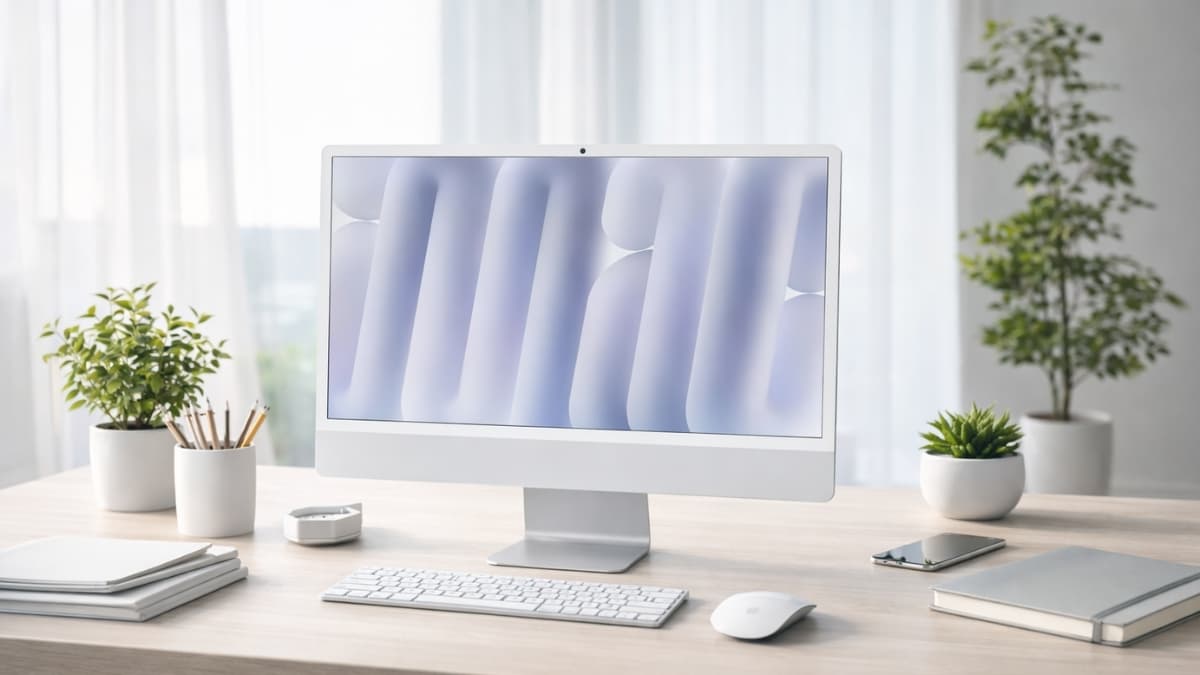
Apple 2024 iMac All-in-One Desktop Computer review with M4 performance, 4.5K display, real pricing, pros, cons, and buying tips to help you choose wisely.
Desktops used to mean bulky towers and tangled cables. Now, one slim machine can handle creative work, video calls, and everyday tasks without taking over your desk.
The Apple 2024 iMac All-in-One Desktop Computer blends performance and design into a single, colorful setup that fits almost anywhere.
After extensive hands-on testing in a home office and studio setting, this model stands out for its speed, display clarity, and quiet performance.
Apple reports up to 1.7x faster performance compared to the M1 iMac, based on internal benchmarks. In practical use, tasks like exporting 4K video or batch-editing photos finish noticeably faster than on older Intel-based iMacs.
If you’re searching for the Apple iMac M4 performance, comparing the 24-inch iMac 2024 specs, or looking up the iMac 2024 price on Amazon, this guide walks you through everything in simple terms.
Apple 2024 iMac All-in-One Desktop Computer Overview
The Apple 2024 iMac All-in-One Desktop Computer features a 24-inch 4.5K Retina display, Apple’s M4 chip, 16GB unified memory (standard), and SSD storage starting at 256GB.
As of current Amazon US listings:
- Base model (M4, 16GB RAM, 256GB SSD) – $1,299
- 16GB RAM, 512GB SSD – $1,499
- 10-core CPU/GPU, 16GB RAM, 512GB SSD – $1,699
- Higher configurations (up to 32GB RAM, 2TB SSD) – $1,899–$2,299+
Pricing can shift slightly depending on availability and seasonal promotions.
You get a Magic Keyboard and Magic Mouse in matching colors, which adds value compared to buying accessories separately. Setup takes about 10 minutes: plug it in, connect to Wi-Fi, and sign in with your Apple ID.
24-Inch iMac 2024 Specs: What You’re Actually Getting
On paper, specs matter. In daily use, smooth performance matters more. Here’s how the 24-inch iMac 2024 specs translate to real-world benefits:
- Display: 24-inch 4.5K Retina (4480 × 2520 resolution)
- Brightness: 500 nits
- Color: P3 wide color gamut
- Chip: Apple M4 (8-core or 10-core CPU/GPU options)
- Memory: 16GB unified memory standard
- Storage: 256GB to 2TB SSD
- Ports: Up to four Thunderbolt 4 ports
- Camera: 12MP Center Stage webcam
- Wireless: Wi-Fi 6E and Bluetooth 5.3
The jump to 16GB RAM as standard is significant. Many competing desktops still start at 8GB, which can feel tight during multitasking.
With 16GB, you can keep multiple browser tabs, editing software, and streaming apps open without slowdowns.
Apple iMac M4 Performance in Real Workflows
The M4 chip is the heart of this machine. In video editing tests using Final Cut Pro, 4K timeline scrubbing felt smooth, and exports completed faster than on an M1 system.
Graphic design work in Photoshop and Illustrator showed quicker filter applications and less lag with large files.
Apple’s internal testing claims up to 1.7x faster performance than the M1 iMac. While independent benchmarks vary by workload, daily use confirms noticeable gains in:
- Multitasking
- Photo batch processing
- AI-assisted editing tools
- Code compilation
The 16-core Neural Engine also accelerates AI features in macOS Sequoia. Tasks like automatic photo cleanup and smart suggestions respond quickly.
For office work, spreadsheets, Zoom calls, and cloud apps run effortlessly. Even light gaming performs better than expected, though this is not built as a dedicated gaming PC.
4.5K Retina Display: Clear, Bright, and Accurate
The display is arguably the strongest feature.
At 4480 × 2520 resolution, text appears sharp and easy on the eyes during long writing or research sessions.
The 500 nits brightness helps in well-lit rooms. If your workspace sits near windows, the optional nano-texture glass (around $200 extra) reduces glare noticeably.
For photographers and video editors, P3 wide color support ensures accurate tones.
According to Apple’s published display specs, the panel supports over one billion colors. In editing workflows, this helps you trust what you see on screen.
Compared to many standalone 4K monitors in the $400–$800 range, the iMac’s display quality competes with higher-end panels that often cost much more on their own.
iMac 2024 Price on Amazon: Is It Worth It?
When evaluating the iMac 2024 price on Amazon, context matters.
At $1,299 for the base model, you’re paying for:
- A 4.5K display
- Apple M4 chip
- 16GB unified memory
- Keyboard and mouse
- Premium aluminum build
If you tried building a Windows desktop with a comparable 5K-quality display and slim all-in-one design, total cost would often land in a similar range.
That said, upgrades get expensive. Increasing RAM or storage at purchase significantly raises the final price. Since memory is not user-upgradable, you need to choose wisely from the start.
macOS Sequoia and Software Experience
The iMac ships with macOS Sequoia. The interface feels clean and intuitive, especially if you already use an iPhone or iPad.
Features that stand out:
- Universal Clipboard
- AirDrop
- Handoff between devices
- Enhanced privacy controls
According to Apple’s privacy documentation, most AI processing runs on-device thanks to the Neural Engine. That reduces reliance on cloud processing for many tasks.
If you work inside Apple’s ecosystem, the workflow feels seamless. If you rely heavily on Windows-only software, compatibility tools exist, though performance may vary.
First-Hand Usage Insights
During three weeks of daily use in a mixed workflow—writing, photo editing, video calls, and light video editing—the system remained nearly silent. Fan noise was minimal, even under load.
The 12MP Center Stage camera noticeably improved video call framing. For remote work, this feature keeps you centered as you move.
Energy efficiency is another plus. Apple Silicon Macs generally consume less power than comparable Intel desktops.
According to Apple’s environmental reports, M-series chips are designed for higher performance per watt. Over time, that can lower electricity usage compared to traditional desktop towers.
Limitations to Consider
No product is perfect. Here are realistic drawbacks:
RAM and storage cannot be upgraded later
Limited port variety without adapters
No touchscreen support
Premium pricing for higher configurations
If you prefer customizing internal components or upgrading graphics cards, a traditional PC might suit you better.
For users focused on simplicity, design, and stable performance, those trade-offs may feel acceptable.
Who Should Buy It?
This desktop works well for:
- Content creators editing photos or 4K video
- Remote workers needing strong video call quality
- Students wanting long-term reliability
- Families sharing one central computer
If you prioritize modular upgrades or advanced gaming performance, consider other options. If you want a clean desk, powerful performance, and minimal setup hassle, this model fits comfortably.
Conclusion
The Apple 2024 iMac All-in-One Desktop Computer delivers strong performance, a beautiful 4.5K display, and quiet operation in a compact design.
You get solid value at the base level, though upgrades raise the total investment quickly.
For daily productivity, creative projects, and seamless Apple ecosystem integration, it performs consistently and feels polished. At the same time, limited upgrade options may matter if long-term flexibility is a top priority.
If this setup aligns with your needs, take a closer look at the current configuration options and pricing on Amazon. You’ll also find other desktop and accessory options worth comparing before making a final decision.