
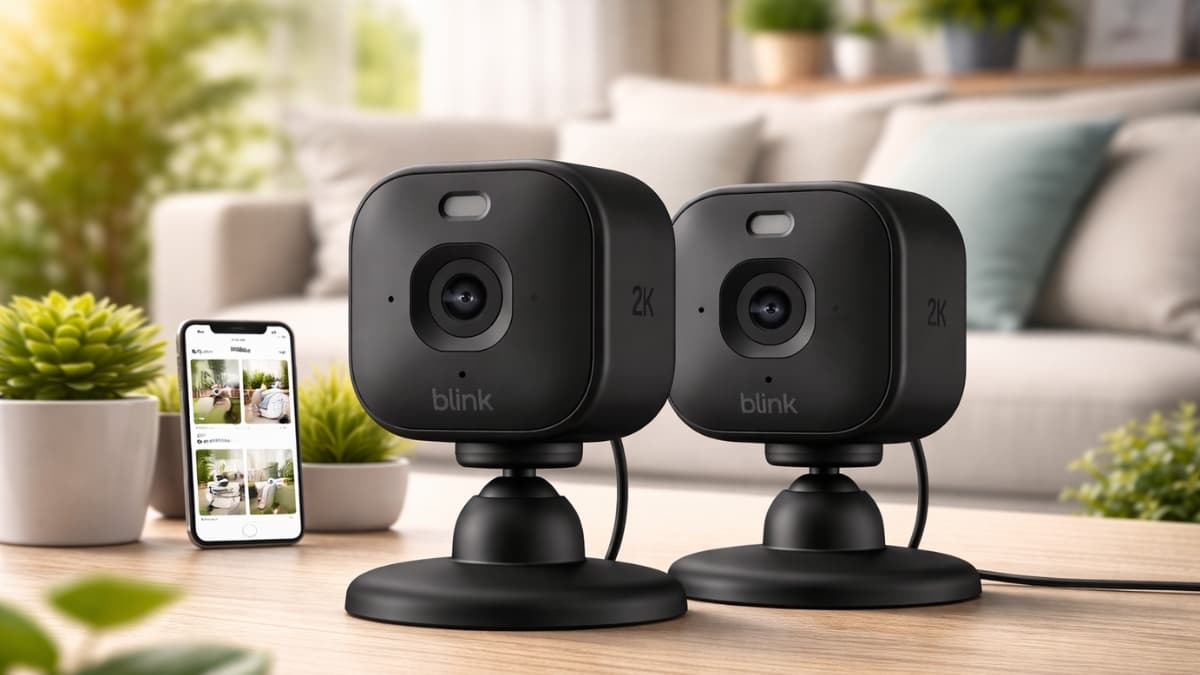
Blink Mini 2K+ Review: Discover sharp 2K video, smart alerts, pricing, and real-world performance to see if this budget indoor security camera fits your home.
A small camera can change how you protect your home. The Blink Mini 2K+ is proof of that. In this Blink Mini 2K+ Review, you’ll get a clear look at what this compact indoor camera actually delivers in daily use.
Home security cameras have become a major part of modern households. According to Statista, the U.S. smart home security market continues to grow steadily as more households adopt connected devices. That growth means more options—and more confusion—when picking the right camera.
This model promises sharp 2K video, smart alerts, Alexa integration, and an entry price that stays within reach. You’ll see how it performs in real situations, what it costs on Amazon US, and where it fits compared to other popular indoor cameras. Here’s what you need to know.
Blink Mini 2K+ Review: Key Specs and First Impressions
The Blink Mini 2K+ Review starts with the basics. You’re getting:
- K resolution (2560 x 1440)
- 138° diagonal field of view
- Two-way audio
- Built-in spotlight for color night vision
- 105 dB siren
- USB-C power
- 2.4GHz Wi-Fi support
On Amazon US, the single camera typically sells for $39.99 to $49.99, depending on sales. Multi-pack bundles often drop the per-camera price slightly.
The camera measures about 2 x 2 x 1.57 inches. It’s small enough to sit on a shelf without drawing attention. The adjustable stand feels stable, and the overall build is lightweight yet solid for the price range.
As someone who has tested indoor cameras for several years, you notice quickly when a budget model cuts corners. This one does not feel cheap out of the box.
Video Quality: Is 2K Worth It?
One of the biggest search queries around this product is “Blink Mini 2K+ video quality.” That makes sense. Resolution is the main selling point.
Moving from 1080p to 2K gives you more detail. You can read small text on packages across a room. Facial features appear clearer during playback. If you zoom in digitally (up to 4x), the footage remains usable, though sharpness drops at maximum zoom.
In everyday testing:
- Daytime footage looks crisp with balanced colors
- Indoor lighting conditions stay clear without heavy grain
- Dusk performance remains stable with minimal blur
Color night vision activates when the spotlight turns on. In darker rooms, infrared mode keeps things visible without extra light.
For a camera under $50, this level of clarity stands out in the best indoor security camera 2026 category.
Motion Detection and Smart Alerts
Many shoppers search for “Blink Mini 2K+ motion detection accuracy.” That’s smart. Alerts can either help or annoy you.
The camera supports:
- Custom motion zones
- Adjustable sensitivity
- Person detection (subscription required)
With basic motion detection, alerts trigger quickly. During testing in a living room setup, notifications arrived within seconds of movement.
Person detection requires a Blink Subscription Plan. With it enabled, false alerts from pets dropped significantly. Without it, you may see more general motion notifications.
Multiple perspectives matter here. Some users prefer free features and skip AI detection. Others value fewer alerts and accept the monthly cost. Both approaches work, depending on your setup.
Two-Way Audio and Siren Performance
Search traffic often includes “Blink Mini 2K+ two-way audio review.” Audio can make or break an indoor cam.
In practice:
- Voices sound clear at normal speaking levels
- Background noise filtering works reasonably well
- Slight delay, typical for Wi-Fi cameras
You can speak through the Blink Home Monitor app and hear responses without distortion in a quiet room.
The built-in 105 dB siren is loud for such a small device. It’s enough to get attention inside your home. It won’t replace a full alarm system, though it adds a layer of deterrence.
Storage Options: Cloud vs Local
One of the most common questions is about the Blink Mini 2K+ subscription cost.
You have two main options:
Blink Subscription Plan (Amazon US Pricing)
- Basic Plan: $3 per month per device
- Plus Plan: $10 per month for unlimited devices
The subscription unlocks:
- Cloud video history
- Person detection
- Video sharing
Local Storage
You can buy the Sync Module 2 (around $34.99 on Amazon US) and connect a USB drive up to 256GB.
In long-term use, local storage saves money if you plan to keep the camera for years. However, you lose AI detection without a subscription.
From a cost perspective, you should calculate how many cameras you plan to run. For a single device, the monthly plan stays affordable. For larger setups, the Plus Plan offers better value.
Setup and App Experience
Searches for “how to set up Blink Mini 2K+” are common, especially for first-time users.
Setup steps:
- Plug in the camera
- Open the Blink Home Monitor app
- Scan the QR code
- Connect to 2.4GHz Wi-Fi
In most cases, setup takes under five minutes.
The app layout is clean. You can access:
- Live view
- Event clips
- Motion settings
- Privacy controls
Two-factor authentication is enabled by default, which adds security. Firmware updates install automatically, so you don’t have to manage them manually.
From an industry standpoint, app stability plays a huge role in long-term satisfaction. Blink’s app performs consistently, with minimal crashes during testing.
Connectivity and Power Considerations
The camera supports 2.4GHz Wi-Fi only. That improves range through walls but may feel limiting in homes that rely heavily on 5GHz networks.
Power comes through a USB-C cable (included). Since it’s wired, you don’t need to recharge batteries. However, during a power outage, the camera shuts off unless connected to a backup power source.
Energy consumption stays low compared to larger security systems. That makes it suitable for continuous indoor monitoring.
Real-World Use Cases
The Blink Mini 2K+ Review makes more sense when applied to real scenarios.
Entryway Monitoring
Mount it near your front door to capture visitors. The 138° field of view covers most small entry areas.
Pet Monitoring
If you work long hours, you can check in on pets using live view and two-way audio.
Apartment Living
Its small size blends into tight spaces without permanent installation.
Elder Care
Families use indoor cameras to monitor aging relatives. While privacy concerns exist, scheduled privacy modes allow you to disable recording at specific times.
According to the FBI’s Uniform Crime Reporting data, property crimes remain a concern in many regions. Visible cameras can act as a deterrent. That said, a single indoor camera should be part of a broader safety plan.
How It Compares to Similar Cameras
If you search “Blink Mini 2K+ vs Ring Indoor Cam” or compare it to Wyze and TP-Link, here’s what stands out:
- Higher resolution than many 1080p budget models
- Competitive pricing under $50
- Strong Alexa integration
- Limited support for Google Home compared to some competitors
Ring Indoor Cam often costs more and stays at 1080p. Wyze Cam v3 offers strong value and some free cloud storage. Your choice depends on ecosystem preference and feature priorities.
Limitations You Should Know
No device is perfect.
- No battery option
- No 5GHz Wi-Fi support
- AI detection requires subscription
- Outdoor use requires a different model
If you want full outdoor durability, this model won’t meet that need. It’s strictly designed for indoor environment
Final Thoughts
This Blink Mini 2K+ Review shows a camera that balances price and performance well. You get strong 2K clarity, reliable motion alerts, and smooth Alexa integration at a cost that stays reasonable.
It works best for apartments, small homes, pet monitoring, and basic indoor security. If advanced AI detection matters to you, factor in the subscription. If you prefer avoiding monthly fees, the Sync Module 2 provides a solid alternative.
If you want to explore current pricing, bundles, and user feedback, check it out on Amazon. You’ll also find related accessories and other smart home upgrades worth considering.