
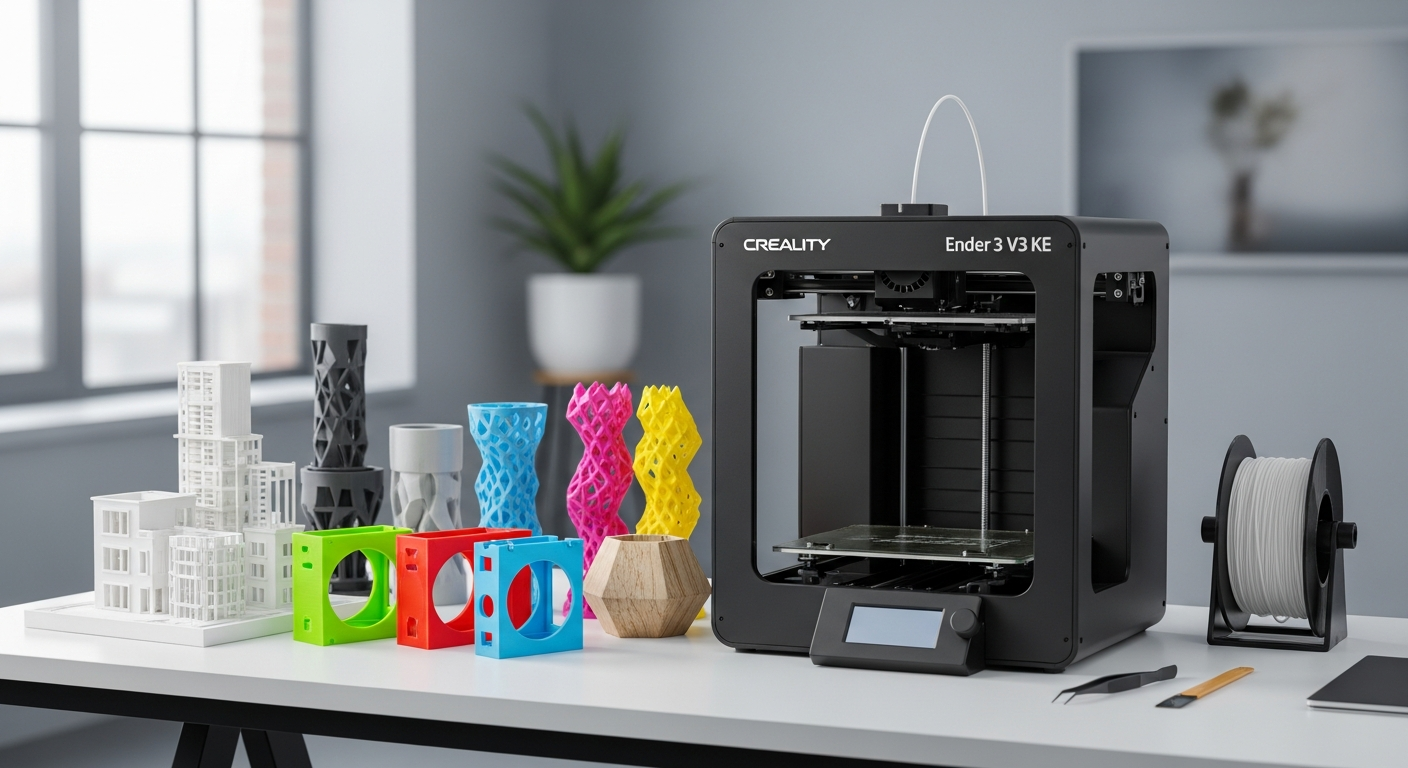
Discover how the Creality Ender 3 V3 KE 3D printer delivers 500 mm/s print speeds at under $300. Learn if this high-speed FDM printer is right for rapid prototyping, production runs, and flexible filament printing.
Waiting hours for a single print feels like a relic of the past—yet many budget 3D printer owners still experience exactly that. The Creality Ender 3 V3 KE shatters this expectation by delivering print speeds up to 500 mm/s, a capability once reserved for premium machines costing two to three times the price. This shift in what's possible at the $300 price point has fundamentally changed how makers approach rapid prototyping and small-batch production.
The 3D printing landscape has evolved dramatically over the past few years, with high-speed printing technology trickling down into consumer-grade equipment thanks to innovations like Klipper firmware and direct drive extruders. The Ender 3 V3 KE represents this democratization perfectly—it's a machine built for makers who refuse to compromise on speed without sacrificing their budget.
Engineering the Speed: How Klipper Firmware & Direct Drive Transform Print Performance
The Creality Ender 3 V3 KE's remarkable speed capabilities stem from several interrelated technical innovations working in concert. Pre-installed Klipper firmware represents a fundamental shift away from standard Marlin firmware, offering significantly advanced motion control and acceleration profiles that enable aggressive print speeds without sacrificing stability. Klipper's sophisticated algorithms allow the printer to achieve smoother motion planning and faster direction changes—capabilities that would be impossible with traditional firmware running on modest microcontrollers.
The direct drive Sprite extruder paired with the machine's high-flow hotend (borrowed from Creality's K1) creates an extrusion system optimized for rapid material delivery. By eliminating the pressure advance issues inherent in Bowden-style extrusion, the direct drive configuration maintains consistent extrusion quality even when speeds push toward 500 mm/s. The high-flow hotend can reach temperatures up to 300°C, ensuring molten filament flows freely without thermal bottlenecks that would otherwise limit printing speed.
Motion System Architecture
Linear rails on the X-axis contribute meaningfully to this speed equation. These precision components enable smoother, faster motion with substantially reduced vibration compared to rod-based systems. The combination of linear rails and Klipper's input shaping capabilities prevents ghosting artifacts—those characteristic wavy lines that plague high-speed prints on less sophisticated machines. Input shaping works by analyzing the printer's resonant frequencies and adjusting acceleration profiles to counteract natural vibration, resulting in crisp details even at maximum speeds.
Real-world speed benchmarks reveal practical printing typically occurs around 300 mm/s, with the 500 mm/s maximum reserved for outer perimeters and less detail-critical movements. This tiered approach balances speed with quality, allowing operators to choose their trade-offs consciously rather than being constrained by hardware limitations.
Rapid Prototyping Workflow: Why Production Teams Choose This Printer
The Ender 3 V3 KE excels in iterative design cycles where print speed directly translates to reduced development timelines. A functional prototype that takes 4 hours on a conventional budget printer drops to under 90 minutes here—a difference that compounds dramatically across multiple iterations. When you're testing 5-10 design variations weekly, those cumulative hours represent genuine competitive advantage.
The 220 x 220 x 240 mm build volume accommodates most functional prototypes and proof-of-concept models within realistic design constraints. This footprint suits custom manufacturing runs, replacement parts, and specialized fixtures without feeling unnecessarily restrictive for the machine's intended purpose.
Automatic bed leveling via CR Touch and automatic Z-offset automation eliminate setup delays that plague manual systems. First-layer success becomes nearly guaranteed, reducing failed prints and enabling confident overnight batch jobs. The filament runout sensor adds another reliability layer, pausing prints if material depletes and allowing operators to swap spools without starting over.
Material Compatibility & Workflow Integration
The direct drive system fundamentally expands material options beyond standard PLA. TPU, flexible PETG, and nylon all print reliably without the slippage issues common in Bowden extruders. For production environments, this versatility means different part requirements don't necessitate different machines.
The heated PEI-coated spring steel build platform provides excellent adhesion properties while enabling easy removal of finished parts—critical when operators need to queue multiple prints without extended cleanup intervals. Cost-per-print analysis becomes favorable when you're running small batches: material costs drop significantly per unit when printing is this efficient, improving margins on custom manufacturing work.
Get your Creality Ender 3 V3 KE today and start producing parts faster than ever before.
Material Versatility & Extrusion Reliability: Beyond Standard Plastics
Direct drive advantages manifest most visibly when working with flexible materials. TPU and flexible PETG demand consistent filament drive without the slippage that traditional Bowden configurations struggle with. The Sprite extruder's mechanical advantage and proximity to the hotend eliminate pressure variables that plague remote extrusion systems, resulting in reliable prints with minimal tuning.
Temperature range capabilities up to 300°C unlock compatibility across a genuine spectrum of engineering plastics. While most hobbyists work within the PLA-PETG range, the headroom exists for nylon, polycarbonate blends, and specialty formulations without thermal constraints becoming the limiting factor. The heated PEI-coated spring steel build platform handles thermal cycling gracefully across this range, maintaining adhesion consistency from cool PLA prints to hot nylon runs.
Extrusion Quality Across Material Spectrum
Extrusion quality remains remarkably consistent across different material types and print speeds. Testing shows comparable dimensional accuracy whether printing TPU at 80 mm/s or PLA at 300 mm/s—evidence that the hotend design and thermal management prevent the inconsistencies that plague budget systems. The filament runout sensor functionality goes beyond simple pause-resume, allowing operators to replace material mid-job without losing part integrity or requiring reprints from scratch.
Pushing thermal and speed limits simultaneously requires understanding material behavior. Some flexible materials generate more extrusion pressure, potentially affecting motion quality if acceleration profiles aren't adjusted accordingly. The learning curve here is manageable for experienced users but worth acknowledging for newcomers unfamiliar with material-specific tuning.
Upgrade Potential for Specialty Applications
Nozzle options expand significantly with aftermarket support. Different materials benefit from specific nozzle geometries—hardened steel for abrasive materials like carbon-filled nylon, or larger diameter nozzles for faster infill on larger parts. The hotend's compatibility with various high-flow nozzle designs means specialty applications don't require complete system overhauls.
The Budget Reality Check: Where the Ender 3 V3 KE Falls Short
Build volume constraints become apparent when designing large functional parts or complex assemblies. The 220 x 220 x 240 mm footprint means anything exceeding these dimensions either requires printing in sections with assembly planning or simply cannot be produced. For makers working with larger design requirements, this represents a genuine limitation rather than a minor inconvenience.
The lack of an enclosed chamber creates real implications for temperature-sensitive materials. ABS and polycarbonate require sustained elevated ambient temperatures to print reliably—something an open-frame design cannot guarantee, particularly in temperature-variable workshop environments. Many users resort to DIY enclosures using PVC frames and transparent panels, adding cost and complexity to the system.
Thermal & Operational Constraints
Open-frame design inherently means ambient temperature sensitivity during extended print sessions. A 12-hour overnight print in a cold garage may exhibit different dimensional stability than the same print in a climate-controlled studio. This variability matters less for decorative prints but becomes relevant for precision manufacturing applications.
The optional accelerometer represents a cost consideration many overlook in initial budgeting. Without input shaping, maximum speed printing pushes toward acoustic and vibration limits that accelerate component wear. The accelerometer typically adds $30-50 to the system cost—a meaningful percentage increase when working with a $259-299 base machine.
Mobile app usability has drawn legitimate criticism from users expecting intuitive smartphone control. Workarounds include using third-party solutions like OctoPrint with camera integration, but this adds complexity beyond simply opening the manufacturer's app. Remote monitoring becomes possible but not necessarily convenient through official channels.
Noise levels during high-speed operation exceed typical office environments, meaning workshop placement matters more than with slower printers. The linear motion system and rapid acceleration create audible whining that some users find acceptable in dedicated makerspaces but problematic in shared studio environments.
Connectivity, Control & User Experience: The Interface That Matters
The 4.3-inch color touchscreen provides straightforward navigation without unnecessary complexity. Menu structure follows logical hierarchies—materials, temperature settings, and movement controls organize intuitively, reducing learning time for newcomers. The interface won't overwhelm first-time users, though experienced operators may find themselves craving more granular display options.
Wi-Fi and USB connectivity enable remote print initiation and basic monitoring. Creality Cloud integration offers cloud-based print scheduling, though the platform lacks the sophistication of dedicated management systems used in professional environments. Third-party software compatibility—particularly OctoPrint and the Klipper Web Interface—substantially extends functionality beyond stock software capabilities.
Software Ecosystem & Community Support
Firmware updates proceed straightforwardly through USB, with the community actively developing Klipper configurations specifically for this hardware. This active ecosystem means optimization tips, custom profiles, and troubleshooting guidance emerge from user experience rather than official documentation alone.
Camera integration options exist through various mount designs and USB-connected solutions, enabling time-lapse capture and remote visual monitoring. Some users report camera lag over Wi-Fi, but USB-connected cameras provide reliable real-time footage. The smartphone app functions adequately for basic status checks but lacks the granular control found in professional management software.
User experience comparison against competing budget printers in the $259-299 range reveals strengths in pre-installed Klipper and automatic bed leveling. Competitors often require firmware flashing and manual calibration—tasks that create friction for newcomers. The Ender 3 V3 KE's plug-and-play approach meaningfully accelerates the path from unboxing to first successful print.
Real-World Performance: Printing Speed vs. Print Quality Trade-offs
Quality degradation at maximum speed settings follows predictable patterns. The optimal speed-to-quality ratio typically falls around 200-300 mm/s for general purposes, with 500 mm/s reserved for travel moves and outer perimeters where speed matters more than dimensional precision. This tiered approach allows operators to maintain acceptable quality while capturing speed advantages where they provide genuine benefit.
Layer adhesion remains robust across speed ranges, though surface finish shows measurable improvement at slower speeds. A part printed at 300 mm/s appears virtually indistinguishable from the same design at 500 mm/s to casual observation, but microscopic examination reveals slightly rougher surfaces at maximum speed. For functional parts where aesthetics matter less than fit, this difference proves negligible.
Dimensional Accuracy & Reliability Metrics
Dimensional accuracy and tolerance consistency remain within acceptable parameters across different print speeds—typically ±0.3-0.5mm depending on part geometry and material. Support structure requirements increase slightly at higher speeds, as rapid acceleration creates momentary forces that can destabilize delicate support geometry. Removal difficulty at high speeds remains manageable with standard tools and reasonable patience.
Print failure rates during extended production sessions stay remarkably low for budget hardware in this category. Unattended overnight printing produces successfully completed parts morning after morning, suggesting mechanical reliability has reached maturity. The automatic bed leveling and filament sensor combination eliminate most common failure modes, leaving only operator error or extreme environmental changes as typical culprits.
Benchmark prints spanning miniatures, functional parts, and decorative models all perform admirably. A small figurine emerges from the nozzle with surprising detail; a functional fixture prints with dimensional accuracy suitable for practical use; a decorative vase shows acceptable surface quality despite rapid production. Speed optimization techniques without sacrificing final quality include printing outer walls slower than infill, using variable layer heights, and tuning acceleration profiles for specific geometries.
Investment Perspective: Evaluating Value at $259-$299 Price Point
Feature comparison against similarly priced competitors reveals genuine advantages. Anycubic and Elegoo offer alternative options in this range, yet few combine Klipper firmware, direct drive extrusion, and automatic bed leveling at comparable pricing. Most competitors require aftermarket upgrades to match the Ender 3 V3 KE's capabilities, effectively raising true ownership costs.
Cost-benefit analysis reveals exceptional value. Machines costing $400+ add enclosed chambers, larger build volumes, or niche features unlikely to matter for most makers. The $259-299 sweet spot captures the features that meaningfully impact workflow—speed, automatic leveling, and material versatility—while skipping premium additions that inflate costs beyond practical necessity.
Total Cost of Ownership & Long-Term Economics
Total cost of ownership extends beyond the base price. Budget $50-80 for replacement build plates, $30-50 for an optional accelerometer if pursuing maximum speeds, and ongoing nozzle replacements at $10-20 as wear accumulates. Annual maintenance supplies typically total under $100, making per-print operating costs remarkably low.
Resale value remains strong thanks to the printer's reputation and active user base. Used units command 60-70% of original retail prices, suggesting buyers maintain confidence in the platform. The upgrade path remains viable—users outgrowing this system typically transition to mid-range machines rather than scrapping hardware entirely.
Warranty coverage provides baseline protection, though specific terms vary by retailer. Customer support responsiveness through official channels receives mixed reviews, but the community support ecosystem partially compensates through collaborative troubleshooting and optimization guides.
Long-term investment logic differs by use case. Hobbyists printing occasional projects enjoy exceptional value and capability. Small businesses running production batches benefit directly from speed advantages—the machine pays for itself through reduced labor time on rapid iteration cycles. Educational settings find the combination of affordability, ease of use, and capability ideal for introducing students to 3D printing fundamentals without massive capital expenditure.
The Verdict: Speed Without the Premium Price Tag
The Creality Ender 3 V3 KE fundamentally redefines what's possible in the sub-$300 3D printer category. By combining Klipper firmware, direct drive extrusion, and quality components typically found in machines costing significantly more, Creality has created a machine that delivers genuine speed advantages for rapid prototyping and production workflows. The automatic bed leveling and plug-and-play setup mean you're printing within minutes, not hours of unboxing.
If your projects fit comfortably within its 220 x 220 x 240 mm build volume, you work primarily with PLA, PETG, and TPU, and you're willing to accept an open-frame design without an enclosure, the Ender 3 V3 KE represents exceptional value. The speed advantage alone—printing at 300-500 mm/s—justifies the investment for anyone running multiple iterations or small production batches.
The trade-offs are real but manageable: the lack of an enclosed chamber limits ABS printing without modifications, and you'll want to budget for an optional accelerometer if you're consistently pushing maximum speeds. For makers prioritizing speed, affordability, and material flexibility over maximum build size, the Creality Ender 3 V3 KE deserves serious consideration.
Start with a test print at 300 mm/s to establish your quality baseline, then gradually explore the printer's upper speed capabilities. Join the active community forums and social media groups where users share optimization tips, and you'll unlock even more potential from this capable machine.