
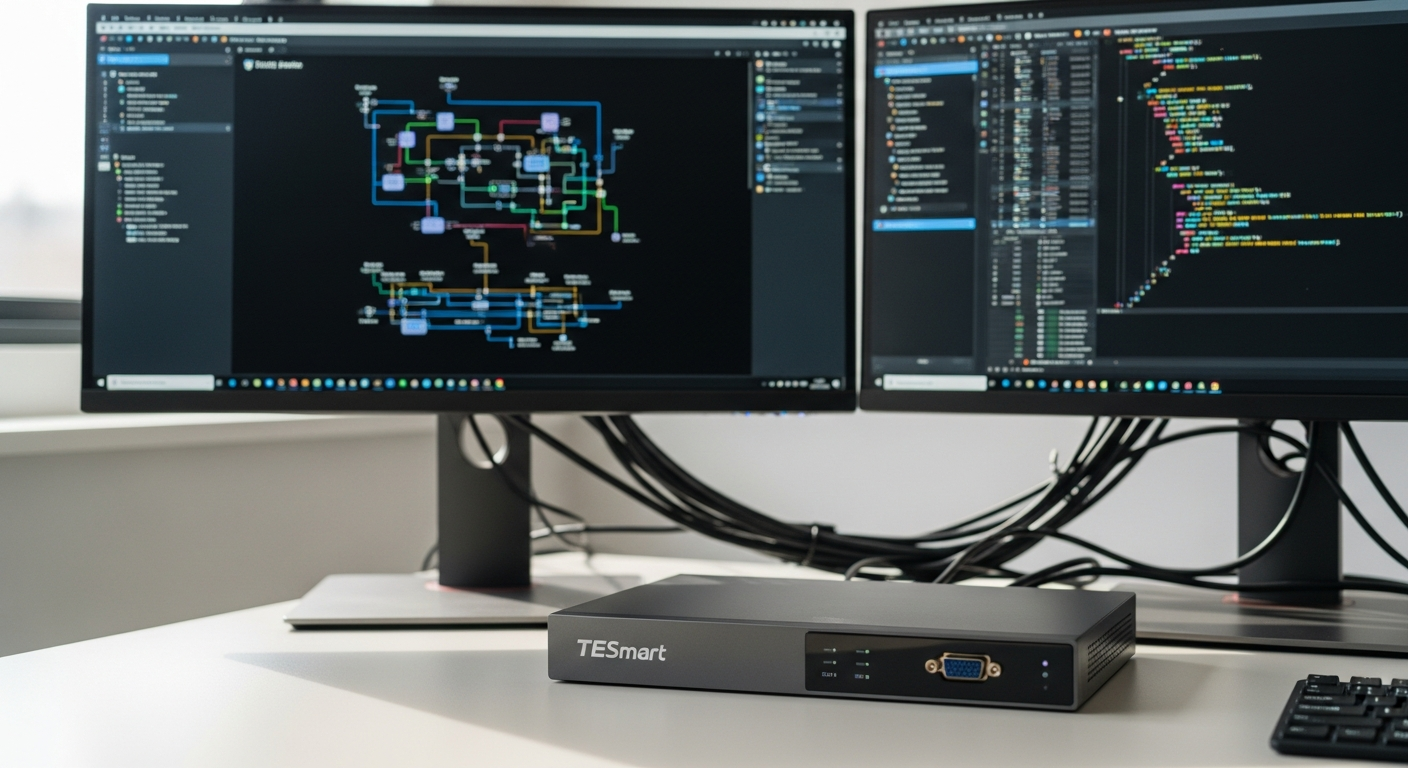
Discover how the TESmart Dual Monitor DisplayPort 1.4 KVM Switch delivers 8K60Hz gaming performance. Learn why gamers and designers choose this dual monitor KVM for seamless multi-PC control and stunning visuals.
Picture this: You're mid-game on your primary rig, but your work laptop keeps demanding attention. Toggling between systems means fumbling with cables, resetting displays, and losing your competitive edge. Over 60% of gamers and creative professionals now operate multiple computers simultaneously, yet most rely on outdated workarounds that kill productivity and compromise performance.
The TESmart DKS202-M24-USBK Dual Monitor KVM Switcher represents a fundamental shift in how we think about multi-system workflows. This DisplayPort 1.4 powerhouse handles 8K@60Hz or 4K@144Hz with the precision that demanding users require. Whether you're chasing frame rates in competitive gaming, color-grading footage in 4K, or managing client workstations, this device eliminates the friction between your machines.
If you're ready to transform your multi-system setup, explore the TESmart affiliate program and partnership opportunities.
DisplayPort 1.4 Technology Explained: Why It Matters for Gaming and Design
DisplayPort 1.4 isn't just another video standard—it's the backbone of professional-grade multi-monitor setups. This technology delivers capabilities that older HDMI connections simply cannot match, particularly for users demanding visual excellence without compromise.
Native 8K@60Hz Capability — What This Resolution Means for Future-Proofing Your Setup
Eight thousand pixels of horizontal resolution sounds like overkill until you're actually working with it. Native 8K@60Hz support means your monitor isn't just displaying high resolution; it's doing so at refresh rates that eliminate flickering and stuttering. For professionals working with ultra-high-definition content, this capability ensures your investment remains relevant for the next 3-5 years as monitor technology evolves.
4K@144Hz With G-Sync and FreeSync Support — How Adaptive Refresh Rates Eliminate Screen Tearing
Competitive gamers and designers understand the pain of screen tearing—that visual artifact where your GPU's frame output doesn't sync with your monitor's refresh cycle. The TESmart KVM switch enables both G-Sync (NVIDIA) and FreeSync (AMD) technology simultaneously across dual monitors. This means buttery-smooth gameplay or rendering sessions, regardless of whether you're switching between an NVIDIA or AMD system.
Higher Bandwidth Than HDMI 2.1 — Technical Advantages for Professional Color Work and Gaming
DisplayPort 1.4 pushes 80 gigabits per second of data—substantially higher than HDMI 2.1's 48 gigabits. This extra bandwidth matters intensely for color-critical work. Graphic designers and video editors working with 10-bit or 12-bit color spaces benefit from cleaner signal transmission and zero compression artifacts that might otherwise degrade color accuracy.
Chaining Capabilities — Connecting Daisy-Chained Monitors Through a Single DisplayPort Connection
Some professional setups require multiple monitors from a single DisplayPort output. DisplayPort 1.4's daisy-chaining capability allows you to connect multiple displays in series, reducing cable clutter and simplifying your desk setup—a genuine advantage for minimalist workspaces or mobile professionals.
HDR Support — Enhanced Color Depth and Contrast for Immersive Gaming and Content Creation
High Dynamic Range transforms how images look by expanding the color palette and contrast range your monitors can display. Whether you're gaming in HDR-enabled titles or grading footage that demands color precision, DisplayPort 1.4 ensures HDR signals reach your displays without degradation.
Latency-Free Video Transmission — Why DisplayPort 1.4 Outperforms Older Standards in Competitive Gaming
Video transmission latency accumulates in ways most users don't notice until they switch to a superior standard. DisplayPort 1.4 minimizes this latency through optimized signal processing, meaning your input-to-display response time remains competitive-ready, even across multiple monitor switches throughout your gaming session.
Future-Proof Investment — How This Standard Protects Your Equipment for the Next 3-5 Years
Monitor technology evolves steadily. By choosing DisplayPort 1.4, you're ensuring your KVM switch won't become a bottleneck when 8K gaming monitors become mainstream or when professional displays demand even higher bandwidth capabilities.
Dual Monitor Control Without the Setup Headaches
Managing two independent displays across different computers creates complexity that most basic KVM switches struggle to handle. The TESmart approach eliminates these friction points through intelligent engineering.
EDID Emulation Technology — How It Prevents Screen Re-arrangement and Resolution Resets
EDID (Extended Display Identification Data) is the behind-the-scenes handshake between your GPU and monitor that establishes resolution, refresh rate, and color space. Without proper EDID emulation, switching between computers triggers resolution resets, display re-arrangement, and window repositioning—frustrations that derail focus. The TESmart's EDID emulation maintains your exact display configuration across system switches, meaning you switch computers and your workspace remains perfectly arranged.
Seamless Switching Mechanisms — Hotkey Combinations, Front Panel Buttons, and Mouse Gesture Controls
You'll switch between systems dozens of times during a working session. The TESmart offers three switching methods: programmable hotkey combinations, physical buttons on the device's front panel, and mouse gesture controls that recognize specific movements. This redundancy ensures you'll always find the switching method that fits your workflow rhythm.
No Driver Installation Required — Plug-and-Play Compatibility Across Windows, macOS, and Linux
Setup shouldn't require technical expertise. The TESmart operates as a true plug-and-play device across Windows, macOS, and Linux systems. Connect your computers, monitors, and peripherals, then immediately begin switching between machines without hunting for drivers or compatibility documentation.
Simultaneous Dual Monitor Support — Managing Two Independent Displays From a Single KVM Interface
Many cheaper KVM switches require you to purchase separate units for dual monitor setups. The TESmart consolidates everything into a single interface, managing both monitors independently while maintaining your exact configuration when switching between computers.
Display Configuration Persistence — Maintaining Your Exact Layout When Switching Between PCs
Your desktop setup is personal—exact monitor positions, taskbar locations, and window arrangements. The TESmart remembers your configuration on each computer and restores it perfectly upon switching, eliminating the disorientation that comes with display re-arrangement.
Hotkey Customization Options — Tailoring Switching Behavior to Your Workflow Rhythm
Not every user works the same way. You'll customize hotkey combinations to match your keyboard habits, adjusting sensitivity and behavior until switching feels as natural as pressing any other key.
USB 3.0 Peripheral Sharing — Webcams, External SSDs, and Printers Accessible to Both Computers
Your peripherals shouldn't be locked to one computer. The TESmart's USB 3.0 ports allow you to share external storage, webcams, and input devices between systems, eliminating the need for duplicate hardware or constant cable swapping.
The Professional Peripheral Ecosystem Built Into This KVM
What separates the TESmart from basic KVM switches is how comprehensively it integrates into your entire desk ecosystem. You're not just switching monitors—you're managing an entire network of peripherals and systems.
Multiple USB 3.0 Ports — High-Speed Data Transfer for External Storage and Peripherals
USB 3.0 speeds reach 5 gigabits per second, fast enough for professional workflows involving large video files, photography archives, or real-time data transfers. Multiple ports mean you're not constantly unplugging and re-plugging devices to share them between computers.
Gigabit Ethernet Integration — Network Connectivity Routed Through the KVM Switch Itself
Some advanced TESmart models incorporate Gigabit Ethernet, allowing network access to both connected computers through a single cable. This matters for offices where network isolation or redundancy is important, or for users managing multiple systems that need simultaneous internet access.
Audio Passthrough Capabilities — Managing Sound From Both Computers Through One Interface
Audio output shouldn't require separate speaker systems for each computer. The TESmart routes audio from both connected PCs through a single headphone jack or speaker connection, letting you hear both systems without reconfiguring your audio setup.
Printer and Scanner Sharing — Eliminating Duplicate Hardware Investments
Professional offices waste thousands on duplicate printers and scanners that serve single computers. The TESmart's USB sharing allows both connected computers to access the same printer, scanner, and other networked peripherals through the KVM interface.
Webcam Switching — One Camera Serving Both Your Gaming and Work Setups
Streaming setups often require cameras for both your gaming PC and broadcast PC. Rather than investing in multiple cameras, the TESmart's USB sharing allows a single camera to serve both systems, switching automatically when you switch computers.
Power Delivery Limitations — Why USB-C Charging Isn't Included and What This Means for Laptop Users
The TESmart doesn't include USB-C power delivery for charging laptops through the KVM interface. While this limitation frustrates users juggling multiple laptops, it reflects the device's focus on desktop and workstation environments where AC power is readily available. Laptop users might need to manage charging separately from KVM switching.
Peripheral Compatibility Matrix — Which Devices Work Best With This KVM Architecture
Not every USB device works identically through KVM switches. Certain high-bandwidth peripherals like external GPUs or specialized audio interfaces occasionally experience compatibility quirks. Before purchasing, verify that your specific peripherals—particularly any high-demand devices—work reliably with KVM architecture.
Learn more about becoming a TESmart partner and leveraging their innovative KVM solutions.
Real-World Performance: From Competitive Gaming to Content Creation
Theory matters less than actual performance. How does the TESmart handle the demands of various professional and gaming workflows?
Gaming Perspective — Frame Rate Consistency Across System Switches
Competitive gamers notice frame inconsistencies that others miss. Switching between your gaming PC and secondary system can introduce micro-stutters or frame drops if the KVM switch isn't precisely synchronized with your GPU output. Users report that the TESmart maintains rock-solid frame rates across switches, whether you're playing at 1080p@240Hz or 4K@144Hz. The DisplayPort 1.4 connection ensures your GPU's output reaches your monitor without timing degradation.
Graphic Design Workflows — Color Accuracy and Display Stability During Intensive Rendering
Designers working across multiple machines need color consistency. The TESmart's EDID emulation maintains consistent color spaces and monitor calibration even when switching between a primary design workstation and a color-grading reference system. During intensive rendering tasks, display stability remains unaffected—no unexpected resolution changes or color space shifts.
Video Editing Scenarios — Handling 4K Footage Playback Without Stuttering or Lag
Video editors pushing 4K timeline playback across dual monitors demand reliability. The TESmart handles demanding preview sequences smoothly, with users reporting minimal latency even when previewing high-bitrate H.265 footage. The 80-gigabit-per-second DisplayPort 1.4 bandwidth ensures video data reaches your monitors without bottlenecking.
Streaming Setups — Managing Broadcast PC and Gaming PC Simultaneously
Streamers managing two computers—one for gaming, one for broadcasting—benefit from the TESmart's seamless switching. Switching between your gaming view and broadcast software happens instantly, without camera feed interruptions or audio synchronization issues.
IT Professional Deployments — Supporting Multiple Workstations in Corporate Environments
IT teams deploying KVM switches across office environments appreciate the TESmart's reliability and minimal support burden. Once configured, the device requires virtually no maintenance or troubleshooting, making it ideal for corporate environments managing multiple user workstations.
Reported Latency Considerations — When and Why Occasional Delays Occur
Some users report occasional latency with dual monitor setups, particularly when running resource-intensive applications simultaneously on both connected computers. This typically manifests as slight display lag when switching, rather than continuous latency. The issue appears most pronounced when one system is under heavy GPU load while you're accessing the other—a edge-case scenario for most workflows.
Thermal Performance — How the Device Handles Extended Multi-Monitor Sessions
Running dual 4K or higher resolution monitors continuously generates substantial data flow through the KVM switch. The TESmart's engineering handles extended sessions without thermal issues, though you'll want to ensure adequate airflow around the device during intensive work periods.
Premium Pricing vs. Real-World Value
The TESmart positions itself in the premium KVM market, and pricing reflects that positioning. Understanding whether the investment aligns with your needs requires honest assessment of your workflow demands.
Cost Comparison With Competing KVM Switches — Where TESmart Positions Itself in the Market
Budget KVM switches cost $100-200 but lack DisplayPort 1.4 support, reliable dual monitor handling, and robust peripheral ecosystems. Mid-range options ($300-500) approach TESmart's capabilities but often compromise on build quality or feature completeness. The TESmart sits at the top of the consumer/professional crossover market, priced to reflect its engineering and feature density rather than pure cost competition.
Build Quality Justification — Robust Construction and Component Durability
You're not just buying features; you're buying engineering longevity. The TESmart's construction emphasizes durability, with quality component selection that ensures the device survives years of daily professional use. Cheaper switches often fail within 2-3 years, while the TESmart users frequently report 5+ year reliability.
Longevity Investment — Calculating Cost-Per-Year Over Typical Device Lifespan
A $400-500 TESmart switch used for 5 years costs roughly $80-100 annually. Compare that to a $150 budget switch requiring replacement every 2 years at $75 annually—the premium device often costs less per year of actual use.
Warranty and Support Considerations — What You Get Beyond the Hardware
TESmart provides substantive warranty coverage and responsive technical support. When issues arise, you're not hunting through forum posts or waiting weeks for responses. The company stands behind its products with genuine customer service.
When Premium Features Justify the Price — Identifying Your Actual Use Case Needs
Premium pricing only makes sense if you're actually using the premium features. If you're running dual 1080p monitors at 60Hz, a budget KVM switch suffices. If you're pushing 4K@144Hz or 8K@60Hz across professional displays, the TESmart's DisplayPort 1.4 support becomes essential, not optional.
Budget-Conscious Alternatives — What You Sacrifice When Choosing Cheaper Options
Cheaper KVM switches force compromises: limited resolution support, unreliable dual monitor handling, spotty peripheral compatibility, and shorter operational lifespans. You'll spend time troubleshooting, replacing failed units, and managing workarounds that eat into your productivity gains.
Resale Value Retention — How This Device Holds Value in the Used Market
Premium devices retain value better than budget alternatives. A used TESmart switch typically sells for 50-60% of original retail, while budget switches often fetch 20-30%. If you eventually upgrade, the TESmart recaptures more of your initial investment.
The Bottom Line: Premium Performance Meets Practical Workflow Solutions
The TESmart Dual Monitor DisplayPort 1.4 KVM Switch 8K60Hz represents a genuine leap forward for anyone juggling multiple computers. You're not just buying a peripheral—you're investing in workflow efficiency, visual fidelity that refuses compromise, and the peace of mind that comes with robust engineering. The DisplayPort 1.4 technology delivers stunning visuals whether you're chasing competitive gaming frames or color-grading professional footage. EDID emulation eliminates the frustration of display chaos. USB 3.0 peripheral sharing transforms how you organize your desk ecosystem.
Yes, the premium pricing stings initially, and some users report occasional latency with dual monitors, but these aren't dealbreakers for professionals managing demanding multi-PC workflows. If you're running 4K or higher across dual displays or toggling between systems multiple times daily, this KVM switch pays dividends immediately. Check current pricing and availability on major retailers, read user reviews specific to your monitor models, and verify cable compatibility before purchasing.
Discover partnership opportunities with TESmart and join their growing network of affiliates.