
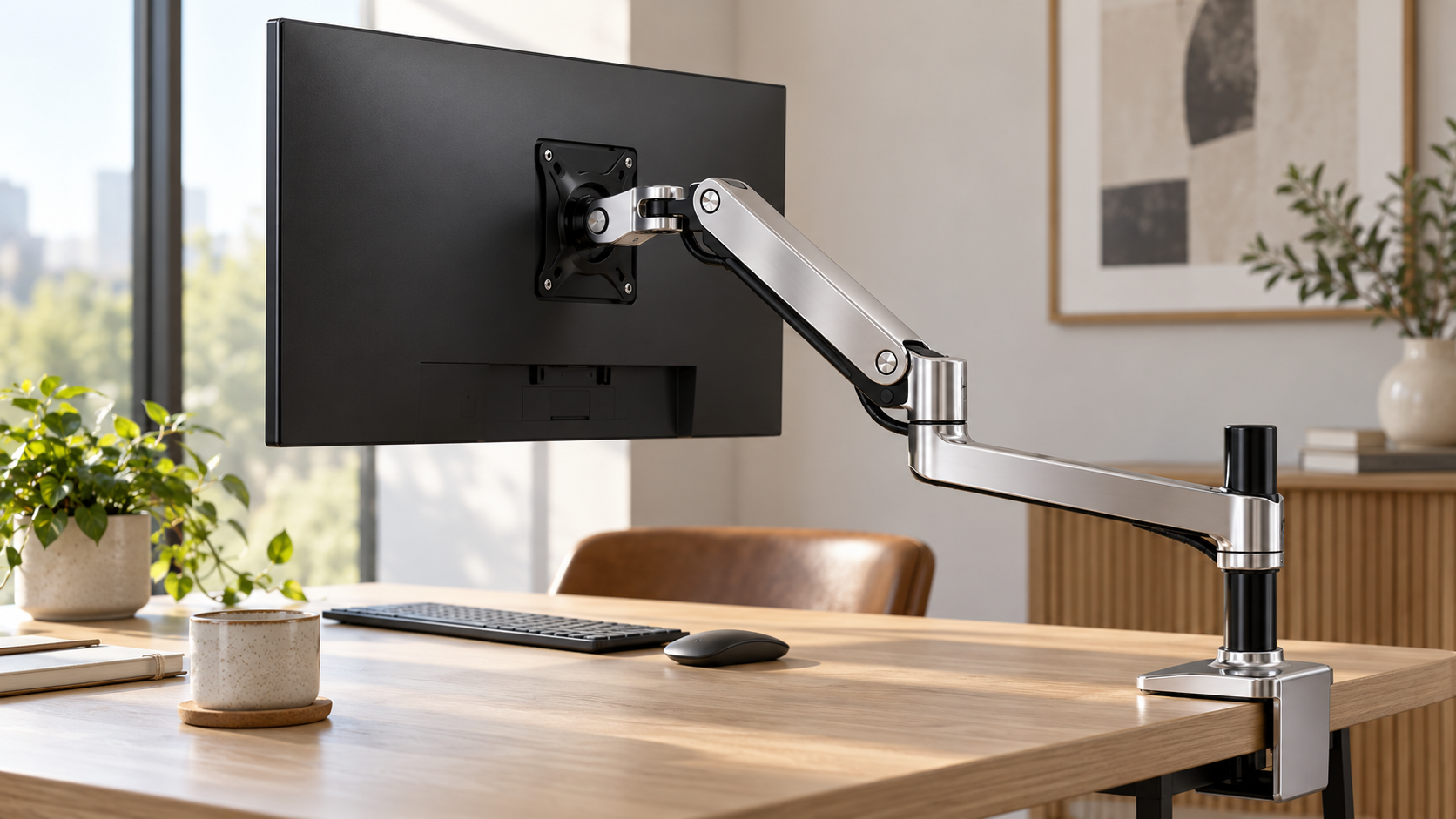
Upgrade your workspace with the Ergotron LX Desk Monitor Arm. Enjoy flexible positioning, ergonomic comfort, and a clutter-free desk for better productivity.
Your monitor’s position can affect how comfortably you work throughout the day. A screen that sits too low, too far away, or at an awkward angle may encourage uncomfortable viewing habits.
The Ergotron LX Desk Monitor Arm provides a practical way to adjust your display’s position while freeing up valuable desk space.
Designed for workstations that need flexible screen placement, this adjustable mounting solution supports height, tilt, and rotational adjustments.
However, its compatibility requirements and price positioning deserve attention before you purchase.
This guide examines its specifications, everyday benefits, installation requirements, and potential drawbacks to help you decide if it belongs on your desk.
Ergotron LX Desk Monitor Arm: What Should You Know Before Buying?
The Ergotron LX Desk Monitor Arm is a desktop-mounted support designed to hold a compatible computer monitor above your work surface.
Instead of relying on the monitor’s original stand, you can reposition the display using an articulated arm.
Its construction combines aluminum components with Ergotron’s Constant Force motion technology, which helps users adjust monitor positioning without repeatedly loosening and tightening conventional joints.
The standard LX Desk Mount LCD Monitor Arm, model 45-241, supports monitors weighing between 7 and 25 pounds (3.2–11.3 kg).
It accommodates typical displays up to 34 inches, subject to weight and physical compatibility requirements.
The product is intended for people who frequently adjust their screens, need additional desk space, or want greater control over their workstation layout.
Key Specifications at a Glance
| Feature | Specification |
|---|---|
| Product | Ergotron LX Desk Mount LCD Monitor Arm |
| Model family | 45-241 |
| Typical monitor size | Up to 34 inches |
| Weight capacity | 7–25 lbs (3.2–11.3 kg) |
| Vertical adjustment | 13 inches (33 cm) |
| Maximum extension | Approximately 25 inches (64 cm) |
| Tilt adjustment | 70° backward and 5° forward |
| Pan | 360° |
| Screen rotation | 360° |
| VESA compatibility | 75 × 75 mm and 100 × 100 mm |
| Construction | Aluminum |
| Warranty | 10 years |
Specifications reflect the standard LX 45-241 family. Certain mounting configurations, older models, and LX Pro versions have different requirements.
What Makes the Ergotron LX Monitor Arm Worth Considering?
An Ergotron LX monitor arm review should examine how the product performs during ordinary desk activities rather than focusing exclusively on technical specifications.
Several design features make this model relevant for workstations that require frequent screen repositioning.
1. Flexible Height Adjustment
One of its main advantages is the ability to raise or lower your display without stacking books or purchasing a separate monitor riser.
The standard arm provides up to 13 inches of vertical adjustment. This range can help you position your screen at a suitable viewing height based on your chair, desk, and sitting posture.
For example, you might prefer a slightly different monitor height when switching between typing, reading documents, and participating in video meetings.
However, Ergotron notes that the available vertical range may decrease when supporting monitors weighing over 20 pounds.
2. Adjustable Viewing Angles
The LX functions as an adjustable monitor arm, allowing you to change your screen’s orientation and viewing angle.
Its movements include:
- Height adjustment for different seated positions.
- Forward and backward tilt for screen alignment.
- Side-to-side positioning when changing your viewing direction.
- Screen rotation for portrait or landscape orientation.
- Extension and retraction to change viewing distance.
These adjustments can be useful when your daily activities involve spreadsheets, programming, document editing, or reviewing lengthy web pages.
For instance, portrait orientation may make reading long documents convenient because additional lines can appear on the screen at once.
3. Additional Usable Desk Space
Traditional monitor stands occupy a section of your desktop, particularly when they use wide or deep bases.
The LX replaces that base with a compact mounting system attached to your desk.
This arrangement can leave additional room for a keyboard, notebook, drawing tablet, or other frequently used accessories.
The arm can also fold toward its mounting base when you need to position your display closer to the back of your workstation.
The actual space gained depends on your desk dimensions and the monitor stand being replaced.
4. Integrated Cable Management
Loose monitor cables can interfere with desk organization and sometimes restrict screen movement.
The LX includes cable-routing features beneath the arm, helping keep connected wires closer to the mounting structure.
You can route compatible power and display cables along the arm instead of leaving them hanging across the work surface.
Remember to leave sufficient cable slack for movement. Excessively tight cables can pull against connectors when you extend or rotate the display.
5. Durable Construction and Warranty Coverage
Ergotron uses aluminum construction for the standard LX arm and reports testing its lift mechanism through 10,000 adjustment cycles.
The product also carries a 10-year manufacturer’s warranty.
These details may matter if you plan to retain your workstation accessories across several monitor upgrades.
However, warranty coverage does not guarantee that every type of damage or installation issue will qualify for service. Check the applicable warranty terms before purchasing.
How Can the LX Support an Ergonomic Desk Setup?
An ergonomic desk setup depends on the relationship between your monitor, chair, keyboard, and natural viewing position.
The LX allows you to change your display’s placement without moving its entire base across the desktop.
That flexibility can make workstation adjustments easier.
For comfortable screen positioning, you can follow several general guidelines:
- Position your monitor approximately an arm’s length away, adjusting for screen size and visual comfort.
- Keep the top of the visible display at or slightly below eye level for typical seated computer use.
- Adjust the screen angle to reduce reflections from windows and overhead lighting.
- Keep your neck in a comfortable, neutral position while viewing the center of the screen.
- Reassess monitor height whenever you change your chair or desk configuration.
These practices may help reduce awkward viewing positions, although a monitor arm alone cannot prevent discomfort or guarantee improved posture.
Your chair adjustment, lighting conditions, working habits, and regular movement still matter.
Is the Ergotron LX Compatible With Your Monitor?
Compatibility is one of the first things to verify before purchasing a desk monitor mount.
Although the LX supports many common desktop displays, not every monitor can be installed directly.
Check Your Monitor’s Weight
The standard LX supports monitors weighing between 7 and 25 pounds.
You should compare this range with your monitor’s weight without its original stand.
A display that weighs less than the minimum may not provide enough resistance for the arm’s adjustment mechanism.
Likewise, exceeding the maximum capacity can compromise proper operation and mounting safety.
Monitor depth can also affect capacity, so unusually thick displays deserve additional attention.
Verify the VESA Mounting Pattern
The standard LX supports two common mounting patterns:
- 75 × 75 mm
- 100 × 100 mm
These measurements describe the distance between the mounting holes on the back of your monitor.
If your display uses another pattern or has a recessed mounting area, you may need a compatible adapter or additional hardware.
Check the monitor manufacturer’s specifications rather than relying on screen size alone.
Examine Your Desk Construction
The LX needs a suitable mounting surface.
Depending on the selected product version, mounting hardware may include a desk clamp, grommet attachment, or both.
Before installation, examine your desktop’s thickness, available mounting clearance, and structural strength.
Thin hollow-core desks, fragile surfaces, or desktops with restrictive rear panels may require additional precautions or may be unsuitable.
Also, verify the mounting hardware included with your exact model number.
How Difficult Is the Ergotron LX Desk Monitor Arm to Install?
Installation involves attaching the mounting base, assembling the arm components, securing the monitor, and adjusting the movement tension.
The process is generally manageable with the manufacturer’s instructions, although the exact procedure depends on your desk and monitor.
Installation Overview
1. Identify a suitable mounting location
Choose a stable section of your desktop with enough clearance for the clamp and arm movement.
2. Attach the mounting base
Secure the supplied mounting hardware according to the instructions for your particular model.
3. Assemble the arm
Connect the arm components and extension as directed by Ergotron.
4. Attach the VESA mounting hardware
Fasten the monitor mounting plate or interface using the appropriate screws. Avoid using screws that are too long for your monitor.
5. Secure the monitor
Carefully connect the display to the arm. Assistance may be helpful when handling a heavy or awkwardly shaped screen.
6. Adjust the arm tension
Follow the manufacturer’s instructions to balance the monitor so it stays at the intended height.
7. Organize the cables
Route the display and power cables while allowing enough slack for the arm’s full movement.
After installation, slowly test the arm’s available positions to confirm that the monitor remains secure and does not strike nearby objects.
Ergotron LX vs. Budget Monitor Arms: Which Makes Sense?
The LX occupies a different purchasing category from many basic monitor mounting products.
Budget alternatives can be suitable for users who rarely reposition their screens, while the LX emphasizes controlled movement, established specifications, and long-term support.
| Buying Factor | Ergotron LX | Typical Budget Monitor Arm |
|---|---|---|
| Height adjustment | Gas-spring-style assisted movement using Constant Force technology | Varies by model |
| Monitor compatibility | Defined weight and VESA requirements | Varies considerably |
| Construction | Aluminum components | Steel, aluminum, or combinations |
| Cable management | Integrated routing | Often included, design varies |
| Warranty | 10 years | Depends on manufacturer |
| Purchase price | Generally positioned above entry-level models | Often lower upfront |
| Best suited for | Frequent adjustments and long-term workstation use | Basic mounting needs |
A lower-priced product may be sufficient when your monitor remains in one position for most of the day.
On the other hand, the LX may be easier to justify if you regularly change your screen’s height, distance, or orientation.
The final decision should account for the actual selling price, warranty terms, and specifications of the competing model.
Who Should Buy the Ergotron LX Desk Monitor Arm?
The LX can serve different workstation requirements, although its benefits depend on how you use your monitor.
Remote Workers
If you spend much of your workday at a computer, the LX can help you fine-tune screen placement for reading, meetings, and other daily activities.
It may be particularly useful when several people share the same desk and prefer different viewing positions.
Programmers and Content Editors
Developers, writers, and editors frequently work with lengthy documents or vertically arranged information.
The arm’s rotation capability allows compatible displays to switch between portrait and landscape orientations.
This can make it easier to adapt your monitor to different applications.
Designers and Creative Professionals
Designers working with large visual files may appreciate the ability to move a display closer for detailed inspection or farther away when reviewing an entire composition.
The arm also helps maintain available desktop space for drawing tablets and other equipment.
People With Limited Desk Space
The LX can be an effective monitor arm for home office arrangements where desktop space is limited.
Removing a conventional monitor stand can make room for accessories and improve the organization of a compact workstation.
However, you should measure the arm’s required clearance, especially if your desk sits close to a wall.
What Are the Main Advantages and Limitations?
Before purchasing, compare the product’s practical benefits with its installation and compatibility requirements.
Advantages
- Flexible height, tilt, and rotational adjustments.
- Supports compatible monitors weighing up to 25 pounds.
- Can free up desktop space.
- Includes cable-routing features.
- Supports common VESA mounting patterns.
- Aluminum construction.
- Backed by a 10-year manufacturer’s warranty.
- Suitable for frequent monitor repositioning.
Limitations
- Generally costs above basic monitor mounting alternatives.
- Requires a compatible desk and mounting surface.
- May need an adapter for monitors without supported VESA mounting holes.
- Has a minimum supported monitor weight.
- Heavier monitors may experience reduced vertical adjustment.
- Requires adequate clearance for extension and movement.
- Standard single-monitor configurations do not support two displays without additional compatible equipment.
The LX is worth evaluating based on how frequently you expect to use its adjustment features.
If your screen rarely moves, a simpler mounting product could meet your requirements at a lower cost.
What Should You Check Before Purchasing?
A few practical checks can help you avoid buying an incompatible mounting system.
Monitor Size and Weight
Confirm your display’s actual weight without its stand, physical depth, and VESA pattern.
Do not assume that every monitor below 34 inches will automatically be compatible.
Desk Thickness and Stability
Review the installation requirements for your exact LX model and inspect the mounting surface.
A secure attachment matters as much as the arm’s stated weight capacity.
Available Movement Space
Measure the clearance behind and beside your desk.
The arm’s approximately 25-inch maximum extension provides flexibility, though nearby walls and furniture can restrict its movement.
Included Mounting Hardware
Verify the exact product number and included accessories.
Different LX versions may use different mounting packages, and certain configurations require separately purchased attachments.
Price and Warranty
Compare current retailer prices and confirm that the seller provides genuine products with applicable warranty support.
Also, account for possible costs associated with VESA adapters, mounting accessories, or additional cable lengths.
Frequently Asked Questions
Is the Ergotron LX Desk Monitor Arm suitable for a 34-inch monitor?
The standard LX is rated for typical monitors up to 34 inches. However, compatibility depends on the display’s weight, depth, mounting pattern, and physical dimensions. Check the exact specifications before purchasing.
Can you rotate the Ergotron LX monitor arm vertically?
Yes. The standard LX supports screen rotation, allowing a compatible monitor to change between landscape and portrait orientations. Ensure the monitor has sufficient clearance before rotating it.
Does the Ergotron LX require drilling into your desk?
Not necessarily. Compatible desk-clamp configurations attach to a suitable desk edge without drilling.
Grommet installations require an appropriate opening in the desktop, which may already exist.
Can the Ergotron LX support two monitors?
The standard LX 45-241 is designed for one monitor. Ergotron sells other configurations and compatible accessories for certain dual-monitor arrangements. C
heck the exact product and accessory compatibility before purchasing.
Does the Ergotron LX work with standing desks?
It can work with compatible height-adjustable desks, provided the mounting surface meets the installation requirements.
You should also check the available clearance throughout the desk’s height range.
Is the Ergotron LX better than a basic monitor stand?
It provides greater positioning flexibility than many fixed monitor stands. However, a conventional stand may be sufficient if your display already sits at a comfortable height and you rarely adjust its position.
How long is the Ergotron LX warranty?
The standard LX 45-241 carries a 10-year manufacturer’s warranty. Warranty periods can differ for older models and other product families, so verify coverage for the exact item you purchase.
Ergotron LX Desk Monitor Arm: Making the Right Buying Decision
The Ergotron LX Desk Monitor Arm is a practical option if you want greater control over monitor positioning and additional usable desktop space.
Its height adjustment, screen rotation, extended reach, and cable management make it suitable for workstations where display placement changes throughout the day.
The aluminum construction and 10-year warranty further support its positioning as a long-term workstation accessory.
However, its higher price relative to basic alternatives may be difficult to justify if your monitor remains stationary.
Desk compatibility, monitor weight, and mounting requirements also need careful verification.
The bottom line: The Ergotron LX Desk Monitor Arm is worth considering when flexible screen positioning, dependable mounting specifications, and long-term use matter to your purchasing decision.