
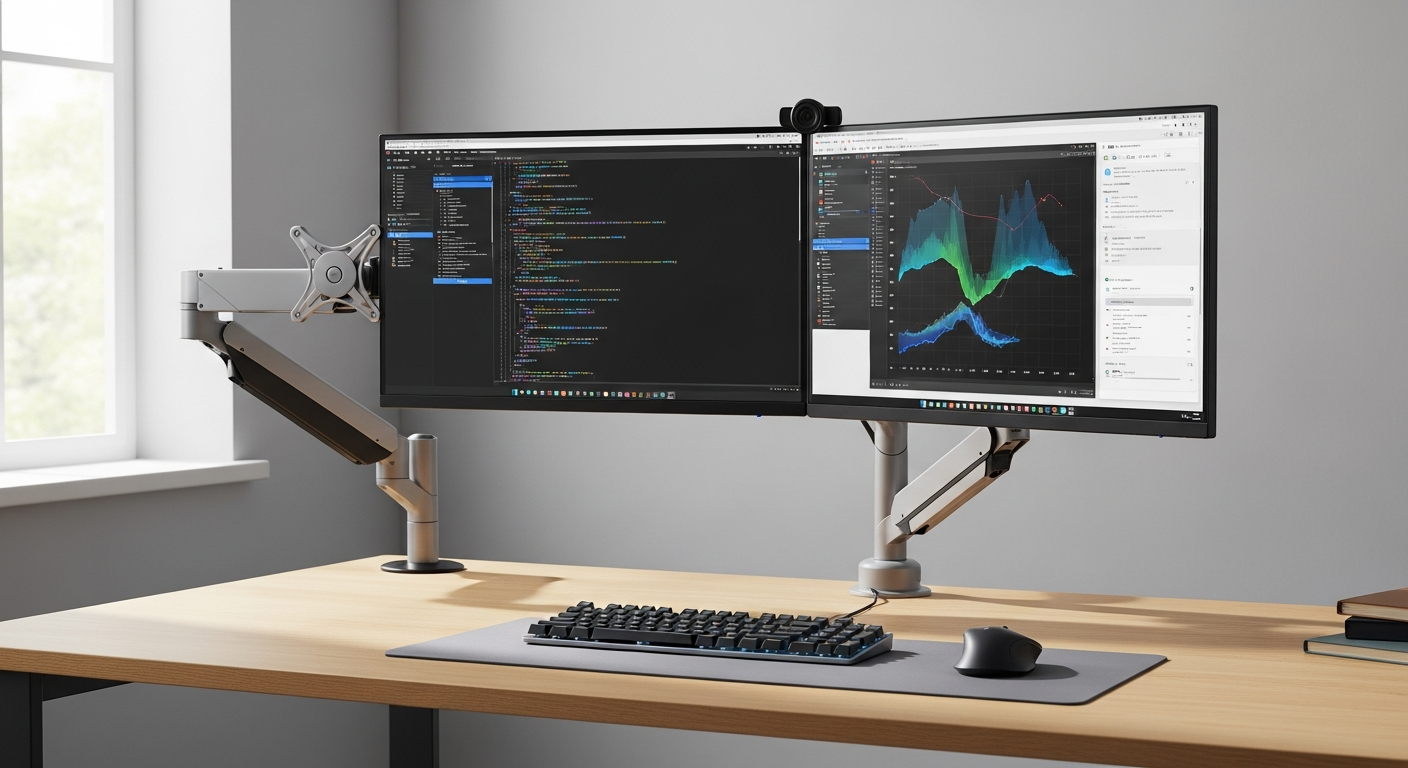
Master dual and multi-monitor configurations with the Ergotron LX Monitor Arm. Discover advanced positioning techniques, space-saving strategies, and productivity hacks for demanding workspaces. Learn why professionals choose Ergotron LX for complex setups.
A comfortable desk setup often starts with getting your screen into the right position.
If your monitor sits too low, takes up valuable desk space, or feels awkward to adjust, the Ergotron LX Monitor Arm could be a practical upgrade.
Its articulated design lets you reposition your display without relying on a conventional monitor stand.
However, choosing a monitor arm involves checking its weight capacity, mounting requirements, adjustment range, and overall value.
Before spending money on a premium accessory, you need to know how it performs in everyday use and if its features suit your workspace.
This guide covers the Ergotron LX’s specifications, installation requirements, advantages, limitations, and buying factors so you can make an informed decision.
What Is the Ergotron LX Monitor Arm, and How Does It Work?
The Ergotron LX Monitor Arm is an adjustable mounting system designed to hold a compatible computer monitor above your desk.
Instead of placing the display on its original stand, you attach it to an articulated arm that allows changes in height, depth, tilt, and orientation.
The standard LX Desk Monitor Arm uses Ergotron’s Constant Force technology, which helps support smooth screen adjustments after the arm has been properly configured for your monitor’s weight.
The design is particularly useful if you regularly change your sitting position, share a workstation, or want additional desk space.
Key Specifications at a Glance
The following specifications describe the standard LX Desk Monitor Arm. Other LX configurations, including tall-pole and heavy-duty versions, can have different limits.
| Feature | Standard LX Desk Monitor Arm |
|---|---|
| Brand | Ergotron |
| Product type | Single-monitor desk arm |
| Monitor weight capacity | 7–25 lb (3.2–11.3 kg) |
| Recommended screen size | Up to 34 inches |
| Height adjustment | 13 inches (33 cm) |
| Extension range | Up to 25 inches (64 cm) |
| Tilt adjustment | 75° backward, 5° forward |
| Screen rotation | 360° |
| VESA compatibility | 75 × 75 mm and 100 × 100 mm |
| Mounting options | Desk clamp or grommet |
| Warranty | 10 years |
Important: Screen-size recommendations do not replace weight and mounting checks. Always confirm the specifications for the exact product model before ordering.
Ergotron LX Desk Monitor Arm: Features That Matter in Everyday Use
A monitor arm needs to do three things well: support your display, allow convenient positioning, and remain stable during regular use.
Here are the features worth examining.
1. Flexible Height and Position Adjustments
One of the main advantages of the LX is its adjustable design.
You can raise or lower your monitor, pull it closer, push it away, or rotate it into portrait orientation when your display supports that movement.
This flexibility can be helpful when:
- You alternate between different working positions.
- You need to move your screen for video calls.
- You frequently review long documents or spreadsheets.
- You share a desk with someone of a different height.
- You want to create additional space for writing or other tasks.
For example, if you spend several hours reviewing documents, you can reposition your display to maintain a comfortable viewing distance instead of leaning toward the screen.
2. Constant Force Adjustment Technology
Ergotron uses Constant Force technology to support controlled movement.
Once the arm’s tension has been adjusted correctly, you can reposition a compatible monitor without repeatedly loosening and tightening conventional locking mechanisms.
However, the arm must be properly balanced for the monitor’s weight.
A display that falls downward or rises unexpectedly may indicate that the tension requires adjustment or that the monitor falls outside the supported weight range.
3. Desk Space Management
A conventional monitor stand occupies part of your desk surface.
An adjustable monitor arm transfers that support to a mounting point near the desk edge or through a compatible grommet hole.
This can free space beneath the monitor for a keyboard, notebook, or other accessories.
The actual space saved depends on your existing monitor stand, desk dimensions, and arm placement.
4. Cable Management
The LX includes cable-routing features that help guide display and power cables along the arm.
This can reduce loose cables around your workstation, especially when your monitor connects to several devices.
However, leave enough cable slack to accommodate the arm’s full movement range.
Cables that are pulled too tightly may restrict adjustments or place unnecessary strain on connectors.
5. Durable Construction and Warranty
The LX features aluminum construction and is designed for repeated adjustments.
Ergotron provides a 10-year warranty for the standard LX Desk Monitor Arm, subject to its warranty terms.
This may be relevant if you plan to keep your workstation accessories through several monitor upgrades.
Still, warranty coverage does not mean every monitor will be compatible with the same arm.
Ergotron LX Review: Advantages and Limitations Before Buying
Understanding both the benefits and drawbacks helps you decide if the product suits your needs.
Advantages
Flexible positioning: The arm supports several adjustment directions, making it easier to customize your screen position.
Space-saving design: Removing a conventional monitor stand can make your desk feel less crowded.
Portrait orientation: Compatible displays can rotate vertically for reading, coding, and document work.
Long warranty: The 10-year warranty may provide reassurance for long-term ownership.
Established mounting design: The arm supports common VESA mounting patterns used by many computer monitors.
Limitations
Higher purchase cost: The LX generally belongs to a higher-priced category than basic fixed or entry-level monitor mounts.
Compatibility restrictions: Monitors that exceed the supported weight range or lack compatible mounting holes may require another solution.
Desk requirements: Your desk must have a suitable mounting surface and sufficient clearance.
Initial adjustment: Installation may require some time to balance the arm and organize the cables.
Not ideal for every ultrawide display: Some large, heavy, or unusually curved monitors may need a different arm designed for their weight and dimensions.
These limitations do not necessarily make the LX a poor purchase. They indicate why checking your existing equipment matters before choosing it.
Is the Ergotron LX a Good Ergonomic Monitor Mount?
The LX can support a better-positioned workstation because it gives you control over the monitor’s placement.
However, buying an ergonomic monitor mount does not automatically correct posture problems or eliminate discomfort.
How to Position Your Monitor Comfortably
For a typical desk setup, these general practices can help:
- Place your monitor approximately an arm’s length away, then adjust the distance for comfortable reading.
- Position the upper part of the screen at or slightly below eye level.
- Tilt the screen to minimize glare and maintain a clear view.
- Keep the display directly in front of you for your primary tasks.
- Adjust your chair and keyboard so your shoulders can remain relaxed.
If you wear progressive lenses or have particular visual requirements, a lower monitor position may be appropriate.
The LX makes these adjustments possible, although the final result depends on your workstation.
How to Install the Ergotron LX Monitor Arm
Installation is relatively straightforward when your monitor and desk meet the mounting requirements.
Check Compatibility First
Before beginning, verify the following:
- Your monitor weighs between 7 and 25 pounds, excluding its original stand.
- The display has compatible 75 × 75 mm or 100 × 100 mm VESA mounting holes.
- Your desk can support the mounting clamp or grommet assembly.
- You have sufficient space behind and around the desk for arm movement.
- Your power and video cables are long enough for the desired positioning.
General Installation Process
- Prepare the desk. Clear the installation area and inspect the mounting surface.
- Secure the desk mount. Attach the clamp or grommet assembly according to the instructions for your specific LX model.
- Assemble the arm. Connect the arm components as described in the installation manual.
- Attach the monitor. Use the appropriate VESA mounting hardware. Have someone assist if the display is difficult to handle safely.
- 5. Adjust the tension. Balance the arm so the monitor remains in the intended position.
- Organize the cables. Route the cables while allowing enough slack for movement.
- Test the adjustments. Move the display through the positions you expect to use, checking for clearance and stability.
Always follow the manufacturer’s installation instructions rather than relying solely on a general setup guide.
Ergotron LX vs Amazon Basics: Which Monitor Arm Should You Choose?
When comparing Ergotron LX vs Amazon Basics, the first thing to establish is the exact Amazon Basics model.
Amazon Basics has sold different monitor mounting products, and their specifications are not interchangeable.
| Buying factor | Ergotron LX | Amazon Basics monitor arms |
|---|---|---|
| Positioning | Height, tilt, swivel, extension, and rotation | Depends on model |
| Weight capacity | 7–25 lb for standard LX | Depends on model |
| VESA support | 75 × 75 and 100 × 100 mm | Check specific listing |
| Desk mounting | Clamp or grommet | Depends on model |
| Warranty | 10 years for standard LX | Check current product terms |
| Pricing | Generally premium | Varies by model and availability |
| Best comparison method | Check official specifications | Match exact model specifications |
Which Is Better for Your Setup?
The Ergotron LX may be worth prioritizing if you want a clearly specified adjustment range, a long warranty, and a mounting system designed for frequent repositioning.
An Amazon Basics model may be suitable if it supports your monitor, fits your desk, and provides the adjustments you actually need at a lower price.
Rather than choosing based on the brand alone, compare the exact weight limits, extension range, warranty terms, and current purchase price.
Who Should Buy the Ergotron LX Monitor Arm?
The LX may be a sensible choice for several types of workstations.
Remote Workers
If you work from home for extended periods, the arm can help you position your monitor to suit your desk and chair arrangement.
It can also free surface space when you need room for documents or a laptop.
Programmers and Developers
Portrait orientation can be useful for viewing longer sections of code, documentation, or technical material.
The ability to adjust screen depth can also help when switching between tasks.
Designers and Creative Professionals
If your work requires changing your viewing position, the arm allows you to adjust your monitor without moving its entire stand.
Check the display’s weight and mounting configuration carefully, particularly with larger professional monitors.
Students
Students with compact desks may appreciate the additional surface space.
However, the higher purchase cost may be difficult to justify if a basic stand already provides a comfortable viewing position.
Shared Workstations
An adjustable arm can be convenient when several people use the same desk.
Each person can reposition the monitor to suit their preferred height and viewing distance.
When Should You Choose Another Monitor Arm?
The Ergotron LX is not the right option for every display or workstation.
You may need an alternative if:
- Your monitor weighs less than the minimum supported weight.
- Your monitor exceeds the maximum supported weight.
- Your desk cannot accommodate a clamp or grommet mount.
- Your display lacks compatible VESA mounting points.
- You need to mount two monitors on one integrated support.
- You use a particularly heavy curved or ultrawide monitor.
- Your budget does not justify the additional adjustment features.
For large displays, check Ergotron’s heavy-duty options or other mounts specifically rated for your monitor.
If you only need a fixed screen position, a simpler mounting solution may be sufficient.
Is the Ergotron LX Worth the Price?
The answer depends on how frequently you adjust your monitor and how long you intend to use the arm.
A premium monitor arm may make sense when its positioning flexibility solves a recurring problem.
For example, if you regularly switch between sitting positions or share a workstation, the adjustment range can be genuinely useful.
However, if your monitor already sits at a comfortable height and rarely moves, you may not benefit enough to justify the expense.
What to Check Before Purchasing
Before placing an order, compare:
- Current price: Check authorized sellers and account for delivery costs.
- Exact model: Confirm that the listing describes the standard LX or the configuration you need.
- Monitor compatibility: Verify weight, VESA pattern, and screen dimensions.
- Desk compatibility: Check mounting clearance and surface suitability.
- Warranty terms: Review coverage for your region and seller.
- Return policy: Confirm your options if the arm does not fit your setup.
Buying the correct arm is generally better than purchasing an expensive model and discovering that your monitor falls outside its supported range.
Frequently Asked Questions
Can the Ergotron LX Hold a 34-Inch Monitor?
The standard LX is specified for screens up to 34 inches, provided the display also meets the supported weight and mounting requirements.
Check the exact monitor model before buying.
Does the Ergotron LX Support Ultrawide Monitors?
Some ultrawide monitors may be compatible, but screen width alone cannot determine suitability.
Weight, mounting pattern, monitor geometry, and the arm’s specifications all matter.
Can You Rotate the Ergotron LX Vertically?
Yes. The standard LX supports 360-degree monitor rotation, allowing compatible displays to be positioned in portrait or landscape orientation.
Ensure your monitor has enough clearance before rotating it.
Does the Ergotron LX Work With Standing Desks?
Yes, it can work with compatible height-adjustable desks.
You still need to verify the desktop’s mounting suitability, weight capacity, and available clearance throughout the desk’s height range.
Is the Ergotron LX Difficult to Install?
Installation is manageable for many users with a compatible desk and monitor.
The most important tasks are securing the mount, attaching the display safely, and adjusting the arm’s tension correctly.
How Long Does the Ergotron LX Last?
Its service life depends on installation, usage, operating conditions, and maintenance.
The standard LX carries a 10-year warranty, although this should not be interpreted as a guaranteed operating lifespan.
Should You Buy the Ergotron LX Monitor Arm?
The Ergotron LX Monitor Arm is a practical option if you want flexible monitor positioning, additional desk space, and a mounting system with a long manufacturer warranty.
Its height adjustment, extension range, rotation capability, and Constant Force technology make it suitable for workstations where the display needs to move regularly.
However, its premium pricing means you should evaluate how frequently you will use those adjustments.
Before buying, confirm your monitor’s weight, VESA mounting pattern, desk compatibility, and the exact specifications of the LX version you are purchasing.
If those requirements align with your setup and you value convenient screen positioning, the Ergotron LX deserves a place on your shortlist.
If your monitor rarely moves, a simpler arm may provide everything you need at a lower cost.