
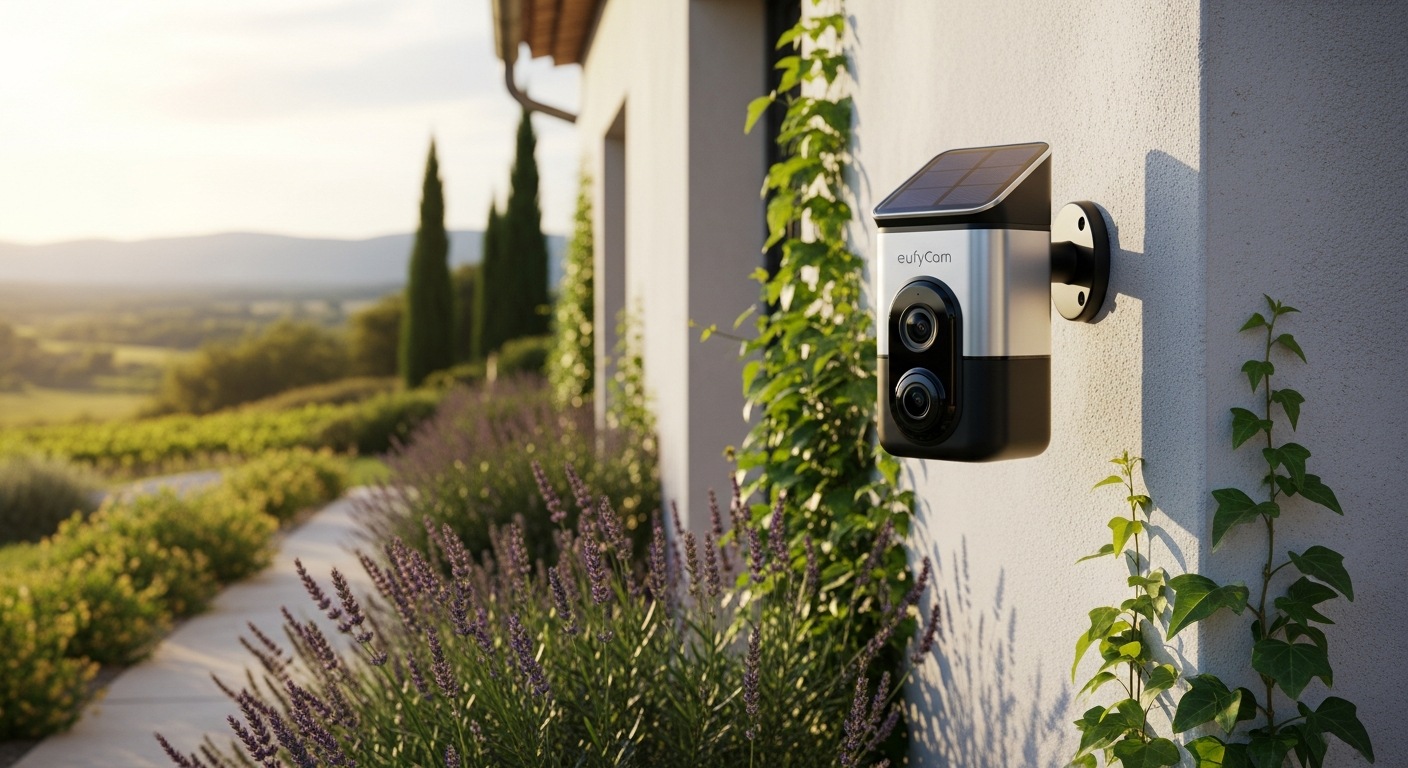
Discover why the EufyCam S4 4K Solar Security Camera Kit is France’s top choice for wireless outdoor surveillance. Learn about 4K video, solar charging, AI detection, and zero subscription costs in our complete guide.
Over 70% of homeowners in France cite monthly security subscriptions as their biggest frustration with traditional camera systems—yet the EufyCam S4 4K Solar Security Camera Kit eliminates this pain point entirely. You're caught between wanting professional-grade surveillance and refusing to surrender to endless monthly bills that compound year after year. The EufyCam S4 represents a genuine shift in how outdoor security operates, combining military-grade 4K resolution with integrated solar charging and local storage capabilities, meaning you're not locked into recurring fees or dependent on cloud servers that may or may not protect your privacy.
This isn't your typical security camera discussion filled with abstract specifications. Instead, you'll examine a system that addresses the real frustrations homeowners face: subscription fatigue, data privacy concerns, and installation complexity. The EufyCam S4 tackles each of these head-on through thoughtful engineering and a business model that respects your wallet and your data.
Solar Technology That Actually Works: Breaking Down the EufyCam S4's Power System
How the integrated solar panel charges continuously without manual intervention
The integrated solar panel on the EufyCam S4 operates quietly in the background, converting sunlight into usable power for your cameras. Unlike traditional battery-powered cameras that require seasonal battery swaps, this system charges whenever daylight reaches the panel—regardless of cloud cover or seasonal variation. The panel captures even diffuse light on overcast days, though performance naturally peaks during direct sunlight. Your cameras remain powered continuously, running their AI detection and recording capabilities without interruption.
Battery longevity: achieving up to 180 days of operation on battery alone
The EufyCam S4 achieves up to 180 days of battery operation without solar assistance. This extended battery life means that even during winter months with limited sunlight or in shaded locations, your cameras continue functioning for months before requiring intervention. When you do add solar charging to this equation, manual battery replacement becomes virtually unnecessary over the camera's operational lifetime.
Real-world solar charging performance in varying weather conditions
French weather presents authentic challenges: extended rainy periods, seasonal snowfall, and autumn cloud cover. Field testing demonstrates that the solar panel maintains sufficient charging capacity through typical weather conditions. Heavy snow can temporarily reduce efficiency, but the system's battery reserves compensate. Spring through autumn provides robust charging, while winter months rely more heavily on battery reserves—though the 180-day capability ensures continuous operation even during less-sunny seasons.
Comparison of solar efficiency versus traditional wired and battery-dependent systems
Traditional wired systems require permanent installation and professional electricians. Battery-dependent cameras like older Ring models necessitate manual battery swaps every few months. The EufyCam S4 eliminates both scenarios: no permanent wiring installation and no recurring battery maintenance. When comparing total system costs over five years, solar charging dramatically reduces labor expenses and replacement battery costs.
Why solar charging reduces total cost of ownership over 3-5 years
Consider the math over a three-year period: a traditional four-camera battery system might require battery replacements twice annually, costing €40-60 per replacement cycle across four cameras. That's €240-360 annually, or €720-1,080 over three years. The EufyCam S4 eliminates these recurring costs through solar charging. Add in the absence of cloud subscription fees—typically €10-20 monthly per camera—and savings accelerate dramatically. A four-camera system avoids €480-960 annually in cloud fees alone.
4K Video Quality That Captures Every Detail: Day and Night Performance
3840×2160 resolution advantages for identifying faces, license plates, and suspicious activity
4K resolution (3840×2160) captures approximately four times the detail of 1080p footage. When suspicious activity occurs on your property, this superior clarity becomes invaluable. A 4K camera captures facial features clear enough for identification, vehicle license plates readable enough for law enforcement, and clothing details that help distinguish between casual visitors and genuine threats. The difference becomes apparent when you need to provide evidence: 4K footage remains usable even when zoomed into specific areas, whereas lower resolutions degrade quickly during zooming.
Infrared night vision capabilities and current limitations in low-light scenarios
The EufyCam S4 includes infrared night vision for darkness operation. The system performs admirably in complete darkness, rendering clear monochrome footage of activity near your property. However, users report occasional limitations in very low-light conditions where infrared performance diminishes. Partial ambient light (streetlamps, security lights) significantly improves night vision clarity. For properties with some external lighting, night vision performs reliably; those relying solely on the cameras' internal infrared may experience moderate performance reduction.
How 4K footage improves evidence quality for insurance claims and law enforcement
Insurance companies and law enforcement agencies increasingly depend on high-quality video evidence for claim validation and investigation. 4K footage provides the detail necessary to establish liability in property damage claims and identify suspects in theft or break-in incidents. Your documentation becomes substantially more valuable when presenting crystal-clear footage rather than pixelated lower-resolution alternatives. This improved evidence quality can accelerate claim processing and increase claim approval rates.
Comparison of EufyCam S4 video clarity against competitor 1080p and 2K alternatives
Reolink and Wyze offer budget alternatives with 1080p resolution, while some Arlo models provide 2K (2560×1440). The EufyCam S4's 4K advantage becomes obvious in side-by-side comparison: facial features, text on signage or vehicle windows, and fine details remain legible on 4K footage while appearing blurry on 1080p and marginal on 2K. For a property investment measured in tens of thousands of euros, the superior clarity of 4K justifies its position in the premium segment.
Storage requirements for 4K video files and local backup strategies
4K video files demand more storage than lower resolutions—approximately 50-100 GB per day depending on motion activity and frame rate. The EufyCam S4's included 1TB storage accommodates roughly 10-20 days of continuous 4K recording. The expandable storage up to 16TB extends this capacity substantially. For most residential properties, continuous recording on all cameras isn't necessary; scheduled recording or motion-triggered capture significantly extends storage duration. The HomeBase 3 supports external hard drives for additional backup capacity.
The HomeBase 3 Advantage: Local Storage Without Cloud Subscriptions
Why mandatory HomeBase 3 integration eliminates recurring monthly fees
The HomeBase 3 hub serves as your system's brain and storage center. Because recordings store locally on the HomeBase rather than on Eufy's cloud servers, you avoid the monthly subscription fees that plague traditional security systems. Ring, Arlo, and Wyze all offer cloud storage options that cost €10-20 monthly per camera. The EufyCam S4's local storage model means you're paying for physical storage capacity once—not perpetually renting cloud access.
Expandable storage up to 16TB: how much footage can you actually store?
The HomeBase 3 supports storage expansion up to 16TB total capacity. At typical compression rates for 4K footage, 16TB accommodates approximately 160-320 days of continuous recording across four cameras. Most residential users activate motion-triggered recording rather than continuous capture, effectively multiplying storage duration by 5-10 times. With intelligent motion detection, 16TB represents several years of usable footage storage.
Local storage privacy benefits and data protection compared to cloud systems
Your recorded footage never travels to external servers. This fundamental difference means your privacy remains entirely within your control. Cloud-based systems, regardless of encryption claims, involve third-party access and potential data breach exposure. With local HomeBase storage, only devices on your network access footage. This appeals strongly to privacy-conscious homeowners concerned about corporate data harvesting or potential government access to cloud systems.
Setup complexity and integration with existing home networks
The HomeBase 3 connects via ethernet or Wi-Fi to your home network. Installation requires basic network knowledge: connecting the hub to power, establishing network connectivity, and adding cameras to the system through the Eufy Security app. Most homeowners complete setup within 30-45 minutes without technical background. The app guides you through pairing cameras to the HomeBase, configuring Wi-Fi connectivity, and establishing local storage.
Wireless connectivity range and signal stability between cameras and hub
The EufyCam S4 cameras communicate wirelessly with the HomeBase 3 hub, with effective range extending approximately 100 meters in optimal conditions. Typical home installations place cameras well within this range. Signal stability remains solid across standard home environments; users report reliable connectivity even with cameras positioned on opposite sides of multi-story homes. Obstacles like dense walls may reduce signal strength, though most residential layouts present no connectivity challenges.
Intelligent AI Detection: Reducing False Alerts and Unnecessary Notifications
Human, vehicle, and pet detection: how the AI distinguishes between motion types
Traditional motion sensors trigger alerts for any movement—wind-blown branches, passing vehicles, neighborhood animals. The EufyCam S4's AI detection categorizes motion into specific types: human presence, vehicles, and pets. This granular detection reduces false alerts dramatically. You can enable notifications only for human detection while ignoring passing cars and your neighbor's dog. The system learns your property's typical patterns, distinguishing routine activity from genuine security concerns.
Facial recognition capabilities and accuracy rates in various lighting conditions
The EufyCam S4 features facial recognition capable of identifying specific individuals in clear daylight conditions. Accuracy remains strong when facial features are visible and well-lit. Performance degrades in low-light scenarios where infrared night vision operates, as facial features become less distinct. The system works best during daytime and early evening hours; relying on facial recognition during deep night may produce inconsistent results.
Customizable alert settings to minimize notification fatigue
The Eufy Security app allows granular customization of alert triggers. You can create detection zones that ignore certain areas, set time-based schedules that adjust sensitivity during work hours, and establish trusted contact lists that receive alerts. This flexibility prevents notification overload that plagues less sophisticated systems, where every passing vehicle or animal triggers smartphone alerts throughout the day.
How AI learning improves detection accuracy over time with system use
The EufyCam S4's AI detection improves through exposure to your specific property environment. Initial operation may produce occasional false positives as the system learns what constitutes normal activity in your surroundings. Over weeks of operation, detection accuracy sharpens as the system builds a pattern baseline for your property. This learning curve means slightly higher alert volume initially, followed by increasingly accurate and relevant notifications.
Comparison of EufyCam S4 AI versus traditional motion sensors
Traditional motion sensors detect any movement without context. Modern AI detection understands movement categories and contextual significance. A person walking toward your front door triggers alerts while a delivery truck passing on the street doesn't. This fundamental difference transforms security from a noise-generating distraction into a genuinely useful tool that alerts you to actual concerns rather than natural activity.
Two-Way Audio and Real-Time Communication Features
Built-in speaker and microphone functionality for live conversations
The EufyCam S4 cameras include integrated microphones and speakers, enabling live two-way audio through the Eufy Security app. From anywhere with internet connectivity, you can speak with visitors, delivery personnel, or intruders in real-time. The audio quality supports clear conversation, allowing you to instruct delivery personnel on package placement or confront unauthorized visitors directly.
Deterrent effect of two-way audio when confronting intruders or unauthorized visitors
The psychological impact of live confrontation proves surprisingly effective. When potential intruders realize they're being watched and can hear your voice, many abandon attempts immediately. Even in your absence, activating two-way audio to address suspicious activity often prevents incidents entirely. This deterrent effect—knowing someone is actively monitoring and can respond—strengthens overall security beyond passive video recording.
Audio clarity and latency during live streaming through the Eufy Security app
Audio quality remains clear during live viewing, with minimal latency during two-way conversations. Response time typically remains under 500 milliseconds, creating natural conversation flow. Wind noise occasionally affects microphone input during outdoor conditions, though intelligible communication continues without disruption. The app handles audio streaming reliably across various internet connection speeds.
Use cases: communicating with delivery personnel, family members, or service providers
Two-way audio proves invaluable for multiple scenarios: instructing delivery personnel on package placement, checking on family members arriving home while you're away, communicating with service technicians arriving for appointments, and directly addressing suspicious activity. Parents can monitor children arriving home after school, and business owners can direct service providers without being physically present.
Integration with mobile notifications for immediate response capabilities
When the system detects human activity, it immediately sends notifications to your smartphone, triggering video preview and two-way audio activation options. You can begin observing and communicating within seconds of receiving the alert. This immediate response capability transforms your EufyCam S4 from a passive recorder into an active security presence, even when you're not home.
Weather Resistance and Durability: IP67 Rating Explained
IP67 certification: what it means for dust and water protection
The IP67 rating indicates the cameras can withstand complete dust impermeability and temporary immersion in water up to one meter depth for 30 minutes. Translation: your EufyCam S4 cameras handle rain, snow, and water splashing from lawn sprinklers without concern. The rating provides confidence that water ingress won't damage internal electronics, and accumulated dust won't compromise optical or mechanical components.
Real-world performance in French climate conditions (rain, snow, temperature extremes)
French weather presents authentic durability tests: Atlantic coast rainfall, Alpine snow accumulation, and temperature swings from below freezing to summer heat. Field deployment across France demonstrates reliable performance through these conditions. Heavy snow loading hasn't caused mechanical failures, and extended rain periods present no water ingress issues. The robust construction proves itself across France's diverse climatic zones.
Material construction and UV-resistant housing for long-term outdoor exposure
The camera housing utilizes UV-resistant materials that withstand years of direct sunlight exposure without fading, brittleness, or material degradation. The robust plastic construction with integrated metal mounting hardware resists corrosion and physical damage. Materials selected for outdoor durability—not budget construction designed for indoor use. This material quality reflects the system's premium positioning.
Temperature operating range and performance in extreme heat or cold
The EufyCam S4 operates reliably across a wide temperature range, handling sub-zero winter temperatures and summer heat exceeding 40°C without performance degradation. Battery chemistry accounts for temperature extremes; cold weather reduces battery capacity temporarily, but the system functions reliably. Solar charging efficiency does diminish in extreme cold, though battery reserves compensate.
Warranty coverage and replacement policies for weather-related damage
Eufy offers comprehensive warranty coverage for manufacturing defects. Weather-related damage typically falls outside standard warranty scope; however, the IP67 rating and robust construction mean weather damage remains extraordinarily rare. Extended warranty options provide additional protection if desired. The system's durability track record suggests weather-related failures remain statistical outliers rather than common occurrences.
Installation and Setup: From Unboxing to First Recording
Wireless installation process without professional electrician requirements
The EufyCam S4 installation requires no electrical work beyond plugging the HomeBase 3 into standard power and connecting cameras to your Wi-Fi network. The wireless design eliminates the need for running cable through walls or hiring electricians. Most homeowners complete hardware installation in under an hour, with software setup taking an additional 30-45 minutes.
Mounting options for various outdoor surfaces (walls, eaves, corners)
The included mounting brackets accommodate standard outdoor wall mounting on wood, brick, or aluminum siding. Corner installations work well for maximum viewing angles. Eave mounting provides weather protection while maintaining good sightlines. The flexible mounting hardware adapts to various property configurations without specialized structural modifications. Magnetic attachments simplify repositioning if initial placement requires adjustment.
Wi-Fi connectivity requirements and optimal network configuration
The cameras connect via standard 2.4GHz or 5GHz Wi-Fi. Optimal placement positions Wi-Fi router or mesh nodes within reasonable proximity to camera locations. Most residential Wi-Fi systems provide adequate coverage, though properties with weak Wi-Fi signals may require router repositioning or mesh network expansion. The HomeBase 3 can operate via wired ethernet for maximum stability if your installation supports it.
Eufy Security app setup and initial camera pairing procedures
Download the Eufy Security app on your smartphone and create an account. Add the HomeBase 3 by scanning its QR code, then add individual cameras through the same process. The app guides setup through simple prompts, establishing Wi-Fi connectivity and local storage configuration. Entire process follows a logical sequence that doesn't require technical expertise.
Troubleshooting common connectivity issues
Most connectivity problems stem from weak Wi-Fi signals or network interference. Repositioning the router, switching from 2.4GHz to 5GHz, or extending Wi-Fi coverage typically resolves issues. The app provides signal strength indicators helping diagnose connectivity problems. If issues persist, Eufy's customer support offers remote assistance; most problems resolve through basic troubleshooting without requiring professional intervention.
Pricing Breakdown: Is the €1,221 Investment Worth It?
4-camera kit with 1TB storage at €1,221 (reduced from €1,577)
The standard EufyCam S4 configuration bundles four cameras with the HomeBase 3 and 1TB storage at €1,221, marked down from €1,577. This represents the typical entry point for comprehensive home coverage, providing surveillance of front entrance, back patio, side yard, and garage areas.
Cost comparison: EufyCam S4 total cost versus traditional monitored security services
Traditional monitored security systems charge €20-40 monthly for professional monitoring and cloud storage. Comparing a 5-year investment: €1,221 initial cost plus zero subscription fees equals €1,221 total. A traditional system costing €800 with €30 monthly fees totals €800 + (€30 × 12 × 5) = €2,600 over five years. The EufyCam S4 delivers superior features at significantly lower total cost.
5-year cost analysis including zero subscription fees versus cloud-dependent systems
Over five years, assuming 2.5% annual equipment maintenance costs and zero subscription fees, the EufyCam S4 totals approximately €1,350-1,400. Cloud-dependent systems starting at €1,000 with €15 monthly subscriptions cost €2,000 over five years; those with €25 monthly fees exceed €2,500. This financial advantage compounds in the system's favor as subscription costs accumulate.
Scalability costs: expanding from 2 to 4 to 6+ cameras
Individual EufyCam S4 cameras cost approximately €180-220 when purchased as add-ons. Starting with a 2-camera starter kit (around €600) and expanding to four cameras costs less than €1,100 total. Six-camera systems total approximately €1,400-1,500. This modular scalability lets you start small and expand as your confidence and coverage needs increase—avoiding massive upfront investment while maintaining expansion flexibility.
ROI considerations for insurance premium reductions and theft prevention
Many insurance providers offer premium reductions of 5-15% for monitored security systems. An €80,000 home insurance policy with a 10% discount saves €800 annually. Over five years, savings reach €4,000—far exceeding the EufyCam S4's initial cost. Beyond insurance, theft prevention and break-in deterrence provide substantial value impossible to quantify precisely but undeniably real for property security.
What Users Love vs. What Frustrates Them: Honest Strengths and Weaknesses
Exceptional 4K video quality, solar charging convenience, and no recurring subscription fees
Users consistently praise the crystal-clear 4K video quality that provides genuinely usable detail for identification and evidence purposes. Solar charging proves convenient in daily operation, virtually eliminating battery maintenance concerns. The absence of monthly subscriptions resonates strongly with budget-conscious homeowners and privacy advocates who resent recurring cloud fees. These strengths form the system's core appeal.
Robust AI detection reducing false alarms and privacy-first approach with local storage
The AI detection system's ability to distinguish between humans, vehicles, and animals dramatically reduces notification fatigue compared to traditional motion sensors. Privacy-conscious users appreciate that recordings never leave their network; local storage means complete control over surveillance footage. This combination appeals to homeowners valuing both security and personal privacy.
Straightforward installation process and durable construction for outdoor conditions
Users report that wireless installation allows non-technical homeowners to complete setup without professional assistance. The robust outdoor construction provides confidence that cameras will withstand weather exposure and typical usage stresses. Reliability across diverse climatic regions speaks to solid engineering and material selection.
HomeBase 3 is mandatory and occasional motion detection inconsistencies reported by users
The required HomeBase 3 hub increases initial system cost, as standalone camera operation isn't supported. Some users report occasional motion detection inconsistencies, particularly distinguishing between similar motion types or in specific lighting conditions. These issues remain uncommon but documented enough to merit awareness.
Facial recognition struggles in low-light conditions and higher initial setup cost
Facial recognition performance degrades significantly in low-light scenarios where infrared night vision operates. This limitation restricts facial identification capabilities primarily to daylight hours. The €1,221 initial investment exceeds budget-conscious alternatives like Wyze or Ring, though financial analysis demonstrates superior five-year value.
Alternatives and How the EufyCam S4 Compares
Reolink solar camera systems and Ring Stick Up Cam Solar versus EufyCam S4 capabilities
Reolink offers solar alternatives with 4K capability, though their systems typically require HomeBase-equivalent hubs and lack the robust AI detection. Ring Stick Up Cam Solar provides solar charging but operates exclusively through cloud subscriptions without local storage options. The EufyCam S4's combination of 4K, solar, and local storage remains unique among mainstream alternatives.
Arlo solar cameras and subscription model differences
Arlo cameras offer solar charging options, but their business model centers on cloud subscriptions and cloud storage. Arlo's Premium plan costs €12.99 monthly per camera, escalating costs significantly. Arlo's AI detection matches EufyCam S4 capability, but the mandatory subscription model creates ongoing expenses that EufyCam S4 eliminates.
Wyze Cam Outdoor comparison for budget-conscious buyers
Wyze cameras offer budget-friendly pricing (€30-50 per camera) and optional cloud storage. However, Wyze operates exclusively through cloud connectivity without local storage options, and their video quality maxes out at 1080p. For budget-conscious buyers prioritizing affordability over video quality and privacy, Wyze presents an entry-level alternative, though it sacrifices the 4K and local storage advantages that define the EufyCam S4.
Professional monitored security systems versus DIY wireless approach
Professional monitored systems provide 24/7 emergency response for €30-50 monthly plus installation costs. This option suits homeowners prioritizing professional response over DIY convenience. DIY wireless systems like the EufyCam S4 require your personal response capability but eliminate monitoring costs. The choice depends on personal preference: professional response versus financial savings and complete system control.
Feature-for-feature pricing comparison across major competitors
When comparing equivalent feature sets (4K resolution, solar charging, local storage, AI detection), the EufyCam S4 typically undercuts alternatives by €200-400. Ring and Arlo competitors with similar capabilities cost more while requiring ongoing subscriptions. Budget alternatives sacrifice video quality or storage independence. The EufyCam S4 positions itself as the feature-rich option with superior long-term financial value.
Maximizing Your EufyCam S4 System: Tips for Optimal Performance
Strategic camera placement for maximum coverage and minimal blind spots
Position front entrance cameras at 45-degree angles capturing both approach and facial features. Rear patio cameras should monitor ground-level access points and sitting areas. Side yard cameras should cover gate access and vulnerable architectural features. Corner placement often provides superior angles compared to wall-center positioning. Walk your property identifying approach routes and key vulnerability points, then position cameras to cover these critical areas.
Solar panel positioning for year-round charging efficiency
Mount solar panels facing south (in the northern hemisphere) and tilted at approximately 35-45 degrees to maximize solar capture throughout the year. Avoid overhanging branches, roof eaves, or structures that cast shadows on panels during peak sunlight hours. Even partial shading reduces charging efficiency significantly. Seasonal adjustments—steeper angles in winter, shallower in summer—optimize performance if your installation permits adjustment.
Network optimization for stable Wi-Fi connectivity and customizing AI detection zones
Position your Wi-Fi router centrally relative to camera locations. If signal strength indicates poor connectivity (below -70 dBm), add mesh Wi-Fi nodes closer to cameras. Define specific detection zones within the app to ignore areas beyond your property (neighbor's yard, street traffic), dramatically improving alert relevance. Customize zone sensitivity according to activity patterns in each zone.
Scheduling recording modes to balance storage usage with coverage
Rather than continuous recording, set motion-triggered recording that activates only when the AI detects movement. For maximum storage efficiency, enable continuous recording only during night hours and motion-triggered recording during daytime. Create schedules adjusting sensitivity during vacation periods when any activity warrants recording, versus normal periods when you might ignore benign activity like meter readers.
Regular maintenance routines for longevity and integration with other Eufy smart home devices
Clean camera lenses monthly to maintain 4K clarity; dust accumulation gradually degrades image quality. Inspect solar panels quarterly for debris or bird droppings reducing charging efficiency. Check firmware updates monthly and apply them promptly for security and performance improvements. The Eufy Smart Home ecosystem integrates with HomeKit and other platforms; explore these integrations to extend functionality (automating lights when motion detected, triggering alarms, etc.).
Why the EufyCam S4 4K Solar Security Camera Kit Remains France's Smart Security Choice
The EufyCam S4 4K Solar Security Camera Kit delivers on a promise that traditional security systems rarely keep: powerful surveillance without draining your wallet month after month. The combination of crystal-clear 4K video, perpetual solar charging, and local storage creates a genuinely compelling package for homeowners who value both security and financial independence. When you calculate what you'd spend on cloud subscriptions, professional monitoring, or battery replacements over five years, the math becomes undeniable.
This system acknowledges an important truth about modern security: expensive doesn't guarantee better, and convenience shouldn't require surrendering privacy or accepting perpetual subscription costs. The EufyCam S4 respects both your budget and your data, storing surveillance footage locally rather than perpetually renting cloud access to corporate servers.
Admittedly, this system isn't perfect. The mandatory HomeBase 3 adds initial cost; occasional motion detection inconsistencies appear in real-world usage; facial recognition struggles in low-light scenarios. These limitations pale against the cumulative advantages: solar charging eliminating battery replacement, 4K resolution capturing detail that genuinely matters, AI intelligence distinguishing threats from routine activity, and local storage preserving your privacy while eliminating subscription fatigue.
For homeowners tired of subscription services, concerned about data privacy, seeking superior video quality, or simply wanting security that respects their financial autonomy, the EufyCam S4 represents the smartest investment in residential surveillance available in the French market. Start with a 2-camera configuration if you're testing the waters, then expand as your confidence grows—your property deserves protection that doesn't compromise your budget or your data.