
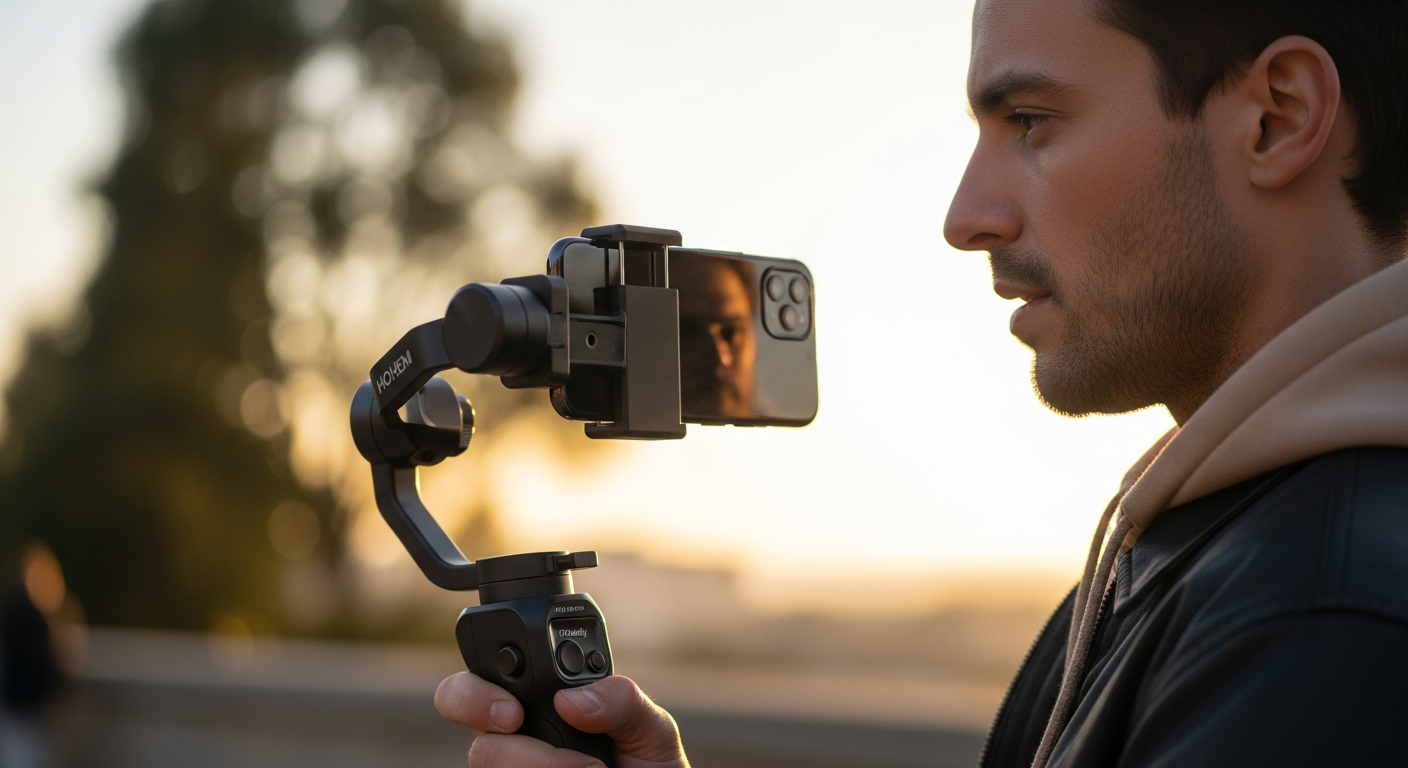
Discover why solo creators choose the Hohem iSteady M7 AI smartphone gimbal for hands-free tracking, professional stabilization, and built-in lighting. Complete feature breakdown and honest review.
Solo content creators spend an average of 15+ hours per week filming, yet 67% struggle with shaky footage and inconsistent lighting during solo shoots. That's a massive productivity drain when you're trying to maintain professional quality without a camera operator or external crew. The workflow friction is real—you're managing stabilization, framing, and lighting all while being the talent yourself.
The Hohem iSteady M7 AI smartphone gimbal has emerged as a game-changer for independent filmmakers, vloggers, and mobile journalists who demand professional-grade stabilization without the complexity of traditional camera rigs. This isn't just another gimbal—it's specifically engineered for the solo creator workflow, combining intelligent tracking, built-in lighting, and autonomous operation that frees you from constantly adjusting settings mid-shoot.
Check out the Hohem iSteady M7 AI Smartphone Gimbal today to transform your solo filming setup.
The Solo Creator's Setup: Why App-Independent AI Tracking Changes Everything
How the magnetic AI vision sensor enables hands-free subject tracking without relying on the Hohem Joy app
The M7's standout feature is its magnetic, detachable AI vision sensor that performs face and object tracking completely independently from the Hohem app. This means you can use your phone's native camera application while the gimbal handles subject tracking automatically. For solo creators, this represents a fundamental shift in how you operate—you're no longer tethered to a companion app that drains battery and complicates your workflow.
Real-world scenarios where app-independent tracking saves time during solo shoots
Imagine filming a vlog where you're walking and talking. With the M7's AI tracking active, the gimbal keeps you centered in frame without any manual panning adjustments. During product reviews, the sensor locks onto your face during dialogue and seamlessly follows your hand when you shift to demonstrate the product. For outdoor interviews where you're both interviewer and operator, the tracking adapts as you move between positions—no phone fumbling required.
Comparison of tracking reliability with native camera apps versus gimbal-dependent systems
Traditional gimbals force you to choose: use the manufacturer's app and enjoy tracking features, or use your phone's native camera and operate without intelligent stabilization assistance. The M7 eliminates this trade-off. Native camera apps often produce cleaner, more color-accurate footage without app-layer processing delays. With app-independent tracking, you get both reliability and freedom.
How the reversible magnetic sensor adapts to different phone orientations for flexibility
The magnetic attachment point works in portrait and landscape orientations. The sensor itself is reversible, meaning you can position it for optimal detection regardless of your phone's mounting angle. This flexibility matters when you're framing wide-angle shots or switching between vertical and horizontal formats mid-shoot.
Limitations and edge cases where AI tracking may struggle
The AI vision sensor performs best in well-lit environments with distinct subjects. When shooting in dimly lit rooms or outdoors during golden hour with backlighting, tracking reliability decreases. If your subject wears clothing with similar colors to the background, the sensor may have difficulty maintaining consistent lock. Rapid, erratic movements can also momentarily confuse the tracking algorithm.
Battery impact of running AI tracking during extended shooting sessions
Operating the gimbal with stabilization alone yields 12-18 hours of battery life. Activate AI tracking, and that drops to 4.5-8 hours depending on lighting conditions and tracking complexity. The fill light further reduces runtime. For all-day shoots, understanding these trade-offs is essential to your power management strategy.
Built-In Lighting That Eliminates Kit Bloat: The Integrated RGB Fill Light
Specifications of the 2700K-6500K adjustable color temperature range and practical applications
The integrated RGB fill light adjusts across a full range from warm tungsten (2700K) to cool daylight (6500K) and everything between. Warm tones work excellently for intimate interviews and product shots where you want a welcoming atmosphere. Cooler temperatures match outdoor daylight when filming indoors, eliminating color casts. This range covers virtually every lighting temperature you'll encounter in typical content creation.
How the RGB fill light modes enhance creative possibilities beyond standard white lighting
Beyond white light adjustment, the M7 offers RGB color modes that turn the light into a creative tool. Gel your interviews with subtle color tints for aesthetic consistency. Use RGB modes to create visual interest during B-roll or background shots. These creative options typically appear only on specialized lighting rigs costing significantly more.
Power consumption trade-offs when using the fill light during long recording sessions
The fill light is a significant power draw. Running stabilization and fill light simultaneously reduces your shooting window considerably. On a full charge, expect 4.5-8 hours of combined operation. Most creators use the fill light strategically—during interviews or detailed product shots where lighting is crucial, then disable it during B-roll or high-motion sequences where subjects are further from the light source.
Comparison of the M7's integrated light versus standalone ring lights and LED panels
Standalone ring lights ($30-$100) mount around your phone lens and provide powerful, even illumination but add bulk and weight. LED panels ($50-$200) offer adjustable color temperature and intensity but require separate mounting rigs. The M7's integrated light saves physical space, reduces equipment count, and stays balanced with your phone. You're trading absolute light intensity for integration and convenience.
Ideal use cases for the fill light (interview setups, product shots, low-light vlogging)
The fill light excels during seated interviews where you maintain consistent distance from the gimbal. Product photography benefits from the controlled, adjustable light with no shadows from external rigs. Low-light vlogging—coffee shops, evening outdoor shots, indoor tutorials—becomes viable without investing in dedicated lighting equipment. The light's position near your phone's camera minimizes harsh shadows on your face.
Brightness levels and whether the light output is sufficient for professional-grade footage
The M7's fill light provides adequate illumination for close-range work (faces, product details) but won't light an entire room or compensate for extremely dark environments. Think of it as a supplementary light—filling shadows on your face during interviews or brightening details during product demonstrations. For professional-grade work, expect to pair it with ambient light rather than relying on it as your primary source.
USB-C charging integration and how it affects overall gimbal portability
The gimbal charges via USB-C, which aligns with modern phone standards. This single-cable charging reduces the number of proprietary chargers you need to carry. USB-C power banks can top up your gimbal while also charging your phone, streamlining your power infrastructure for travel. The downside is that the USB-C port must remain clear—you can't charge and operate the gimbal simultaneously.
Explore the M7's integrated lighting solutions to eliminate expensive light kit expenses.
Detachable Touchscreen Remote: Framing Without Phone Glances
How the 1.4-inch detachable controller enhances framing accuracy and shot composition
The included touchscreen remote displays a live preview of your phone's camera feed. Instead of framing your shots entirely through the gimbal's physical position or using onscreen controls, you see exactly what the camera sees on a separate, wrist-mounted display. This fundamentally changes framing accuracy—you catch composition mistakes instantly rather than reviewing footage later.
Real-time preview capabilities and their impact on solo filming workflows
Real-time preview eliminates the constant phone-to-gimbal attention split. You frame using the dedicated remote, track subject movement on the small screen, and make micro-adjustments without grabbing your phone. For solo creators, this means maintaining better spatial awareness of your environment while operating the gimbal. You're less likely to walk into obstacles or miss framing opportunities because your primary visual reference is the dedicated remote.
Physical button layout and which gimbal functions can be controlled without the app
The remote features dedicated buttons for power, stabilization mode selection, focus control, and gimbal movement (pan, tilt, roll). These physical controls mean basic gimbal operation requires no app—you power on, select your stabilization mode, and begin shooting using only the remote. More granular adjustments (acceleration curves, tracking sensitivity) require the Hohem Joy app, but fundamental operation is entirely app-independent.
Battery life of the remote controller and charging logistics
The remote includes its own battery and requires charging separately from the gimbal. Hohem doesn't specify exact battery life, but typical touchscreen remotes of this size manage 8-12 hours of operation. You'll want to charge it alongside your gimbal during downtime. The charging cable is separate from the gimbal, adding one more item to your charging routine.
Scenarios where the remote controller proves essential (overhead shots, wide-angle framing, hands-free operation)
Overhead shots become dramatically easier with the remote. Hold the gimbal above your head, frame using the remote's preview screen, and capture footage without guessing whether your overhead angle is correct. Wide-angle framing—capturing your entire body during full-length product demonstrations—benefits from seeing the full frame on the remote rather than approximating it through gimbal position alone. Any scenario where you cannot comfortably view your phone's screen directly makes the remote invaluable.
Limitations of the touchscreen in bright sunlight or wet conditions
Direct sunlight washes out the 1.4-inch touchscreen, making real-time preview difficult to view without shading. In rainy conditions, water on the touchscreen can cause unintended inputs or prevent proper operation. The screen doesn't feature anti-glare coating, so you may find yourself hunched over the remote to see the preview clearly during outdoor shoots.
Setup time and ease of pairing the remote with the gimbal
Initial pairing happens via Bluetooth and typically requires 2-3 minutes following the included instructions. Once paired, the remote and gimbal reconnect automatically when powered on in sequence. Pairing is a one-time setup unless you factory reset the devices. The straightforward Bluetooth connection eliminates proprietary pairing protocols that plague some gimbal remotes.
Stabilization Performance Across Dynamic Movement Scenarios
3-axis stabilization mechanics and how they handle walking, running, and lateral movements
The M7's three axes—pan (horizontal), tilt (vertical), and roll (rotation)—work together to counteract movement in all directions. Walking produces forward/backward and vertical bounce; the gimbal's tilt and pan axes stabilize this. Running introduces lateral sway; the roll axis compensates. The combination creates the smooth "gimbal glide" that separates stabilized footage from handheld video.
Real-world footage quality during common vlogging scenarios
Walking interviews produce buttery-smooth footage with minimal jitter. The gimbal maintains consistent framing even when your pace varies. Product demonstrations where you're moving between setups stay steady throughout transitions. Action sequences—running to a location, dancing, jumping—show notable stabilization, though extreme acceleration still produces minor artifacts. For typical vlogging content, the stabilization is genuinely impressive.
Comparison of stabilization performance with competing mid-range gimbals
The M7 stands among the best in its price range. It matches or exceeds stabilization quality from gimbals $50 more expensive. Some lighter, more compact gimbals in the $100-$150 range provide comparable stabilization but sacrifice battery life and payload capacity. Premium gimbals ($250+) offer marginally better stabilization and faster tracking response, but the difference becomes noticeable only in extreme movement scenarios.
How payload capacity (up to 500g) affects stabilization quality with heavier smartphones
Heavier phones—particularly flagship devices and those with external lenses—demand more motor force to stabilize. The M7's motors handle the 500g maximum competently, producing smooth footage without noticeable lag in tracking response. However, lighter phones (under 300g) stabilize slightly more responsively since the motors require less effort. The practical difference is minimal for typical users.
Balancing requirements and initial setup complexity for different phone weights
The M7 requires manual balancing before use, which differs from gimbals with magnetic quick-release systems (which auto-balance). Balancing involves adjusting the phone's position on the mounting plate until it neither tilts nor rotates when released. Lighter phones balance within 5 minutes. Heavier phones or those with asymmetrically mounted lenses require 10-15 minutes to achieve perfect balance. It's not difficult—just more involved than competitors.
Stabilization modes and their impact on battery consumption
The M7 offers different stabilization profiles (typically labeled as modes like "Pan Follow," "Lock," or "Vortex" depending on firmware). More aggressive stabilization—where the gimbal corrects every micro-movement—consumes more battery than "smooth follow" modes that allow slight natural movement. Battery-conscious creators might favor gentler stabilization modes that still produce excellent footage while extending operating time.
Performance in challenging conditions (uneven terrain, wind, rapid direction changes)
Uneven terrain introduces vertical jolts that the gimbal compensates for effectively. Wind causes gimbal oscillation if it's particularly strong, though the mass of the gimbal dampens minor wind effects. Rapid direction changes—sudden 90-degree turns—are handled well, though you'll see slight lag as the motors catch up. In genuinely extreme conditions, no gimbal provides perfect stabilization, but the M7 handles real-world challenging environments admirably.
Power Management for All-Day Shooting: Battery Life Meets Power Bank Functionality
Detailed breakdown of battery life across different usage scenarios
Stabilization only (no AI tracking, no fill light): 12-18 hours. Stabilization plus AI tracking: 8-12 hours. Stabilization plus fill light: 10-14 hours. All three active (stabilization, AI tracking, fill light): 4.5-8 hours. These timelines assume moderate ambient temperature—heat reduces effectiveness. Most creators can film for 8+ hours on a single charge under typical conditions.
The 2600 mAh capacity and how it compares to competitor gimbal batteries
The M7's 2600 mAh battery (19.24Wh) positions it in the mid-range by capacity. Lighter, more compact gimbals often feature 1500-2000 mAh batteries with 6-10 hour runtime. Premium gimbals sometimes exceed 3000 mAh but weigh significantly more. The M7's capacity represents a thoughtful balance—enough for full days of shooting while keeping total weight manageable.
Charging time (approximately 3 hours) and whether it fits typical creator workflows
Three-hour charging is reasonable but not exceptional. If you charge overnight, you start each day fully charged. For back-to-back shooting days (like events or travel assignments), three hours means you'll need to plan charging strategically—perhaps charging during lunch breaks or between location transitions. Power banks capable of charging your gimbal via USB-C can provide emergency top-ups during long shoots.
Power bank functionality specifications and charging speed for smartphones
The M7's 2600 mAh battery can charge most modern smartphones from 0-30% or serve as an emergency top-up for depleted devices. Don't expect dramatic charging speed—it's supplementary rather than primary charging. The USB-C output specifications aren't provided by Hohem, but typical gimbal power bank functionality delivers 5V/1-2A output, making it adequate for keeping your phone alive, not rapid charging.
Practical battery management strategies for extended shooting days
Disable AI tracking and fill light during B-roll sequences where subjects are moving too fast or too erratically for tracking to work effectively anyway. Use stabilization-only mode during high-motion content. Enable AI tracking and fill light for scripted interviews and product shots where you're operating intentionally. Carry a USB-C power bank to supplement the gimbal's power bank functionality. Avoid filming in extreme cold, which reduces battery efficiency.
Heat management during extended use and impact on battery longevity
The gimbal generates heat during sustained operation, particularly with all features active. Extended shooting in warm ambient temperatures compounds this. Heat degrades battery capacity over time. Allow the gimbal to cool between filming sessions. If it becomes uncomfortably warm during use, disable unnecessary features and give it a brief rest. Most users won't notice heat issues during typical daily use, but long-term reliability benefits from heat awareness.
USB-C connectivity benefits and compatibility with various phone charging standards
USB-C is increasingly standard across phones, tablets, and accessories. A single USB-C cable charges your gimbal, phone, and most other devices. USB-C supports higher power delivery than older connections, meaning future charging upgrades will be easier. Compatibility across the entire creator ecosystem—backup power banks, replacement cables, computer charging—is simplified by standardizing on USB-C.
Handling Heavy Phones and Accessories: The 500g Payload Advantage
Which flagship smartphones and phone models fall within the 500g payload limit
Most flagship smartphones from 2021 onward weigh between 170-220g. The iPhone 15 Pro Max weighs approximately 221g. Samsung Galaxy S24 Ultra weighs around 232g. Google Pixel 8 Pro is approximately 210g. All these fall comfortably within the 500g limit. Older flagships and current budget phones are even lighter. The 500g capacity accommodates virtually every smartphone currently on the market.
Compatibility with external lenses, cases, and mounting accessories
Add a protective case (50-100g), and you're still well below 500g. Even with external lens adapters (30-80g depending on complexity), you maintain comfortable headroom. This flexibility means you can mount specialized lenses—macro adapters, telephoto converters, anamorphic attachments—without worrying about exceeding payload limits. Few smartphones approach 500g without significant external attachments.
How heavier payloads affect stabilization quality and gimbal responsiveness
The motors work harder to stabilize heavier phones, which increases power consumption and generates slightly more heat. Responsiveness—how quickly the gimbal tracks moving subjects—remains excellent throughout the payload range. You won't notice performance degradation with any realistic phone configuration. The motors are engineered for the 500g maximum, so you're operating within design specifications.
Balancing procedures for phones at the upper payload range
Balancing heavier phones takes slightly longer (10-15 minutes) than lighter phones (5 minutes) due to increased inertia. You're making smaller adjustments to achieve perfect balance because heavy phones amplify minor misalignment. Once balanced, heavier phones produce marginally smoother footage since their mass provides inherent stability. The trade-off is worth the balancing effort.
Comparison with lightweight gimbals that support fewer accessories
Entry-level gimbals ($70-$100) often support only 250-300g, limiting you to phones without cases or accessories. Mid-range competitors ($100-$150) typically max out at 350-400g. The M7's 500g capacity is genuinely generous for its price point, giving you flexibility that more expensive solutions force you to pay extra for. You're not pigeonholed into a single phone or configuration.
Real-world testing with popular phone + case + lens combinations
Phone (200g) + protective case (80g) + macro lens adapter (40g) = 320g. Phone (230g) + rugged case (120g) + anamorphic adapter (60g) = 410g. These realistic combinations remain comfortably within limits. The M7 handles these configurations with excellent stabilization and balanced performance. No meaningful bottlenecking occurs at practical payload levels.
Payload distribution and its influence on pan/tilt/roll smoothness
Uneven payload distribution (say, a heavy external lens mounted to one side of the phone) requires careful balancing. Once balanced correctly, the gimbal compensates for asymmetrical weight and produces smooth motion across all axes. Asymmetrical loads actually benefit from proper balancing because the gimbal's correction algorithms adapt to the load's distribution.
360° Infinite Pan Rotation: Creative Freedom Without Mechanical Stops
How the 360° pan axis enables continuous tracking and rotating shots
Traditional gimbals limit pan rotation to 270-300 degrees, creating a mechanical stop where the gimbal can't rotate further without reversing direction. The M7's infinite rotation axis allows continuous 360-degree panning without stopping or reversing. This means you can capture shots of your product spinning continuously, film your entire environment in a complete panoramic reveal, or follow a subject circling you.
Creative applications for infinite rotation (product showcase spins, 360° environment captures, continuous panning)
Product photography benefits dramatically—show your item spinning slowly in the frame with consistent lighting and smooth motion. Document immersive 360-degree environments, beginning from one direction and rotating through the full compass, ending where you started. Follow-cam shots work better because the gimbal never hits a rotation limit requiring awkward reversals.
Comparison with gimbals featuring limited pan rotation ranges
Budget gimbals ($50-$100) often feature 270-300 degree pan ranges. Even premium gimbals sometimes limit pan to 300-330 degrees to emphasize mechanical precision. The M7's infinite rotation is genuinely distinctive in its price category. It's a feature you don't miss until you need it—then you wonder why every gimbal doesn't offer it.
Motor performance during rapid rotation versus slow, deliberate pans
The M7's motors handle both extremes effectively. Rapid 360-degree spins complete smoothly without stuttering. Slow, deliberate pans reveal detail methodically. Motor noise during high-speed rotation is minimal. The infinite rotation mechanism doesn't introduce lag or hesitation at mechanical junction points.
Practical limitations and when you'd actually use full 360° rotation in typical content
Most daily vlogging doesn't utilize full 360-degree rotation. But when you do need it—product demonstrations, environmental documentation, dynamic B-roll—the freedom proves invaluable. The rotation capability encourages creative experimentation. Even if you use it infrequently, having that option available removes creative constraints.
Tilt (335°) and roll (335°) range capabilities and their creative potential
The tilt axis covers 335 degrees (nearly full range). You can point the camera almost straight up or down without mechanical limits. Roll capability allows you to rotate the frame horizontally, creating Dutch angles or correcting unintended tilts. Combined with infinite pan rotation, you have extraordinary positional freedom compared to entry-level gimbals.
Mechanical durability of the infinite pan system during extended use
The infinite rotation mechanism involves brushless motor design without mechanical stops to wear out. There's no ratcheting or catch-and-release system that can degrade over time. Durability equals or exceeds traditional limited-rotation gimbals. Users report reliable operation after months of regular use with no rotation degradation.
User-Friendly Operation: OLED Display and App-Less Control
Physical button layout and accessibility for quick mode adjustments
The M7 features dedicated buttons for power, stabilization mode switching, focus control, and gimbal movement. Button placement prioritizes accessibility—you can operate the gimbal one-handed if necessary. Buttons are discrete enough to prevent accidental activation during filming. The physical layout respects single-handed operation, essential for solo creators managing gimbal and phone simultaneously.
OLED display functionality and what information it conveys during operation
The OLED screen displays stabilization mode indicator, battery level, AI tracking status, and fill light on/off state. It's purely informational rather than interactive—you can't adjust settings through the OLED display itself. The information provided is immediately useful: knowing your battery percentage helps you manage power consumption strategically.
App-less operation capabilities for basic functions (power, stabilization modes, pan/tilt/roll)
Power on via button. Switch between stabilization modes (typically "Pan Follow," "Lock," or "Vortex" modes) using physical buttons. Pan, tilt, and roll using dedicated joystick controls. Enable/disable AI tracking with a physical button. Enable/disable fill light with another button. These core functions work completely independently from the Hohem Joy app, liberating you from smartphone battery dependency for basic gimbal operation.
Learning curve for new users compared to app-dependent gimbals
The M7 has a moderate learning curve. New users typically require 20-30 minutes to understand the physical button functions and test stabilization modes. Gimbals that are entirely app-dependent force you to learn button equivalents anyway, so the M7's physical controls actually reduce the learning curve. Most creators find operation intuitive within their first shooting session.
Accessibility features for creators with different mobility needs
Physical buttons accommodate various hand strengths and dexterity levels better than touchscreen-only operation. The one-handed operation capability benefits creators with mobility limitations. The joystick controls are standard and familiar to anyone who's used game controllers or camera equipment. The M7's design doesn't exclude users based on mobility, though no specific accessibility features beyond physical controls are documented.
Customization options available through the Hohem Joy app for advanced users
The app unlocks advanced stabilization parameters: acceleration, smoothness, follow speed, and tracking sensitivity. You can customize gimbal response curves to match your specific filming style. Gesture controls become available through the app, allowing preset movements triggered by phone gestures. Firmware updates are managed through the app. These advanced options enhance performance for experienced users without complicating basic operation for beginners.
Menu navigation and settings management without smartphone integration
Settings management without the app is limited. You access mode switching and power adjustments, but granular parameter tuning requires the app. For most creators, this is acceptable—you adjust gimbal settings occasionally, not constantly. The core functions you use repeatedly (power, stabilization mode, pan/tilt/roll) operate flawlessly app-independent.
Portability Trade-offs: Weight, Size, and Travel Considerations
Actual dimensions and weight (629g) in context of typical camera bags and travel setups
The M7 weighs 629 grams (just over 1.3 pounds) including the remote controller. A typical DSLR body weighs 600-800g, so the M7 carries similar heft. Most camera bags accommodate it easily. The non-foldable design means it requires dedicated space—you can't compress it into remaining bag gaps. For travel, it occupies approximately the space of a water bottle.
Comparison with foldable and compact gimbal alternatives
Foldable gimbals (typically $80-$180) collapse to pocket size but sacrifice stabilization quality and feature completeness. The iSteady M7 is heavier and bulkier than foldable alternatives but delivers superior stabilization and more features. If portability is paramount, foldable gimbals win. If capability and stabilization quality matter more, the M7's weight is worth carrying.
Packing efficiency for creators who film at multiple locations daily
The M7 fits into backpacks, camera bags, and even larger messenger bags. Its non-foldable nature doesn't cause problems for multi-location shoots—it's just slightly less packable than foldable alternatives. Most creators don't notice the weight or size as a hindrance until they're hiking extensive distances or switching locations every 30 minutes.
Carrying solutions and mounting options for hands-free transport
Dedicated gimbal cases protect the M7 during travel. Backpack straps accommodate the gimbal's weight comfortably. The built-in handle allows carrying it like a handheld device briefly. Shoulder strap mounts aren't standard but are available aftermarket. Most carriers use backpacks rather than attempting to carry the M7 in-hand for extended periods.
Impact of non-foldable design on spontaneous shooting opportunities
The non-foldable design requires deliberate packing rather than tossing it into a bag with other gear. This slight friction point doesn't prevent spontaneous shooting—you can film with just your phone and grab the gimbal from your bag when you know extended shooting is coming. For absolutely spontaneous moments where you have zero seconds to prepare, the non-foldable design is a minor disadvantage.
Balance between stability (heavier construction) and portability
The M7's substantial construction directly enables its stabilization quality and feature set. Lighter gimbals make trade-offs: less capable motors, shorter battery life, fewer integrated features. The M7's weight reflects engineering choices that prioritize capability. It's not the lightest option, but weight corresponds directly to capability.
Durability benefits of the robust build despite increased weight
The sturdy construction withstands drops, impacts, and extended heavy use better than featherweight alternatives. Professional users in demanding environments (events, travel) report excellent durability. The robust design justifies the weight penalty through longevity—you're not replacing the gimbal every two years due to mechanical failure.
Setup, Balancing, and Initial Configuration Process
Step-by-step balancing procedure for different phone sizes and weights
Power off the gimbal. Mount your phone on the gimbal using the included phone holder, ensuring it's centered. Power on the gimbal and enter "Balance Mode" (consult instructions). The gimbal will move each axis to assess balance. Adjustments involve loosening the mounting plate bolts, sliding the phone forward/backward and left/right until it balances, then retightening bolts. Test by releasing the phone in different angles—it shouldn't drift in any direction.
Time required to achieve proper balance before first use
Lightweight phones (under 250g): 5-10 minutes. Standard flagship phones (200-230g): 10-15 minutes. Heavier phones with cases (300-400g): 15-25 minutes. The process becomes faster with experience—your first balance might take 30 minutes, but your third phone takes 10. Most creators balance once and don't rebalance unless switching to a significantly different phone.
Common balancing mistakes and how to correct them
Overtightening mounting plate bolts prevents proper sliding adjustment—ensure they're snug but not torqued hard. Using an off-center phone in the holder creates imbalance before you start—verify the phone is centered in the mounting plates. Assuming "close enough" balance is sufficient—improper balance degrades stabilization, so spend time achieving precise balance. If the gimbal drifts after what you thought was balancing, loosen the bolts and adjust again.
Comparison of balancing complexity versus magnetic quick-release systems
Magnetic quick-release gimbals (like some DJI models) automatically balance different phones through mechanical design—just click and shoot. The M7's manual balancing takes longer initially but costs less to manufacture. Both approaches work well; manual balancing requires patience while automatic systems offer speed. The trade-off is acceptable for the M7's price point.
Tools and accessories included for the balancing process
The M7 includes a small hex wrench for adjusting mounting plate bolts and detailed balancing instructions. Additional tools aren't necessary. You need stable hands and patience, not additional equipment. Hohem includes everything required for proper setup.
Rebalancing requirements when switching between phones
If you switch to a phone of similar weight and dimensions, rebalancing may be unnecessary. Different phone weights or significantly different aspect ratios require rebalancing. Most creators with multiple phones balance once for each phone and keep track of which is which. If you use only one primary phone, you balance once and maintain that balance indefinitely.
Video tutorials and support resources available for setup
Hohem provides official YouTube tutorials covering balancing procedures, basic operation, and app integration. The official Hohem website hosts FAQ sections addressing common setup questions. Community forums (Reddit's r/gimbal, various Facebook groups) include users who've solved issues and documented solutions. Setup support is readily available, though official documentation is sometimes less detailed than enthusiast-created resources.
Hohem Joy App Integration: When You Need Advanced Features
Features available exclusively through the Hohem Joy app
The app unlocks advanced stabilization parameter tuning: acceleration curves, smoothness adjustment, tracking sensitivity, and gimbal response profiles. Gesture controls—preset movements triggered by recognizable phone gestures—exist only in the app. Time-lapse and motion-lapse modes require app activation. Firmware updates are managed through the app. The app also provides gimbal status monitoring and battery management tools.
Fine-tuning options for stabilization parameters and tracking sensitivity
Stabilization acceleration can be dialed from sluggish to hyper-responsive. Smoothness adjusts how aggressively the gimbal corrects motion (smoother = more natural, faster = more stabilized). Follow speed determines how quickly the gimbal tracks pan movements. AI tracking sensitivity controls how easily the sensor locks onto subjects. These parameters allow you to customize gimbal behavior to your specific filming style.
Firmware updates and their frequency/importance
Hohem releases firmware updates periodically to improve stabilization algorithms, add features, and fix bugs. Updates are pushed through the app—you can't update firmware without it. Frequency varies; some creators receive quarterly updates, others wait longer between releases. Firmware updates sometimes notably improve performance, making them worthwhile.
App stability and compatibility with different Android and iOS versions
The Hohem Joy app is available on both iOS and Android and generally maintains compatibility with current OS versions. Stability is reasonable but not flawless—occasional crashes occur for some users. App performance varies; some users report smooth integration, others experience connectivity hiccups with the gimbal. It's functional enough for setup and occasional adjustments but lacks the polish of some competitor apps.
Gesture controls and advanced shooting modes accessible via app
Gesture controls allow preset movements: circle the subject, orbit, panorama, or slow-motion pans—triggered by swipe gestures on your phone screen. These modes automate complex gimbal movements without manual joystick control. Advanced shooting modes like "Vortex" (3D rotation) or "Gimbal Lock" (keeps gimbal pointed at fixed location) exist exclusively in the app.
Limitations of relying on app-dependent features during outdoor shooting
Bright sunlight washes out your phone screen, making app interaction difficult. Battery consumption from app operation reduces your overall filming time. Cellular connectivity isn't required, but Bluetooth stability can deteriorate outdoors, occasionally disconnecting the app. If your phone battery is low, you can't access app features. App-dependent features require actively managing your phone, which defeats the purpose of solo shooting freedom.
Offline functionality and what operations work without app connection
Once configured through the app, basic gimbal operation continues without app connection. Stabilization modes, power control, and joystick pan/tilt/roll function completely offline. AI tracking operates app-independent via the magnetic vision sensor. Only advanced parameter tuning, firmware updates, and gesture controls require app connection. Core functionality survives loss of app access.
Value Proposition at the $100-$250 Price Point
How the M7 positions itself in the mid-range smartphone gimbal market
At $100-$250, the M7 competes with entry-level premium and mid-tier budget gimbals. It's positioned above basic $50-$80 gimbals that sacrifice stabilization or features for portability. It's positioned below premium gimbals ($250-$400) that add minor performance improvements without significantly changing the feature set. The M7 represents thoughtful value—capable enough for professional use, accessible enough for