
What makes the Lenovo V15 G2 15.6″ Laptop a dependable, budget-friendly option for students and professionals? Explore its performance, strengths, limitations, and real-world usability to determine whether it matches your everyday computing needs.
The 2025 laptop market offers more choices than ever, especially for budget-conscious users seeking dependable performance without a premium price tag.
The Lenovo V15 G2 aims to fill that space, providing essential features, practical design, and enough speed for everyday computing. But how well does it hold up when used for school, business, and home tasks?
Below you’ll find a complete breakdown of what the V15 G2 delivers—and what it doesn’t—so you can make an informed decision.
Design and Build Quality
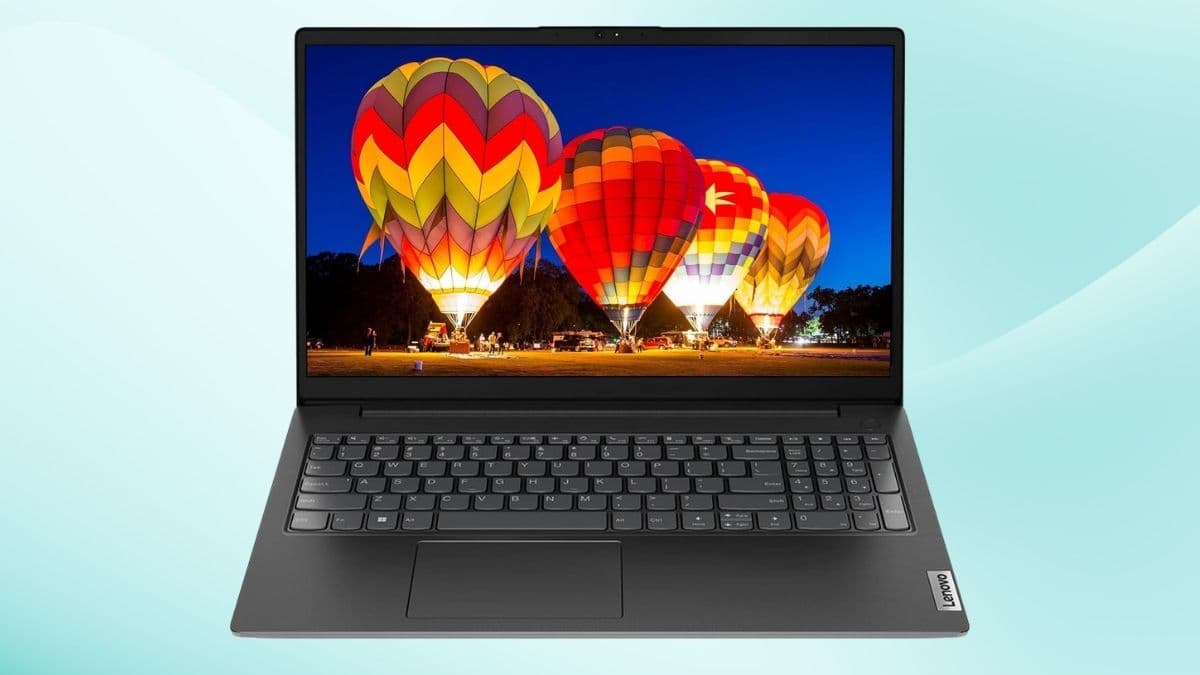
The Lenovo V15 G2 features a clean matte-black finish that fits into professional, academic, and home environments. Although the chassis isn’t metal, it feels solid enough for daily use. Reinforced hinges add stability, and the overall weight, usually between 3.8–4.2 pounds, keeps the laptop portable without sacrificing screen size.
The keyboard includes a full numeric pad, something many budget laptops exclude. If you frequently input data or work with spreadsheets, this becomes a noticeable advantage. The touchpad responds well to gestures, and the slim bezels contribute to a modern aesthetic.
Key design highlights:
- Lightweight and easy to carry
- Numeric keypad included
- Slim-bezel display for a cleaner look
Display and Visual Comfort
The 15.6-inch Full HD display provides sharp detail for writing, browsing, and streaming. Its anti-glare coating helps reduce reflections, making long work sessions more comfortable—even under bright lighting.
The display isn’t meant for professional graphic design, but for general use it performs reliably.
Good for:
- Reading and writing
- Online classes
- Video streaming
Less ideal for:
- Direct sunlight use
- Color-sensitive creative work
Performance for Everyday Needs
Inside, the Lenovo V15 G2 uses an Intel Celeron N4500 processor—modest but adequate for essential daily tasks. The dual-core chip can burst up to 2.8 GHz, and its efficiency pairs well with the included 8GB of DDR4 RAM. A 256GB PCIe SSD ensures quick boot times and noticeably faster file access compared to older hard-drive systems.
For typical workloads, the laptop stays responsive as long as you aren’t pushing into heavy multitasking or demanding apps.
You can expect smooth performance for:
- Email, documents, spreadsheets
- Web browsing
- Video calls
- Educational platforms
- Light multimedia use
Tasks that will feel restricted include gaming, advanced editing, or software requiring high CPU/GPU performance.
Connectivity and Modern Features
Despite being budget-friendly, the V15 G2 doesn’t fall behind in port availability. You get a USB-C port, two USB-A ports, HDMI output, Ethernet, and a headphone jack. This selection makes it easy to set up a workstation with peripherals or connect to an external monitor.
Wireless connectivity is up to modern standards thanks to:
- Wi-Fi 6 for improved stability and speed
- Bluetooth 5.2 for reliable peripheral pairing
These features help extend the laptop’s relevance in today’s networking environments.
Battery Life and Portability
Battery life varies based on workload, but the power-efficient processor and SSD typically allow several hours of continuous productivity. While not an all-day machine, it performs well enough for classes, office meetings, or home use without needing constant recharging.
The slim profile makes it easy to slip into a backpack or laptop bag, supporting mobile study or hybrid work routines.
Audio, Camera, and Everyday Multimedia
With Dolby Audio speakers, the V15 G2 handles video calls, online learning, and casual entertainment with clarity. Its 720p webcam includes a physical privacy shutter—an appreciated security feature many users now look for. The microphone captures voices cleanly, making it suitable for remote work and virtual classrooms.
Who the Lenovo V15 G2 Is Best Suited For
This laptop is intentionally built for everyday computing, not specialized workloads. You’ll get the most value from it if your needs align with these typical scenarios.
Ideal users include:
- Students completing assignments and research
- Office workers handling emails, documents, and meetings
- Home users needing a simple, dependable device
- Small-business owners managing basic operations
Not recommended for:
- Gamers
- Video editors or designers
- Engineers running demanding software
- Professionals requiring high-performance multitasking
Multiple Perspectives and Limitations to Consider
Some users will appreciate the straightforward, no-frills functionality: the keyboard feels comfortable, the screen is easy on the eyes, and the ports cover nearly all everyday accessories. Others may view the Celeron processor as underpowered, especially if they’re accustomed to mid-range or premium laptops.
Possible objections include:
- Limited power for intensive tasks
- Display brightness is best suited to indoor work
- Plastic build may feel less premium
But if your priority is reliability at an accessible price, the V15 G2 meets expectations without unnecessary complications.
Final Takeaway
The Lenovo V15 G2 offers practical performance, modern connectivity, and user-friendly design—all at a price that makes sense for students and professionals who need dependable computing rather than cutting-edge power.
If your daily tasks revolve around browsing, writing, communicating, and managing documents, this laptop is a smart and cost-effective choice. For more budget-friendly tech options and gift ideas, take a moment to explore Amazon Today’s Deals—you may find additional laptops or accessories that fit your needs perfectly.