
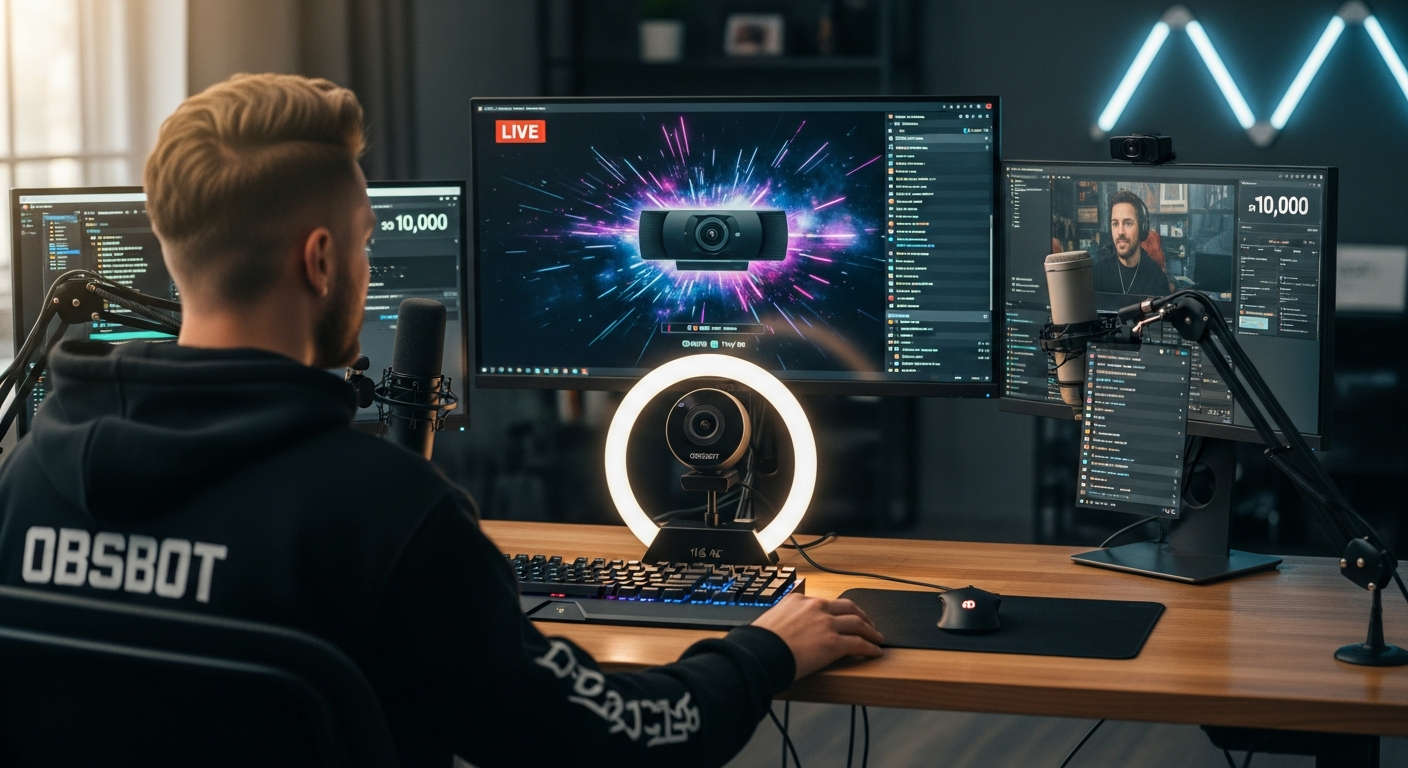
Discover how livestreamers use the OBSBOT Tiny 2 AI-powered 4K webcam to deliver professional broadcasts without a camera operator. Learn about AI tracking, gimbal control, and hands-free features.
Choosing a webcam for professional meetings, online presentations, or content creation can be challenging when so many devices promise sharp video and convenient controls.
The OBSBOT Tiny 2 AI Webcam takes a different approach with 4K resolution, automatic subject tracking, and hands-free camera adjustments.
Unlike a fixed webcam, this model uses a motorized camera system to follow your movements and adjust framing.
That can be particularly helpful when you’re presenting, teaching, or recording videos without someone operating the camera.
However, advanced technology comes at a higher price. Before buying, it’s worth examining the camera’s video performance, tracking capabilities, software, and everyday practicality.
OBSBOT Tiny 2 AI Webcam: What Makes It Worth Considering?
The OBSBOT Tiny 2 is a premium webcam designed for people who want greater control over their video presentations. Its motorized pan-and-tilt mechanism works alongside AI tracking technology to keep a selected person within the frame.
This 4K AI tracking webcam features a 1/1.5-inch CMOS sensor, all-pixel autofocus, HDR capabilities, and several hands-free control options.
Instead of constantly repositioning your camera, you can allow its tracking system to adjust the viewing angle as you move.
For example, if you’re delivering a presentation while standing, the camera can follow your movements across its supported tracking range.
If you’re seated at your desk, you can disable tracking and use it as a conventional webcam.
Its combination of automated framing and manual controls makes it suitable for several professional and creative applications.
OBSBOT Tiny 2 Technical Specifications
| Specification | Details |
|---|---|
| Camera type | AI-powered PTZ webcam |
| Image sensor | 1/1.5-inch CMOS |
| Maximum video resolution | 4K at 30 fps |
| Full HD recording | 1080p at up to 60 fps |
| Autofocus | All-pixel phase-detection autofocus |
| Tracking | AI subject tracking with automatic zoom |
| Digital zoom | Up to 4x |
| HDR | Supported |
| Microphones | Dual omnidirectional microphones |
| Connection | USB-C, USB 3.0 |
| Controls | Gesture, voice, and desktop software |
| Software | OBSBOT Center |
| Supported systems | Windows 10 or later and macOS 11 or later |
These specifications come from OBSBOT’s published product documentation. Actual video performance can depend on your lighting, computer, selected resolution, and recording software.
OBSBOT Tiny 2 Features That Matter in Everyday Use
Understanding the OBSBOT Tiny 2 features helps you determine which capabilities could improve your setup and which ones you might rarely use.
1. 4K Video Resolution for Detailed Images
The camera supports 4K recording at 30 frames per second, providing additional image detail compared with standard 1080p webcams.
That resolution can be useful when you’re recording tutorials, presenting products, or creating professional video content.
The larger 1/1.5-inch sensor is another advantage.
Compared with smaller webcam sensors, a larger sensor can collect additional light under comparable conditions, potentially improving image quality.
However, sensor size alone doesn’t guarantee excellent results. Lighting, exposure settings, image processing, and software compression still influence the final image.
For everyday video calls, 1080p may already be sufficient, particularly when conferencing platforms limit outgoing video resolution.
2. AI Tracking With Automatic Framing
One of the camera’s main selling points is its ability to follow a selected subject.
Its motorized gimbal physically adjusts the camera’s direction rather than relying entirely on digital cropping.
The system can also adjust zoom during tracking, helping maintain a suitable composition as you change your position.
This functionality is particularly practical for:
- Online teachers presenting lessons while standing
- Business professionals delivering presentations
- Fitness instructors demonstrating movements
- Content creators recording without a camera operator
- Product reviewers moving between demonstration areas
Tracking still has practical limits. Obstructions, rapid movement, unusual lighting, and moving outside the camera’s mechanical range can affect how reliably it follows you.
3. Fast Autofocus for Changing Camera Positions
The camera uses all-pixel phase-detection autofocus to adjust focus when the distance between you and the lens changes.
This matters when you’re showing objects close to the camera before returning to a normal seated position.
For example, a product reviewer might hold an accessory near the lens, explain its design, and then move it away.
Reliable autofocus can reduce the need for manual adjustments during these demonstrations.
Still, very close objects, reflective surfaces, and poor lighting can challenge any autofocus system.
4. Gesture and Voice Controls
The OBSBOT Tiny 2 supports gesture controls for selecting a tracking target and adjusting zoom.
It also recognizes specific voice commands, including commands for tracking, zooming, sleep mode, and preset camera positions.
These options can be helpful during presentations because you don’t always need to return to your computer to change camera settings.
Voice control supports English and Chinese, according to OBSBOT’s documentation.
For dependable operation, you’ll need to learn the supported commands and use them under suitable conditions.
5. HDR and Low-Light Capabilities
High dynamic range technology helps manage scenes containing bright and dark areas.
For example, if your desk is positioned near a window, HDR processing may help preserve details that would otherwise appear excessively bright or dark.
The camera also uses dual native ISO technology to support different lighting conditions.
Although these capabilities are helpful, adequate lighting remains important.
A small desk light positioned near your monitor can often improve your video quality without requiring complicated adjustments.
6. Built-In Microphones and Privacy Features
The webcam includes two omnidirectional microphones with noise reduction.
They’re convenient for meetings and casual recordings, particularly if you prefer a setup without an external microphone.
However, a dedicated USB microphone may provide better control over sound quality for podcasts, professional narration, or recorded courses.
The camera also includes privacy functionality that allows you to place it in sleep mode.
OBSBOT Center supports customizable images or videos for certain sleep-mode configurations.
OBSBOT Tiny 2 Review: Advantages and Potential Drawbacks
A useful OBSBOT Tiny 2 review should examine the device’s practical strengths alongside its limitations.
The following assessment is based on published specifications and documented functionality rather than independent hands-on testing.
Advantages
High-resolution video: The 4K sensor provides flexibility for recording detailed footage and producing high-quality video content.
Automatic subject tracking: Motorized tracking can reduce manual camera adjustments during movement-heavy presentations.
Hands-free operation: Gesture and voice commands provide convenient ways to control supported functions.
Flexible camera positioning: Preset positions and adjustable framing help accommodate different recording scenarios.
Desktop software: OBSBOT Center provides access to camera controls, image adjustments, and supported shooting modes.
Potential Drawbacks
Premium pricing: The camera costs substantially above many basic 1080p webcams.
Software learning curve: Configuring tracking modes, presets, and camera adjustments may take time.
Limited benefit for stationary users: If you rarely move during calls, motorized tracking may provide little practical value.
Video platform limitations: Your conferencing software may not transmit video at the camera’s maximum supported resolution.
Additional accessories: Depending on your setup, you may still want an external microphone, tripod, or dedicated lighting.
How Does the OBSBOT Tiny 2 Compare With a Standard Webcam?
The main difference is how the camera responds to your movement.
A conventional webcam typically remains fixed in position. Some models provide software-based auto-framing, but the physical camera usually stays pointed in the same direction.
The OBSBOT Tiny 2 uses a motorized system that changes the camera’s orientation.
| Feature | OBSBOT Tiny 2 | Typical Basic Webcam |
|---|---|---|
| Video resolution | Up to 4K | Often 1080p |
| Physical subject tracking | Yes | Usually no |
| Motorized pan and tilt | Yes | Usually no |
| Gesture controls | Yes | Often unavailable |
| Voice commands | Yes | Often unavailable |
| Camera presets | Supported | Model-dependent |
| Setup requirements | Additional controls available | Generally simpler |
| Price category | Premium | Usually budget to midrange |
The comparison describes common basic webcam characteristics, not every competing product. Some premium alternatives include advanced framing, 4K recording, and intelligent software features.
If your camera stays in one position throughout the day, a quality fixed webcam may meet your needs at a lower cost.
However, if you frequently move during presentations or demonstrations, motorized tracking becomes a meaningful advantage.
Is the OBSBOT Tiny 2 Good for Video Conferencing?
If you’re searching for the best webcam for video conferencing, your priorities should include image quality, microphone performance, software compatibility, and ease of use.
The OBSBOT Tiny 2 can be a practical choice for remote professionals who regularly conduct presentations or participate in client meetings.
For example, you might begin a meeting seated at your desk, stand to explain information on a nearby board, and return to your chair.
With suitable tracking settings, the camera can adjust its position during these movements.
For conventional meetings, you can turn tracking off to maintain a stable camera angle.
Before purchasing, check the video capabilities of your preferred conferencing platform.
Zoom, Microsoft Teams, and Google Meet may apply resolution, frame-rate, or bandwidth restrictions depending on the application and account settings.
A 4K camera doesn’t automatically mean your colleagues will receive a 4K video stream.
Is the OBSBOT Tiny 2 Suitable for Streaming and Content Creation?
An AI-powered webcam for streaming can be particularly useful when your recording involves movement or frequent changes in framing.
The OBSBOT Tiny 2 supports several recording scenarios.
Live Streaming
For live broadcasts, the camera can follow your movements while you explain products, demonstrate equipment, or interact with your audience.
Its 1080p recording mode at up to 60 fps may be useful when smoother motion matters.
Educational Videos
Online instructors can use tracking to remain visible while moving around their teaching area.
Desk Mode can help when presenting documents or demonstrating objects positioned below the camera.
Product Demonstrations
Autofocus and adjustable framing can help when you alternate between speaking directly to the audience and showing physical products.
However, for detailed close-up demonstrations, verify the camera’s focusing distance and framing capabilities before relying on it as your only recording device.
Professional Presentations
Preset camera positions can make it easier to switch between different views during a presentation.
This can reduce the need to manually adjust the webcam throughout a session.
OBSBOT Tiny 2 Price: Is the Investment Reasonable?
The official OBSBOT store lists the standard Tiny 2 package at approximately $299 in its US storefront at the time of checking.
Pricing, discounts, taxes, shipping, and regional availability can change.
At that price level, you’re paying for several capabilities beyond basic video capture.
The main question is how frequently you’ll use those capabilities.
If you spend several hours each week delivering online lessons, recording content, or presenting while standing, the tracking and positioning functions may justify the expense.
If your typical use involves occasional video calls from a fixed desk position, a less expensive webcam could be sufficient.
Before ordering, check the package contents, warranty coverage, regional shipping terms, and return policy.
The standard package is listed with the camera, adjustable mount, storage case, USB-C cable, and USB-C to USB-A adapter.
The dedicated remote controller is sold through certain bundles or separately.
Who Should Buy the OBSBOT Tiny 2?
The camera makes the strongest case for buyers who can regularly benefit from automated movement and advanced framing.
| Type of User | Buying Assessment |
|---|---|
| Remote professionals | Good fit for presentations and frequent meetings |
| Online teachers | Strong fit for movement-based lessons |
| Content creators | Useful for solo recording and demonstrations |
| Live streamers | Good option for dynamic camera framing |
| Business presenters | Useful for hands-free positioning |
| Casual video callers | May be unnecessarily expensive |
| Budget-conscious buyers | Basic webcams may provide better value |
If you already own a good 1080p webcam, upgrading makes the most sense when your current device limits your recording quality or requires frequent manual repositioning.
What Should You Check Before Buying?
Before placing an order, review the following points.
- Computer compatibility: Confirm your operating system supports the current OBSBOT Center application.
- USB connection: Check that your computer has a suitable connection for the camera’s video modes.
- Desk arrangement: Make sure the mount and camera placement fit your workspace.
- Lighting conditions: Evaluate your recording area, especially if you work near windows or in dim rooms.
- Software requirements: Check that your conferencing or streaming application supports your intended camera settings.
- Accessory costs: Account for lighting, audio equipment, mounts, or a remote controller if necessary.
- Seller reliability: Purchase through an authorized retailer when possible and review the applicable warranty terms.
Taking time to assess these factors can help prevent spending on features that don’t suit your setup.
Frequently Asked Questions About the OBSBOT Tiny 2
Does the OBSBOT Tiny 2 record in 4K?
Yes. The camera supports video recording at up to 4K resolution and 30 frames per second. It also supports 1080p at up to 60 frames per second.
Can the OBSBOT Tiny 2 follow you automatically?
Yes. Its AI tracking system can follow a selected person using motorized pan-and-tilt movement.
Tracking effectiveness depends on camera placement, visibility, and the surrounding environment.
Does the OBSBOT Tiny 2 have a built-in microphone?
Yes. It includes dual omnidirectional microphones with noise reduction for voice communication.
Can you use the OBSBOT Tiny 2 without AI tracking?
Yes. You can disable tracking and use the camera in a fixed position for ordinary meetings and recordings.
Does the OBSBOT Tiny 2 work with Mac computers?
Yes. OBSBOT lists support for macOS 11 and later. Some software features may have additional hardware or operating-system restrictions.
Is the OBSBOT Tiny 2 suitable for beginners?
It can be suitable for beginners who want advanced camera functionality, although learning its tracking settings, gesture commands, and desktop software may require some initial practice.
Is the OBSBOT Tiny 2 worth buying in 2026?
It remains a capable option for users who need 4K video and motorized subject tracking. However, newer OBSBOT models are available, so comparing current prices and features before buying is sensible.
Should You Buy the OBSBOT Tiny 2 AI Webcam?
The OBSBOT Tiny 2 AI Webcam is a practical choice for professionals and creators who need high-resolution video, automated subject tracking, and flexible camera positioning.
Its 4K recording capability, larger sensor, autofocus system, and hands-free controls provide clear reasons to choose it over a basic fixed webcam.
However, those advantages matter most when they support your actual recording habits.
If you regularly teach, present, demonstrate products, or create videos while moving, its motorized tracking system could make your setup easier to manage.
If you primarily attend occasional meetings while seated, a simpler webcam may provide sufficient image quality at a lower price.
The buying decision comes down to how often you’ll use its advanced functions.
Compare the Tiny 2 with current alternatives, verify the latest pricing, and choose the camera that fits your recording requirements and budget.