
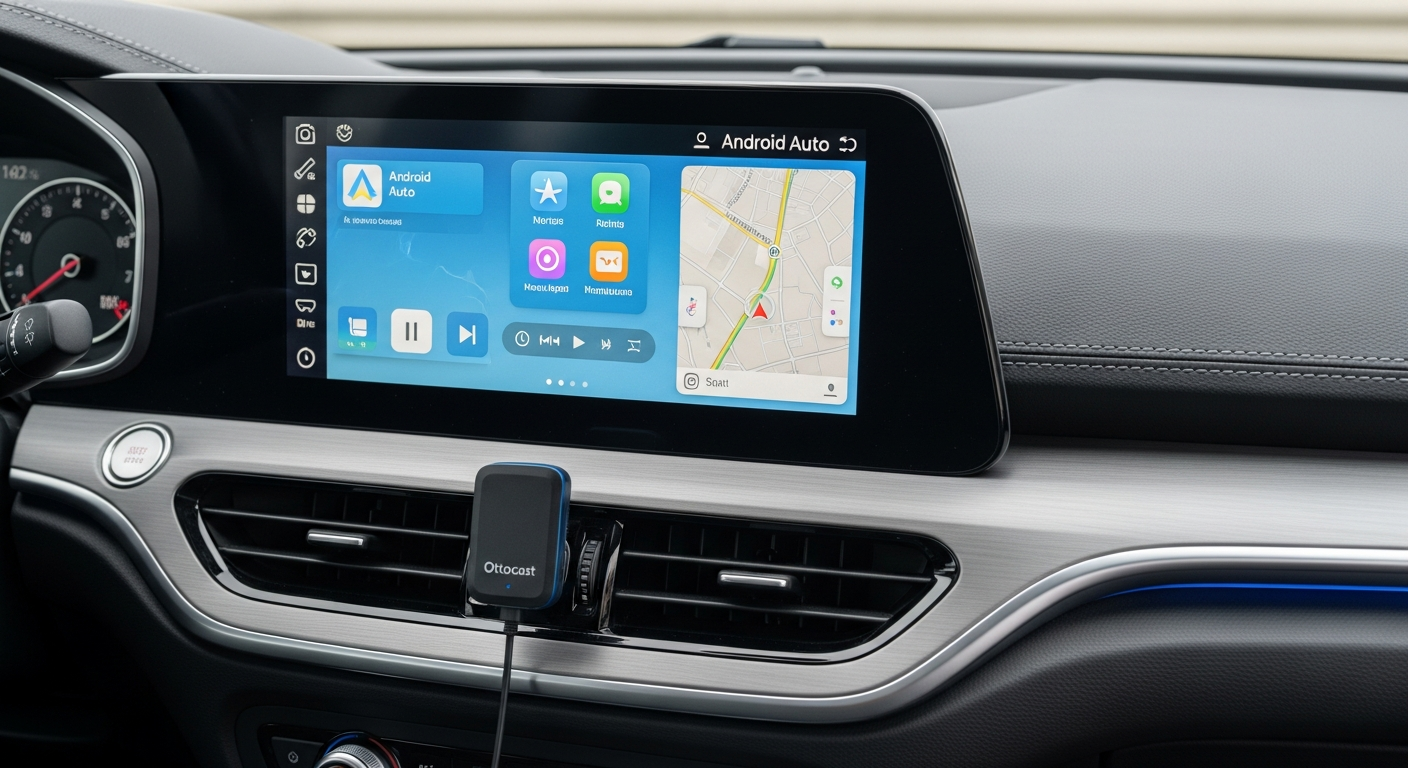
Discover how the Ottocast A2Air Wireless Android Auto Adapter transforms your driving experience. Learn installation steps, compatibility, and whether this $60-80 upgrade is worth it for your vehicle.
If you’re tired of connecting your smartphone to your car with a USB cable every time you drive, the Ottocast A2Air Adapter may be worth checking out.
This compact device converts a compatible vehicle’s existing wired Android Auto connection into a wireless one, allowing you to access supported navigation, music, calls, and messaging features without repeatedly plugging in your phone.
However, before purchasing, it’s important to understand how the adapter works, which vehicles support it, and what limitations you might encounter.
This guide examines its features, setup process, compatibility requirements, and practical value to help you decide if it suits your driving habits.
What Is the Ottocast A2Air Adapter, and How Does It Work?
The Ottocast A2Air Adapter is a wireless Android Auto adapter designed for vehicles equipped with factory-installed wired Android Auto.
Instead of connecting your Android smartphone directly to the vehicle’s USB port for every drive, you connect the adapter to that port.
Once paired, your phone communicates with the adapter wirelessly, allowing Android Auto to appear on your existing vehicle display.
The adapter generally uses Bluetooth for initial connection and Wi-Fi for Android Auto data transmission.
How the connection works
- Connect the adapter to your vehicle’s Android Auto USB port.
- Enable Bluetooth and Wi-Fi on your compatible Android smartphone.
- Pair your smartphone with the adapter according to its instructions.
- Complete any Android Auto permissions or setup prompts.
- Allow the adapter to establish a wireless connection.
- Access supported Android Auto applications through your vehicle’s display.
After the initial pairing, the adapter is designed to reconnect automatically when your vehicle and smartphone are ready.
Connection speed and reliability may vary depending on your phone, vehicle infotainment system, and surrounding wireless interference.
Ottocast A2Air Adapter: Main Features and Specifications
Before choosing an Android Auto wireless dongle, understanding its capabilities can help you determine if it meets your expectations.
| Feature | Description |
|---|---|
| Product | Ottocast A2Air Adapter |
| Primary function | Converts existing wired Android Auto to wireless |
| Connectivity | Bluetooth and Wi-Fi |
| Smartphone platform | Compatible Android phones |
| Vehicle requirement | Existing wired Android Auto support |
| Connection interface | Vehicle USB data port |
| Installation | Plug-in setup with initial pairing |
| Navigation | Supported Android Auto navigation apps |
| Entertainment | Supported Android Auto music and audio apps |
| Calling | Hands-free calling through Android Auto |
| Reconnection | Designed for automatic reconnection |
| Apple CarPlay | Not the intended platform for this Android Auto model |
Note: Exact hardware specifications, firmware capabilities, supported phone versions, and included accessories may vary by product revision. Check the official product listing before purchasing.
1. Wireless Android Auto connectivity
The adapter’s main function is to eliminate the need for a physical smartphone-to-car connection during everyday driving.
You can leave your phone in your pocket, bag, or wireless charging holder while using compatible Android Auto features.
This may be particularly convenient if you frequently make short trips or enter and exit your vehicle throughout the day.
2. Automatic reconnection
After successful pairing, the adapter is designed to reconnect to your smartphone when the vehicle starts.
This reduces the need to repeat the setup process during every trip.
However, automatic reconnection is not guaranteed to be instantaneous. Startup times may differ depending on the vehicle’s USB power behavior, infotainment system, and smartphone settings.
3. Access to supported navigation applications
The adapter allows you to continue using compatible Android Auto navigation applications, including Google Maps and Waze, through your vehicle’s existing display.
Depending on the application and vehicle, you may access features such as:
- Turn-by-turn navigation
- Live traffic information
- Voice-guided directions
- Destination searches
- Estimated arrival times
The adapter does not independently provide GPS navigation. These functions rely on your connected smartphone and supported applications.
4. Music and audio playback
Wireless connectivity also allows you to use supported Android Auto audio applications without plugging in your smartphone.
Common examples include Spotify, YouTube Music, and compatible podcast applications.
Audio quality and playback behavior depend on the connected system, wireless connection, and application.
5. Compact plug-in design
The adapter is intended to remain connected to your vehicle’s USB port.
Its compact form may help reduce cable clutter around the center console, particularly in vehicles where the Android Auto port is positioned near the dashboard or storage compartment.
However, the adapter itself still requires a physical USB connection to the vehicle.
Ottocast A2Air Compatibility: Will It Work With Your Car?
Compatibility is one of the most important factors to verify before purchasing.
The Ottocast A2Air Adapter is intended for vehicles that already support wired Android Auto through their infotainment systems.
If your vehicle does not have wired Android Auto, this adapter generally cannot add Android Auto functionality by itself.
Compatibility checklist
| Requirement | What you should verify |
|---|---|
| Vehicle infotainment system | Supports wired Android Auto |
| Smartphone | Supports wireless Android Auto |
| USB connection | Provides data connectivity for Android Auto |
| Wireless functions | Bluetooth and Wi-Fi are available |
| Software | Phone and infotainment software are compatible |
| Existing wireless Android Auto | An adapter may be unnecessary |
How to check your vehicle
First, connect your Android smartphone directly to your vehicle’s USB port using a suitable data cable.
If Android Auto launches successfully on your vehicle’s screen, your car has the necessary wired functionality for this type of adapter.
However, a successful wired connection does not guarantee compatibility with every wireless adapter.
Before purchasing, verify your vehicle’s model year, infotainment system, and smartphone against the manufacturer’s compatibility information.
Important: A USB port used exclusively for charging does not necessarily support Android Auto data communication.
Ottocast A2Air Review: Advantages and Potential Drawbacks
A useful Ottocast A2Air review should examine practical benefits alongside possible limitations.
Advantages
Convenient daily connections
Wireless connectivity may make your routine easier by eliminating the need to plug in your smartphone every time you drive.
Reduced cable handling
You can keep your phone in a preferred storage location without repeatedly connecting and disconnecting its charging port.
Existing infotainment integration
The adapter uses your vehicle’s current Android Auto interface, so you generally retain familiar application layouts and supported controls.
Simple installation concept
Most compatible installations require connecting the device and completing initial smartphone pairing rather than modifying the dashboard.
Suitable for frequent short trips
Drivers who regularly stop and restart their vehicles may appreciate automatic reconnection.
Potential drawbacks
Requires existing wired Android Auto
The adapter cannot replace a missing Android Auto infotainment system.
Wireless connection delays
Some vehicle and smartphone combinations may take additional time to connect after startup.
Possible wireless interference
Wi-Fi congestion, firmware issues, or device-specific compatibility problems may affect connection stability.
Smartphone battery consumption
Wireless Android Auto can consume smartphone battery power during navigation and media playback.
Limited compatibility with other platforms
This model is intended for Android Auto, so iPhone users seeking wireless Apple CarPlay should choose an appropriate CarPlay adapter instead.
Wired vs. Wireless Android Auto: Which Is Better?
One of the main reasons drivers purchase an adapter is to convert wired to wireless Android Auto without replacing their existing infotainment system.
However, both connection methods have advantages.
| Category | Wired Android Auto | Ottocast A2Air wireless setup |
|---|---|---|
| Smartphone connection | USB cable | Bluetooth and Wi-Fi |
| Daily convenience | Requires plugging in | Designed for automatic connection |
| Phone charging | Often charges through USB | Requires separate charging |
| Connection stability | Generally less affected by wireless interference | May vary with wireless conditions |
| Setup | Usually straightforward | Initial wireless pairing required |
| Cable clutter | Smartphone cable required | Adapter remains connected |
| Vehicle compatibility | Supported wired Android Auto systems | Compatible wired Android Auto systems |
| Additional purchase | Usually no adapter needed | Adapter purchase required |
Which connection method should you choose?
Wired Android Auto may be preferable if you prioritize connection consistency, want to charge your phone during every drive, or rarely find cables inconvenient.
Wireless Android Auto may be preferable if you frequently make short trips, want to leave your phone in your pocket, or prefer fewer cable connections.
Neither option is automatically superior for every driver.
How to Install the Ottocast A2Air Adapter
Installation is generally straightforward, although the exact process may vary by vehicle and firmware version.
Installation instructions
1. Start your vehicle safely
Park your vehicle and activate the infotainment system before beginning the setup.
2. Locate the Android Auto USB port
Identify the USB port normally used for wired Android Auto.
3. Connect the adapter
Insert the adapter into the appropriate USB port using its supplied connection method.
4. Enable smartphone wireless connectivity
Turn on Bluetooth and Wi-Fi on your Android smartphone.
5. Complete the pairing process
Follow the manufacturer’s pairing instructions and approve any necessary connection requests.
6. Confirm Android Auto activation
Wait for Android Auto to appear on the vehicle’s display.
7. Test the connection
Open a supported navigation or audio application to confirm that the system operates as expected.
Once configured, the adapter should attempt to reconnect during subsequent vehicle starts.
What if the adapter does not connect?
Try these troubleshooting actions:
- Confirm that wired Android Auto works without the adapter.
- Restart your smartphone and infotainment system.
- Check Bluetooth and Wi-Fi settings.
- Remove outdated Bluetooth pairings when appropriate.
- Verify that your phone supports wireless Android Auto.
- Check for applicable firmware updates from Ottocast.
- Review any vehicle-specific compatibility restrictions.
Avoid installing firmware from unofficial websites or unknown sources.
How Much Does the Ottocast A2Air Adapter Cost?
Pricing can vary depending on the retailer, country, promotional discounts, product revision, and included accessories.
Because promotional pricing changes, checking the current manufacturer’s listing and authorized sellers is preferable to relying on an outdated advertised amount.
What should you compare before purchasing?
| Purchase factor | Why it matters |
|---|---|
| Current selling price | Helps determine value against competing adapters |
| Shipping charges | Can increase the final purchase cost |
| Return policy | Important if your vehicle is incompatible |
| Warranty | Helps clarify available support |
| Firmware support | May affect future compatibility |
| Seller authenticity | Reduces the risk of purchasing an incorrectly labeled product |
A lower purchase price may not represent better value if the retailer has unclear return conditions or limited product support.
Ottocast A2Air vs. Other Wireless Android Auto Adapters
The A2Air competes with other products designed to convert wired Android Auto connections into wireless ones.
Popular alternatives include the Motorola MA1 and AAWireless adapters.
| Product | Primary purpose | Main consideration |
|---|---|---|
| Ottocast A2Air | Wired-to-wireless Android Auto conversion | Verify vehicle compatibility and firmware support |
| Motorola MA1 | Wireless Android Auto conversion | Check availability and support for your vehicle |
| AAWireless adapter | Wireless Android Auto conversion | Some models provide additional configuration options |
Ottocast A2Air vs. Motorola MA1
Both products target drivers who already have wired Android Auto.
The better purchase depends on verified vehicle compatibility, availability, warranty coverage, and connection reliability for your specific setup.
Ottocast A2Air vs. AAWireless
AAWireless products may interest drivers seeking additional software configuration capabilities, depending on the model.
The Ottocast A2Air may suit buyers looking for a straightforward plug-in connection without extensive customization.
However, no adapter should be assumed to perform better across every vehicle and smartphone combination without comparable testing.
Who Should Buy the Ottocast A2Air Adapter?
The adapter may be suitable for several types of drivers.
Drivers who frequently make short trips
If you regularly drive to nearby destinations, automatic wireless reconnection may save you from repeatedly plugging in your phone.
Drivers who prefer a cleaner dashboard
Keeping the adapter connected can reduce the need for a loose smartphone charging or data cable across the console.
Drivers with compatible wired Android Auto systems
If your current Android Auto system works reliably through USB, the adapter may provide a convenient wireless alternative.
Drivers who regularly use navigation and audio apps
Wireless access to supported navigation and media applications may make daily use easier.
Who Should Avoid Buying It?
The adapter may not be the right purchase if:
- Your vehicle does not support wired Android Auto.
- Your smartphone does not support wireless Android Auto.
- Your vehicle already has reliable built-in wireless Android Auto.
- You primarily use an iPhone and need Apple CarPlay.
- You require a physical USB charging connection during every trip.
- Your vehicle is listed as incompatible by the manufacturer.
Checking these factors before purchasing can help prevent unnecessary returns.
Should You Buy the Ottocast A2Air Adapter?
The Ottocast A2Air Adapter provides a practical way to use wireless Android Auto in vehicles that already support the wired version.
Its main advantages are convenient smartphone connections, reduced cable handling, and continued access to familiar Android Auto applications.
However, potential buyers should account for compatibility requirements, possible connection delays, wireless interference, and additional smartphone battery consumption.
If you already have reliable wired Android Auto and frequently find cable connections inconvenient, the A2Air may be a reasonable upgrade.
Before ordering, confirm compatibility with your specific vehicle and smartphone, compare current retailer prices, and review the seller’s warranty and return policy.
Bottom line: The Ottocast A2Air Adapter may be a worthwhile convenience upgrade for compatible Android Auto users, provided its price and wireless performance meet your expectations.