
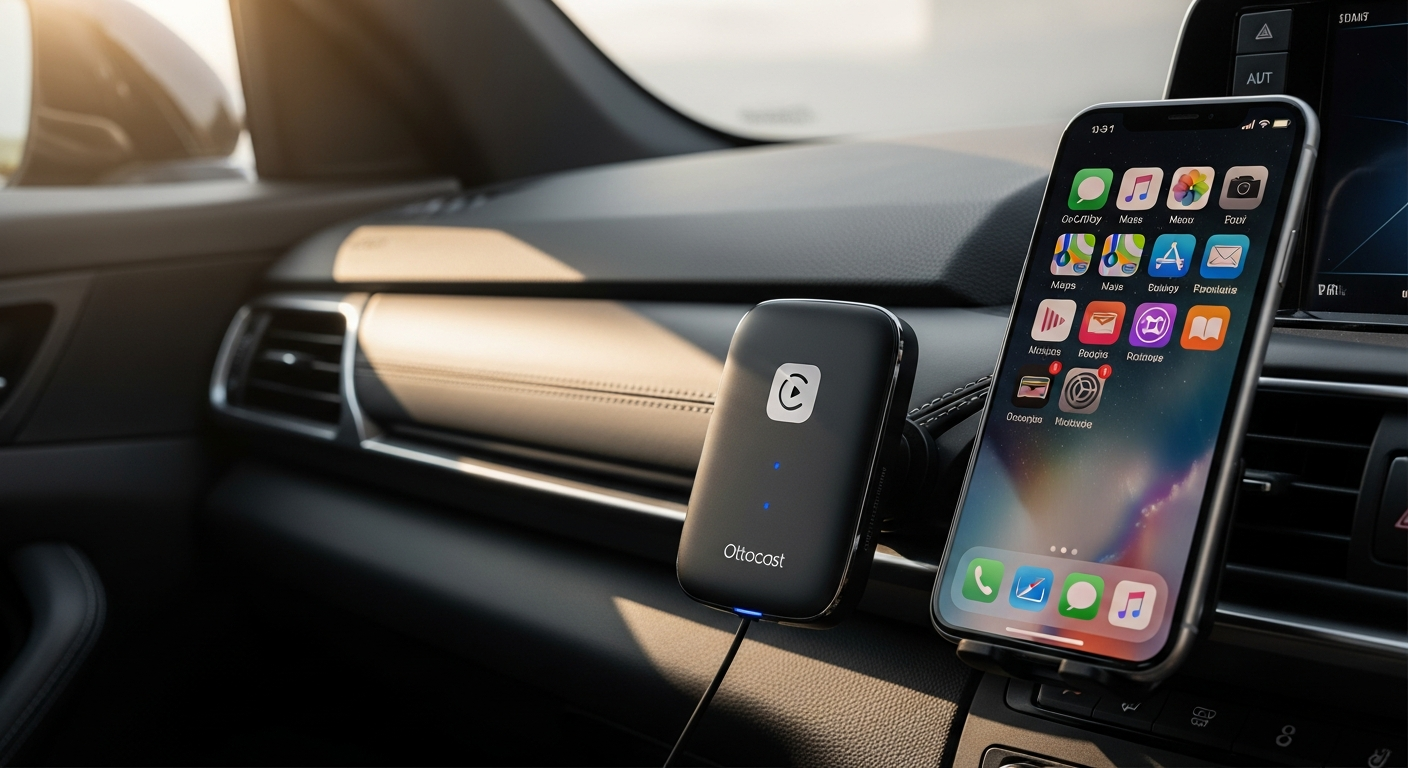
Discover how the Ottocast U2-Air Wireless CarPlay Adapter eliminates cable clutter and delivers lightning-fast connectivity. Read our in-depth guide to wireless CarPlay freedom.
If you regularly connect your iPhone to your car using a USB cable, the Ottocast U2-Air Wireless CarPlay Adapter may provide a convenient alternative.
This compact device converts a compatible factory-wired Apple CarPlay system into a wireless connection, allowing you to access navigation, music, calls, and supported apps without plugging in your phone every time you drive.
However, before purchasing, you should understand its compatibility requirements, connection process, everyday performance, and potential limitations.
Ottocast U2-Air Wireless CarPlay Adapter: What Is It and How Does It Work?
The Ottocast U2-Air is a compact wireless adapter designed for vehicles equipped with factory-wired Apple CarPlay.
Instead of connecting your iPhone directly to your vehicle’s USB port for every drive, you connect the adapter to that port.
The adapter communicates with your iPhone using Bluetooth and Wi-Fi, allowing your vehicle’s existing CarPlay interface to function wirelessly.
Once the initial setup is complete, your iPhone may reconnect automatically when you start your vehicle, provided Bluetooth and Wi-Fi are enabled and the adapter receives power.
Key Product Specifications
| Feature | Details |
|---|---|
| Product | Ottocast U2-Air |
| Primary function | Converts compatible wired Apple CarPlay to wireless |
| Phone compatibility | Compatible iPhones supporting Apple CarPlay |
| Vehicle requirement | Factory-wired Apple CarPlay |
| Connectivity | Bluetooth and Wi-Fi |
| Installation | Plug-and-play setup |
| Navigation | Supported Apple CarPlay navigation apps |
| Music playback | Supported CarPlay music and audio apps |
| Voice commands | Siri through Apple CarPlay |
| Android Auto | Not supported by this CarPlay-only model |
| Main limitation | Cannot add CarPlay to a vehicle that lacks it |
Important: Compatibility may vary by vehicle manufacturer, model year, infotainment system, and firmware version. Always check Ottocast’s current compatibility information before ordering.
Why Choose a Wireless Apple CarPlay Adapter?
A wireless Apple CarPlay adapter may be useful if you prefer keeping your phone in your pocket, bag, or wireless charging compartment while driving.
With a traditional wired CarPlay connection, you need to connect your phone using a compatible cable.
Although this process is straightforward, repeated plugging and unplugging can become inconvenient during short trips.
A wireless adapter reduces the need for that physical connection.
Everyday Advantages
- Convenient access: Your iPhone may connect automatically after the initial pairing process.
- Reduced cable clutter: Your dashboard can remain free from an unnecessary phone connection cable.
- Familiar interface: Your vehicle continues using its existing Apple CarPlay display.
- Navigation access: You can use compatible apps such as Apple Maps, Google Maps, and Waze.
- Audio entertainment: Supported apps such as Apple Music and Spotify remain accessible.
- Siri support: You can make requests using supported voice commands.
However, wireless connectivity depends on your vehicle, phone, and surrounding radio conditions. Occasional connection delays or interruptions may occur.
Ottocast U2-Air Features Worth Examining
1. Wireless Connectivity for Daily Driving
The main attraction of the U2-Air is its ability to replace the wired connection between your iPhone and your vehicle’s CarPlay system.
After successful pairing, the adapter generally attempts to reconnect when the vehicle starts.
This can be particularly convenient if you frequently enter and exit your vehicle throughout the day.
Connection times can vary, however, so immediate access should not be assumed.
2. Compact Design and Simple Installation
The adapter is designed to connect through your vehicle’s existing CarPlay USB interface.
Because it does not require permanent modifications to the dashboard, installation is generally straightforward.
You should still confirm that your vehicle has a compatible USB connection and that the supplied cable or connector matches your setup.
3. Access to Supported iPhone Applications
The adapter allows your vehicle’s existing Apple CarPlay system to display compatible iPhone applications.
These may include navigation, messaging, calling, podcasts, and music services.
Application availability depends on Apple CarPlay support and the software installed on your iPhone.
4. Familiar Vehicle Controls
Because the U2-Air works through the existing CarPlay interface, supported vehicle controls generally continue functioning as they do with wired CarPlay.
Depending on your vehicle, these may include touchscreen controls, steering-wheel buttons, and Siri activation.
Some functions can behave differently across infotainment systems, so vehicle-specific compatibility remains important.
5. Cable-Free Phone Placement
A wireless connection allows you to keep your phone in a suitable storage compartment instead of placing it near the USB port.
However, the adapter does not wirelessly charge your iPhone. You will still need a charging cable or a compatible wireless charging pad when your battery needs power.
How to Set Up the Ottocast U2-Air
The Ottocast U2-Air setup process is intended to be straightforward for compatible vehicles.
Follow these general instructions:
- Start your vehicle and allow its infotainment system to load.
- Connect the U2-Air adapter to the USB port normally used for wired Apple CarPlay.
- Enable Bluetooth and Wi-Fi on your iPhone.
- Open your iPhone’s Bluetooth settings and locate the adapter’s advertised device name.
- Follow the pairing instructions shown on your phone and vehicle display.
- Approve any necessary CarPlay connection prompts.
- Wait for your vehicle’s CarPlay interface to appear.
After pairing, test the connection by turning your vehicle off and restarting it.
If the adapter does not reconnect, check your iPhone’s wireless settings, vehicle compatibility, and any available manufacturer troubleshooting instructions.
Helpful tip: Before installing the adapter, verify that Apple CarPlay already works through a direct wired connection. This can help distinguish vehicle compatibility issues from adapter-related problems.
Ottocast U2-Air Compatibility: Will It Work With Your Car?
Checking Ottocast U2-Air compatibility should be your first priority before purchasing.
The adapter is intended for compatible vehicles with factory-installed wired Apple CarPlay.
It cannot independently install Apple CarPlay software into a vehicle that lacks the feature.
Compatibility Checklist
| Requirement | What to Check |
|---|---|
| Factory-wired Apple CarPlay | Your vehicle already supports wired CarPlay |
| iPhone | Your device supports Apple CarPlay |
| USB connection | Your vehicle has a functioning CarPlay USB port |
| Bluetooth | Enabled on your iPhone |
| Wi-Fi | Enabled on your iPhone |
| Infotainment compatibility | Your vehicle is supported by the adapter |
| Firmware | The adapter uses suitable manufacturer-supported firmware |
What If Your Car Only Supports Bluetooth Audio?
Standard Bluetooth audio connectivity does not mean your vehicle supports Apple CarPlay.
If your infotainment system only supports Bluetooth calling and music playback, the U2-Air cannot create a CarPlay interface.
You may need a compatible aftermarket head unit or another appropriate infotainment solution.
Can It Work With Aftermarket Car Stereos?
Compatibility with aftermarket head units should not be assumed. The U2-Air is primarily intended for compatible factory-wired CarPlay systems.
If your vehicle uses an aftermarket receiver, confirm support directly with Ottocast before purchasing.
Ottocast U2-Air vs. Wired Apple CarPlay
Before buying an adapter, compare the convenience of wireless connectivity with the reliability and charging benefits of a physical connection.
| Feature | Ottocast U2-Air | Wired Apple CarPlay |
|---|---|---|
| Phone connection | Wireless | USB cable |
| Initial setup | Bluetooth and Wi-Fi pairing | Connect a compatible cable |
| Daily convenience | Automatic reconnection may be available | Manual cable connection |
| Phone charging | Separate charging method required | Charging through USB may be available |
| Connection stability | Depends on wireless conditions | Generally consistent with a good cable |
| Connection delay | May take time after startup | Usually available after connection |
| Extra hardware | Adapter required | Compatible USB cable |
| Best suited for | Drivers prioritizing convenience | Drivers prioritizing direct connectivity |
Which Connection Is Better?
If you frequently take short trips, wireless CarPlay may save you the inconvenience of connecting a cable repeatedly.
On the other hand, wired CarPlay may be preferable if you regularly charge your iPhone while driving or want to minimize potential wireless interruptions.
Neither connection method is automatically ideal for every driver.
Ottocast U2-Air Pros and Cons
Advantages
- Eliminates the need to connect your iPhone to CarPlay using a cable.
- Uses your vehicle’s existing CarPlay interface.
- May reconnect automatically after initial pairing.
- Supports compatible navigation, calling, and audio applications.
- Requires no permanent dashboard modification.
- Compact enough for discreet placement near the USB port.
Potential Disadvantages
- Requires a compatible factory-wired Apple CarPlay system.
- Does not support Android Auto.
- Wireless connection delays may occur.
- Does not charge your phone.
- Compatibility varies between vehicles and infotainment systems.
- Wireless performance may be affected by interference or firmware issues.
These limitations are worth reviewing before deciding if the adapter fits your daily driving habits.
How Does the U2-Air Compare With Other CarPlay Adapters?
If you are researching the best wireless CarPlay adapter, you may encounter several products that perform similar functions.
The most useful comparison involves compatibility, connection reliability, firmware support, and the features you actually need.
| Adapter Type | Main Purpose | Suitable Buyer |
|---|---|---|
| Ottocast U2-Air | Wired-to-wireless Apple CarPlay | iPhone users with compatible factory-wired CarPlay |
| Ottocast A2Air | Wired-to-wireless Android Auto | Android users with compatible wired Android Auto |
| Dual-platform wireless adapter | Wireless CarPlay and Android Auto | Households using both supported phone platforms |
| Wired CarPlay connection | Direct phone-to-vehicle connection | Drivers who prefer a cable and direct USB charging |
If you only use an iPhone, a CarPlay-focused adapter may provide the functionality you need without paying for additional platform support.
If your household uses both iPhones and Android phones, a compatible dual-platform adapter may be worth investigating.
Check the exact model specifications before comparing prices, since similarly named adapters can support different functions.
Is the Ottocast U2-Air Worth the Price?
The Ottocast U2-Air price should be evaluated alongside compatibility, convenience, seller support, and return conditions.
Prices can change based on the retailer, region, promotions, and product availability.
For that reason, checking the current price directly with Ottocast or an authorized retailer is preferable to relying on an outdated listing.
Factors That May Justify the Purchase
Frequency of use: If you drive daily and repeatedly connect your phone, wireless connectivity may provide a noticeable convenience improvement.
Existing CarPlay support: The adapter may be a practical accessory if your car already has compatible wired CarPlay.
Phone charging habits: If you routinely need to charge your iPhone, you may still use a cable or charging pad.
Compatibility confidence: A confirmed match with your vehicle reduces the risk of purchasing unsuitable hardware.
Return policy: A reasonable return window is valuable because actual performance can vary across infotainment systems.
When Might It Be Worth Skipping?
You may prefer keeping your existing wired connection if you rarely use CarPlay, routinely charge your phone through USB, or already experience reliable and convenient connectivity.
Likewise, the adapter would not be appropriate if your vehicle lacks compatible factory-wired Apple CarPlay.
What to Check Before Buying the Ottocast U2-Air
A little preparation can help prevent compatibility problems and unnecessary returns.
Before purchasing, verify the following:
- Your vehicle’s exact make, model, and model year.
- Whether your car supports factory-wired Apple CarPlay.
- Your iPhone’s CarPlay compatibility and software version.
- The adapter’s supported vehicle list.
- Included cables and USB connector requirements.
- Firmware update instructions.
- Warranty coverage and seller return policies.
- Current price and shipping availability.
Buying from the manufacturer or a reputable retailer may also make warranty assistance and product support easier to obtain.
Should You Buy the Ottocast U2-Air Wireless CarPlay Adapter?
The Ottocast U2-Air Wireless CarPlay Adapter may be a sensible purchase if your vehicle already supports factory-wired Apple CarPlay and you want to reduce the need for daily cable connections.
Its main benefit is convenience. You can keep your iPhone stored safely while accessing compatible navigation, communication, and entertainment apps through your existing dashboard display.
However, the adapter has limitations. It does not add CarPlay to unsupported vehicles, cannot charge your phone, and may experience occasional wireless connection delays.
The bottom line: If your vehicle is confirmed compatible and you value cable-free CarPlay, the U2-Air is worth evaluating.
Before ordering, compare current prices, confirm your vehicle’s support status, and review the retailer’s return policy.