
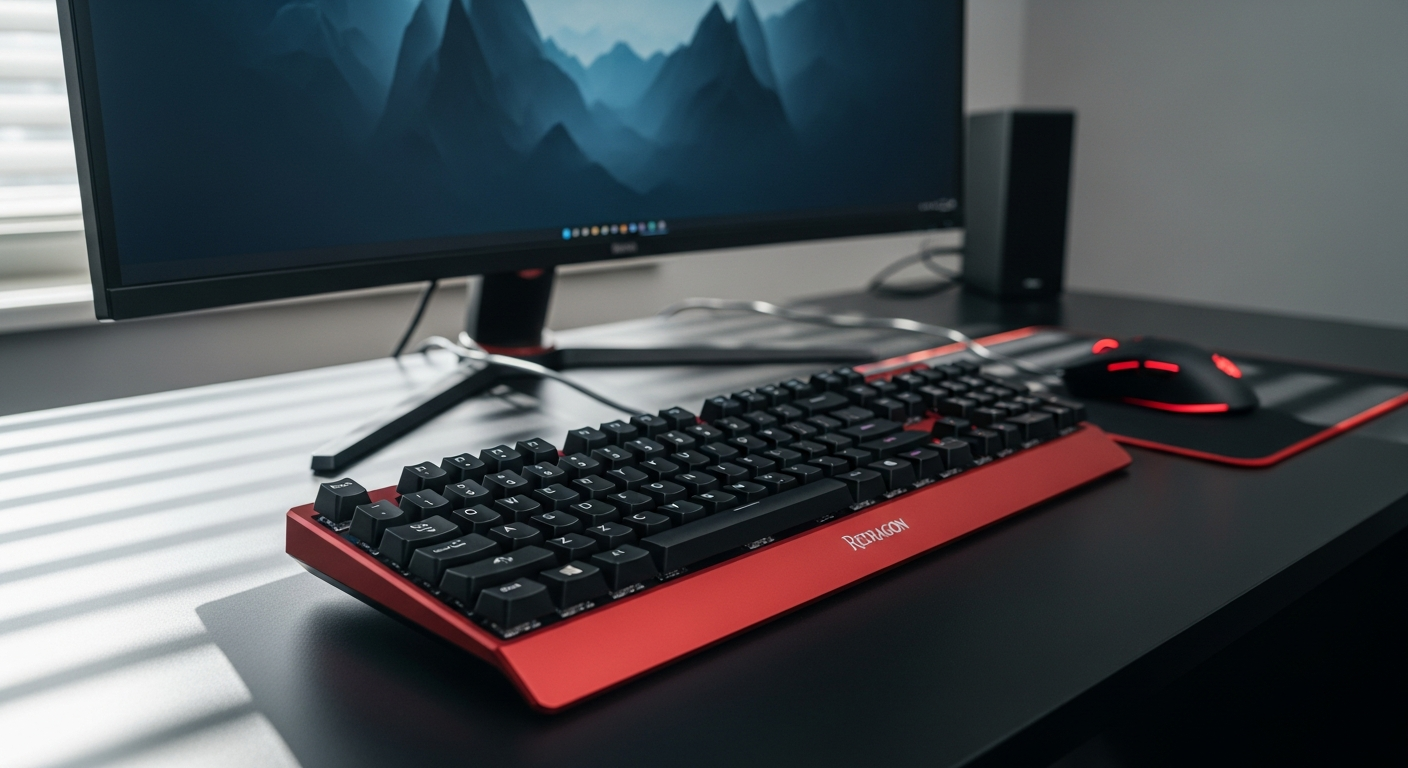
Discover why the Redragon K552 Kumara is the go-to mechanical gaming keyboard for competitive players. Learn about Outemu switches, TKL design, RGB lighting, and whether it’s right for your gaming setup.
Why Competitive Gamers Are Switching to the Redragon K552 Kumara
Competitive gamers spend an average of 20+ hours weekly at their keyboards, yet most still use membrane boards that cost more and perform worse. The disconnect is striking: players invest thousands in monitors, mice, and chairs, but skimp on the one peripheral that determines split-second decisions.
The Redragon K552 Kumara has quietly become the mechanical keyboard that serious gamers recommend to their friends. It's not flashy, it's not expensive, and it delivers exactly what competitive players need: precision, durability, and lightning-fast response times. For under $50, you're getting tournament-grade performance that rivals keyboards costing three times as much.
Discover the K552 Kumara and transform your competitive gaming setup today.
Entry Barrier to Mechanical Keyboards
The price of entry into mechanical keyboards has historically excluded budget-conscious gamers. Premium mechanical boards from established brands demand $120-$200, placing them out of reach for many players just starting their competitive journey. The K552 shatters that barrier, bringing genuine mechanical switch technology to players who previously had no alternative but membrane boards.
Mechanical switches deliver 1-2ms faster response times compared to membrane alternatives—a difference that translates directly to competitive advantage. Professional esports players often use budget boards because performance, not price tag, determines wins. Tournament-grade anti-ghosting and N-key rollover prevent missed inputs during clutch moments, and the K552 Kumara includes both as standard features.
Outemu Switch Technology Explained: What You're Actually Getting
Switch Design & Performance
Outemu Blue switches provide tactile feedback with an audible click similar to Cherry MX Blue switches. The mechanism uses a spring-based design that delivers a physical bump midway through the keystroke, combined with an unmistakable clicking sound that confirms every press.
The low pre-travel distance (2mm actuation point) means faster keystroke registration compared to membrane alternatives that require full depression. This isn't theoretical—competitive players feel this difference immediately. Clicky switches offer physical confirmation of each keypress, which is critical for developing competitive muscle memory. Your fingers learn exactly when a keystroke registers, eliminating the uncertainty that plagues membrane keyboards.
Durability & Longevity
Switch durability is rated for 50+ million keystrokes, outlasting most gaming sessions by a massive margin. A typical gamer pressing 10,000 keystrokes daily would take over 13 years to wear out a single switch. The Outemu switches on the K552 Kumara provide the reliability needed for years of consistent competitive play without degradation.
TKL Layout Advantage: Desk Space Meets Performance
The 87-key Tenkeyless design eliminates the numeric keypad without sacrificing essential keys. Competitive gamers rarely use the numpad during matches—their gaming setup demands maximum mouse movement space. The compact footprint (approximately 14 x 5 inches) leaves considerably more room for mouse pad placement, which directly impacts aim precision in FPS and tactical shooters.
Wider mouse pad positioning improves crosshair control and flick shot accuracy by allowing your arm to move naturally across a larger surface without hitting the keyboard. There's also an ergonomic benefit: the reduced arm extension during extended gaming sessions decreases fatigue and maintains consistent aim throughout tournament-length matches.
RGB Lighting & Backlighting Options for Different Gaming Environments
Lighting Customization Without Software
Single-color red backlighting works best for minimalist setups and distraction-free gaming. Red specifically complements monitor lighting while reducing eye strain during late-night sessions. Rainbow backlighting with multiple modes offers visual customization for players who want aesthetic appeal without requiring software installation.
Full RGB lighting with adjustable brightness accommodates low-light gaming sessions where subtle illumination enhances visibility without glare. On-board lighting controls (no software required) mean instant customization—you adjust lighting modes directly from the keyboard itself, no driver installation or complicated software menus.
Choose your K552 Kumara configuration with RGB lighting and start gaming immediately.
Build Quality & Durability: Will It Survive Your Gaming Grind?
The aluminum top frame resists warping and flex during aggressive keystrokes. Competitive gamers often strike keys with considerable force—the metal construction ensures the keyboard maintains structural integrity under this stress. The ABS plastic base provides lightweight stability without sacrificing durability, keeping the board in place during intense matches.
A gold-plated USB connector ensures reliable data transmission and longevity. Standard connectors corrode or develop connection issues over time; the gold plating on the K552 Kumara resists oxidation and maintains stable communication with your PC. Switch durability is rated for 50+ million keypresses per key, which is tournament-standard engineering that separates this budget board from cheaper alternatives.
Anti-Ghosting & N-Key Rollover: Why Input Accuracy Matters in Competition
Full anti-ghosting technology prevents key input conflicts during simultaneous keypresses. This is essential in competitive games where ability rotations require pressing multiple keys in rapid succession. Without anti-ghosting, certain key combinations wouldn't register—a potentially match-losing failure.
N-key rollover ensures every keystroke registers, even during complex ability rotations that require five, six, or seven keys pressed simultaneously. This feature is critical for MOBAs, MMOs, and strategy games requiring rapid multi-key combinations. It's a tournament-standard feature that separates gaming keyboards from office boards, yet the K552 Kumara includes it at a price point that makes no sense to anyone comparing value.
The Honest Limitations: What You're Trading for the Price
Outemu Blue switches produce significant noise—not ideal for shared living spaces or office environments. Your housemates will hear every keystroke, particularly during late-night gaming marathons. Consider this carefully if you live with others who sleep while you play.
The non-detachable cable limits portability and cable management flexibility. If you attend LAN tournaments or travel frequently, you'll need to accommodate the fixed USB cable in your setup. The keyboard lacks dedicated software for advanced macro programming and key remapping—any customization must happen through your game or operating system settings.
ABS keycaps develop shine with extended use, though this doesn't affect performance. The legends may become slightly worn, but the switches themselves remain unaffected. This is purely an aesthetic consideration that matters only if you plan to keep the keyboard pristine-looking for years.
K552 Kumara vs. Premium Mechanical Keyboards: Performance Per Dollar
Outemu switches deliver 95% of Cherry MX performance at 1/3 the cost. The tangible performance difference between the K552 and a $150+ mechanical keyboard is negligible in competitive gaming. Response times match premium boards, anti-ghosting is identical in function, and durability is comparable.
Build quality rivals mid-range mechanical boards from established brands like Corsair or SteelSeries, yet costs significantly less. Anti-ghosting and N-key rollover are tournament-standard features on this budget board—capabilities you'd expect to find only on premium equipment.
Your Competitive Edge Starts Here
The Redragon K552 Kumara isn't just an affordable mechanical keyboard—it's a competitive tool that punches well above its price point. Players consistently climb ranked ladders, win local tournaments, and dominate their favorite titles with this exact board. The Outemu switches deliver responsiveness that matters in competitive moments, the TKL layout saves space where it counts most, and the anti-ghosting technology ensures your inputs register flawlessly when the match is on the line.
Yes, you're trading software customization and cable detachability for that sub-$50 price tag. But here's what you're gaining: tournament-grade performance, proven durability, and the confidence that your keyboard won't hold you back. Whether you're transitioning from a membrane board or upgrading from a more expensive alternative, the K552 Kumara delivers the mechanical keyboard experience competitive gamers actually need.
Ready to experience the difference mechanical switches make? Get the K552 Kumara now and see how your gameplay transforms.