
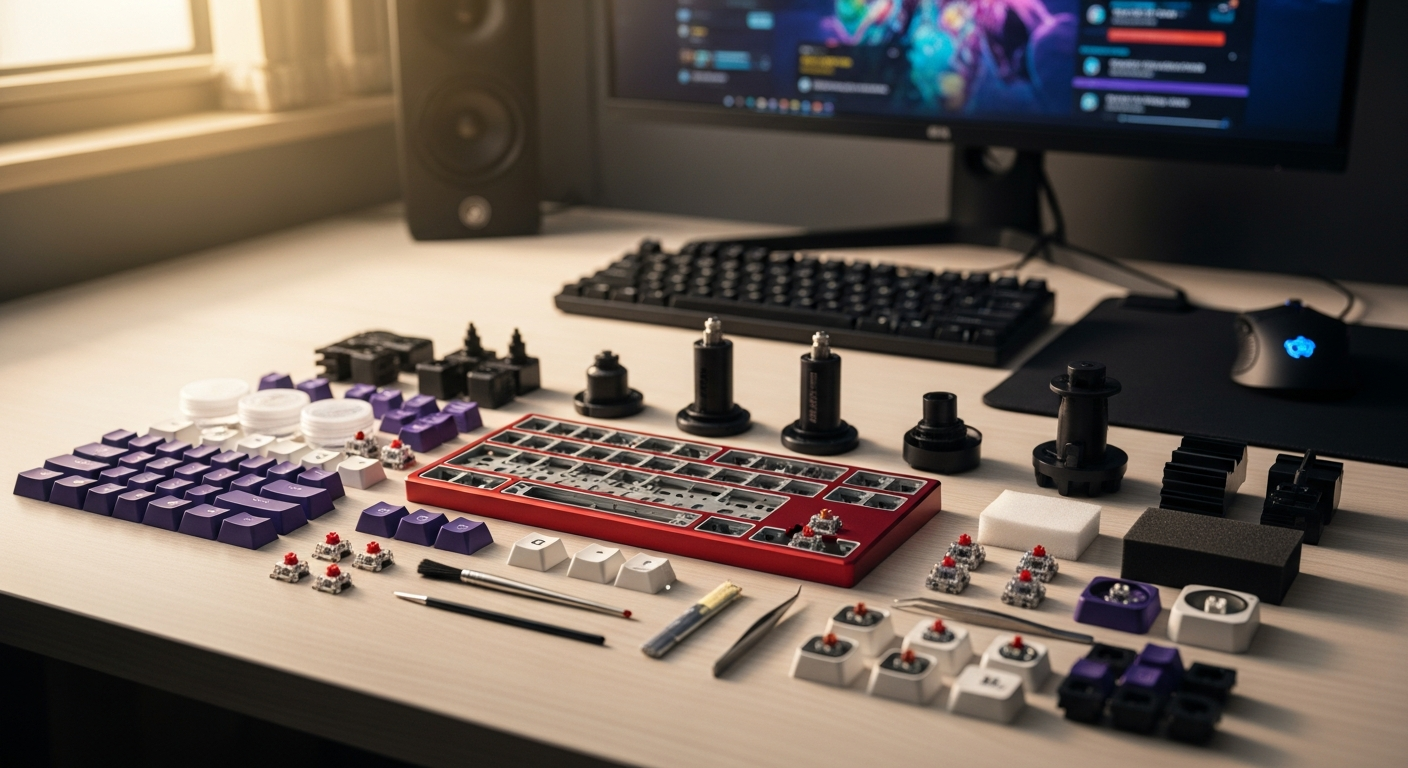
Unlock the full potential of your Redragon K552 Kumara with our complete modding guide. Learn switch swaps, stabilizer upgrades, and customizations to transform your budget keyboard into a gaming powerhouse.
Budget mechanical keyboards often get dismissed as throwaway purchases—but what if thousands of gamers and keyboard enthusiasts are quietly transforming a $40 board into something that rivals machines costing three times the price? The Redragon K552 Kumara has become the community's favorite modding platform, and the reason is straightforward. Its solid construction and welcoming design create the perfect foundation for customization.
The K552 Kumara earned its reputation as an entry-level mechanical keyboard that actually performs. Outemu switches, a compact tenkeyless layout, and full N-key rollover handle gaming and typing duties with ease. The real magic happens when you start modifying it. The mechanical community has embraced this board as an ideal platform for learning keyboard customization, from simple switch swaps to stabilizer tuning and beyond.
Explore the Redragon K552 Kumara and begin your modding journey today.
This guide walks you through the most impactful upgrades you can make to your K552. You'll discover which switches work best, how to eliminate stabilizer rattle, what keycap upgrades elevate your typing experience, and which mods deliver the biggest return on investment. Whether you're new to modding or looking to squeeze maximum performance from your budget board, you'll find practical, actionable steps throughout.
Why the K552 Kumara Is the Ideal Modding Platform for Budget Builders
The K552's popularity among modders stems from several practical advantages. Stock build quality provides a stable foundation without the premium price tag. The Outemu switch sockets accept compatible third-party switches, making customization straightforward. An aluminum plate construction minimizes flex and provides excellent stability for modifications.
The active modding community continuously shares guides, reviews, and compatibility information. Because the K552 costs so little, you can invest savings into higher-quality upgrade components rather than the board itself. Its non-soldered design allows quick, reversible modifications without specialized tools. The compact tenkeyless form factor keeps projects manageable and cost-effective compared to full-size alternatives.
Essential Switch Upgrades: Moving Beyond Outemu Stock Switches
Switch compatibility matters when upgrading from stock Outemu switches. Third-party options like Gateron, Akko, and JWK-style switches fit the K552's sockets. Understanding your preferences—clicky, linear, or tactile—guides your selection. Each profile delivers different typing characteristics and gaming performance.
Hot-swap sockets simplify the upgrade process, though the K552's non-hot-swap design requires switch removal through the top. Lubrication techniques make any replacement switch smoother and quieter. Switch weight affects gaming responsiveness; lighter actuation forces enable faster reaction times for competitive play.
Budget-friendly options often rival premium switches in feel and performance. Gateron switches consistently deliver excellent quality at fraction of the cost. Real-world performance gains appear immediately—faster typing speeds, improved accuracy, and noticeably reduced reaction times in gaming scenarios translate directly to better results.
Upgrade your K552 with quality switches from trusted retailers.
Stabilizer Tuning and Rattle Elimination: The Game-Changer Mod
Stock stabilizers on the K552 often rattle, particularly on the spacebar, shift, and enter keys. Identifying rattle sources is the first step toward improvement. Some users replace stabilizers entirely, while others achieve excellent results through lubrication alone.
Clip and bandaid modding techniques reduce rattle and improve stability without full replacement. Screw-in stabilizers generally work better than plate-mounted versions on the K552. The lubrication approach uses PTFE-based products applied carefully to avoid over-lubrication. Testing after each modification confirms improvements before moving forward.
Before-and-after sound comparisons demonstrate dramatic differences. A stabilizer upgrade often has more impact on overall keyboard feel than switch selection. The cost-benefit analysis favors stabilizer work early in your modding journey—results are noticeable and affordable.
Keycap Swaps: Aesthetic and Functional Improvements
Stock ABS keycaps shine after a few weeks of use, developing a glossy patina that many find unappealing. PBT alternatives solve this problem while improving durability. Profile options—Cherry, SA, DSA, XDA—affect typing comfort and aesthetics significantly.
Sourcing affordable keycap sets that fit the K552's standard bottom row requires minimal hunting. Doubleshot legends resist wear better than dye-sublimated alternatives. Ergonomic keycap considerations matter during extended gaming and work sessions; proper profile selection prevents fatigue.
Mixing and matching keycaps creates custom colorways without premium pricing. Material thickness and quality separate budget options from luxury sets. The acoustic transformation from thin ABS to quality PBT is immediate and substantial—most users notice the difference within minutes of typing.
Acoustic Enhancements: Achieving That Premium Keyboard Sound
Foam layers dampen vibrations and improve acoustics dramatically. PCB stabilization reduces hollow, echoing sounds that plague stock builds. Case padding materials like foam or neoprene absorb resonance when placed strategically.
Gasket mounting modifications adapt the K552's mounting system for improved sound characteristics. Lubrication impacts overall keyboard acoustics by reducing switch stem friction. Comparing stock versus fully modded acoustic profiles reveals the cumulative effect of multiple modifications working together.
Budget-friendly acoustic mods deliver noticeable improvements without expensive components. Sound testing methodology—recording before and after to compare frequency response—verifies that enhancements are real and measurable.
Stabilizer Modding Deep Dive: From Rattle to Refined
Complete stabilizer replacement begins with identifying compatible types for the K552's mounting system. Installation requirements vary depending on stabilizer style chosen. PTFE-based lubricants work better than silicone alternatives for this application—they're more stable and less prone to collecting dust.
Proper application technique prevents over-lubrication that leads to sticky keys. Testing stabilizers post-modification ensures consistency and smoothness across all keys. Common mistakes—excessive lube, improper wire seating, insufficient testing—undermine performance.
Maintenance tips keep stabilizers performing optimally. A troubleshooting guide addresses issues like binding keys or delayed response. Regular cleaning prevents dust accumulation that causes degradation over time.
Lighting Customization: Beyond Stock RGB
The K552's native RGB capabilities provide basic customization through hardware controls. LED switch options enhance backlighting without additional components. Keycap transparency affects light diffusion significantly; translucent caps improve visibility.
Customizing lighting profiles involves basic firmware adjustments. Combining RGB with other aesthetic mods creates cohesive visual impact. Per-key RGB possibilities exist within the K552's architecture, though they require advanced modifications.
Underglow and accent lighting additions produce dramatic effects. Power considerations become relevant when adding custom components—most modifications draw negligible current from the keyboard's standard USB connection.
Budget Modding Roadmap: Prioritizing Upgrades for Maximum Impact
Tier 1 mods deliver the highest impact-to-cost ratio: stabilizer work and switch lubrication. These fundamentals transform feel and sound without major expense. Tier 2 mods provide noticeable improvements with moderate investment—switch upgrades and keycap replacements. Tier 3 mods refine the experience through acoustic dampening and advanced customization.
Building a realistic modding budget requires understanding cost expectations across different paths. DIY approaches save money but demand time investment. Pre-modded components sometimes offer better value when accounting for labor.
A phased timeline spreads costs over months, making expensive upgrades manageable. Community resources provide free advice and tutorials. Resale value considerations matter; certain mods enhance value while others diminish it. Stabilizer upgrades and quality switches typically increase perceived value, while experimental modifications sometimes work against you.
Common Modding Mistakes and How to Avoid Them
Over-lubrication is the most frequent error—it leads to sticky or mushy switches that ruin the typing experience. Incompatible switch purchases don't fit the K552's socket type; verify compatibility before ordering. Damaging stabilizer wires during installation requires full replacement rather than simple fixes.
Applying foam incorrectly restricts key travel or causes binding. Failing to test modifications before finalizing installations leads to surprises. Incompatible keycap stem types or incorrect row profiles create frustration and wasted money.
Ignoring cable management during modifications causes accidental disconnections. Rushing through work without documentation prevents reversibility if something goes wrong. Taking your time and keeping notes prevents these pitfalls.
Real-World Performance: Gaming and Typing After Modding
Measurable improvements appear immediately across multiple dimensions. Typing speed increases noticeably with quality switches; most users gain 5-15% improvement within days. Accuracy improvements follow as tactile feedback improves. Gaming responsiveness metrics—reaction time and keystroke registration—benefit from switch and stabilizer upgrades.
Comfort during extended sessions improves through ergonomic keycap selection and reduced fatigue. Reliability gains come from higher-quality components and proper techniques. Sound quality transformation affects user satisfaction psychologically; a premium-sounding board feels premium to use.
Durability improvements from quality components prevent future repairs. Comparing fully modded K552 to stock versions across multiple metrics reveals the cumulative effect of upgrades. User testimonials from the community validate these real-world improvements consistently.
The Modding Community: Resources and Support for K552 Customization
Online forums and subreddits dedicated to mechanical keyboards host extensive K552 discussions. YouTube channels specializing in K552 guides provide visual walkthroughs. Discord servers connect modders for real-time troubleshooting and advice.
Vendor recommendations from community members point toward reliable component sources. Group buys offer discounted modding supplies through collective purchasing. Documentation and wikis contain detailed K552 specifications and compatibility charts.
Mentorship opportunities connect newcomers with experienced modders. Communities celebrate completed builds, providing motivation and inspiration. Sharing your modifications showcases progress and gathers feedback for improvement.
Take Your K552 From Stock to Spectacular: Your Modding Journey Starts Here
The Redragon K552 Kumara isn't simply a budget keyboard—it's a blank canvas waiting for your personal touch. What begins as a $40 investment can evolve into something rivaling keyboards costing significantly more, all while building your skills and understanding of mechanical keyboards.
Stabilizer tuning eliminates rattle. Switch upgrades transform your typing feel. Keycap swaps enhance both aesthetics and comfort. Acoustic enhancements make your board sound premium. The beauty of modding the K552 lies in its flexibility. Start small with lubrication and switch replacements, then gradually work toward more advanced customizations. Each modification compounds the last, creating a keyboard uniquely yours.
The community surrounding this board is incredibly supportive—thousands of modders have documented their journeys, shared mistakes, and celebrated successes. That collective knowledge becomes your advantage. Start with Tier 1 mods that deliver the biggest impact without demanding advanced skills. Document your process, record before-and-after sound samples, and reach out to the community when you hit obstacles.
Your modded K552 won't just perform better—it reminds you that sometimes the best gear isn't about the price tag, it's about the care and attention you invest in making it yours.
Get your Redragon K552 Kumara and start building your dream keyboard today.